
Businesses operate in fast-paced digital environments where teams need to stay connected and productive regardless of location. As remote and hybrid work become the norm, organizations are increasingly adopting cloud-first strategies to improve flexibility, efficiency, and collaboration.
Cloud based productivity and collaboration tools make it easier for teams to communicate, share files, manage projects, and work together in real time from anywhere. These solutions help businesses streamline workflows, boost productivity, and support modern work environments.
In this guide, we’ll explore the benefits, key features, and best cloud based productivity and collaboration tools to help your business work smarter and grow faster.
What Are Cloud Based Productivity and Collaboration Tools?
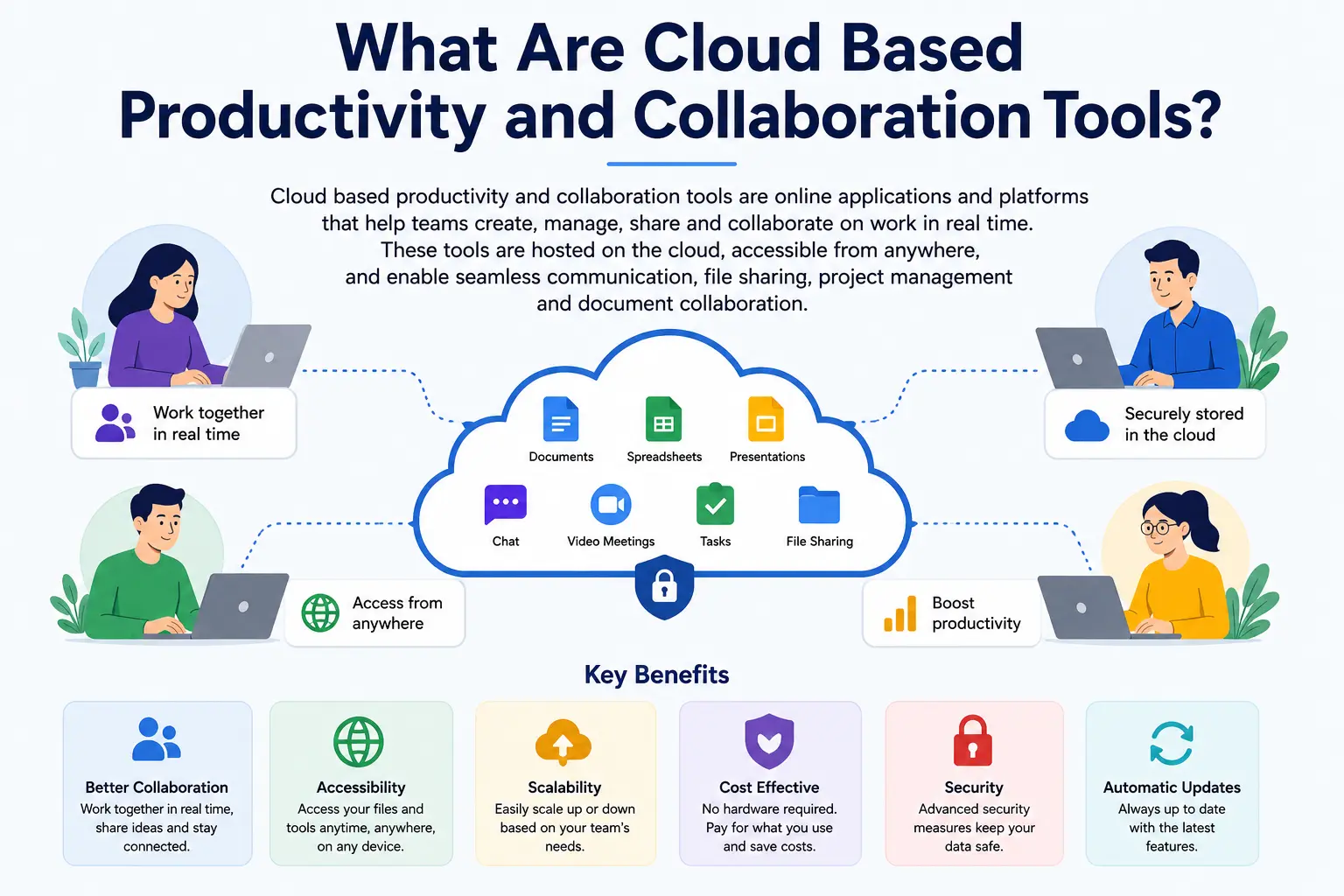
Cloud based productivity and collaboration tools are software applications that help individuals and teams communicate, share information, manage tasks, and work together over the internet. Unlike traditional software that must be installed on a specific computer, these tools are hosted in the cloud, allowing users to access them from any device with an internet connection.
From document creation and file sharing to video meetings and project management, cloud-based solutions bring essential workplace functions into a single digital environment. Popular examples include Google Workspace, Microsoft 365, Slack, and Asana.
Definition and How They Work
Cloud based productivity and collaboration tools store data and applications on remote servers managed by a service provider. Users can access these tools through a web browser or mobile app without needing extensive hardware or IT infrastructure.
When a team member updates a document, assigns a task, or sends a message, the changes are instantly synchronized across the platform. This real-time functionality ensures everyone has access to the latest information, improving teamwork and reducing delays.
Cloud-Based vs Traditional Productivity Software
Traditional productivity software is typically installed on individual computers and often requires manual updates, local storage, and physical access to files. This can make collaboration more challenging, especially for remote teams.
Cloud-based tools, on the other hand, offer greater flexibility and accessibility. Employees can work from anywhere, collaborate in real time, and access files securely across multiple devices. Automatic updates and cloud storage also reduce maintenance requirements and improve efficiency.
Why Businesses Are Adopting Cloud Solutions
Businesses are increasingly adopting cloud solutions because they provide a more flexible, cost-effective, and scalable way to work. As organizations expand and embrace remote or hybrid work models, cloud platforms make it easier for teams to stay connected and productive.
In addition to improving collaboration, cloud based productivity and collaboration tools help reduce IT costs, enhance data security, support business continuity, and enable organizations to respond quickly to changing business needs. These advantages make cloud technology an essential part of the modern workplace.
Why Cloud Based Productivity and Collaboration Tools Matter Today
Modern businesses operate in a fast-moving digital environment where teams need to stay connected, productive, and efficient regardless of their location. As remote work becomes more common and organizations expand across different cloud based productivity and collaboration tools have become essential for maintaining seamless communication and teamwork. These solutions help businesses improve productivity, streamline workflows, and ensure employees can collaborate effectively in real time.
Rise of Remote and Hybrid Work
The workplace has evolved significantly, with many organizations adopting remote and hybrid work models. Employees are no longer limited to working from a single office location. Cloud-based tools provide secure access to files, applications, and communication channels from anywhere, enabling teams to remain productive whether they are working from home, in the office, or while traveling.
Need for Real-Time Collaboration
Modern projects often involve multiple team members working on the same tasks simultaneously. Cloud-based platforms allow users to edit documents, share feedback, and track updates in real time. This eliminates delays caused by emailing files back and forth and ensures everyone is working with the most current information.
Faster Communication Across Teams
Effective communication is critical to business success. Cloud collaboration tools integrate messaging, video conferencing, file sharing, and project updates into one platform. This enables teams to communicate instantly, resolve issues quickly, and make informed decisions without unnecessary delays.
Centralized Access to Business Information
One of the biggest advantages of cloud-based solutions is the ability to store and access information from a centralized location. Important documents, project files, and business data are organized in a single platform, making them easy to find and share. This reduces confusion, improves efficiency, and helps teams stay aligned on goals and priorities.
Key Features of Cloud Based Productivity and Collaboration Tools
Key Features of Cloud Based Productivity and Collaboration Tools
The growing popularity of cloud based productivity and collaboration tools is driven by their ability to simplify communication, improve teamwork, and streamline daily business operations. These platforms offer a wide range of features that help employees work more efficiently, whether they are in the office or working remotely.
Real-Time Document Editing
One of the most valuable features of cloud-based tools is real-time document editing. Multiple team members can work on the same document simultaneously, view changes instantly, and leave comments or suggestions. This eliminates version-control issues and improves collaboration across teams.
Cloud Storage and File Sharing
Cloud storage allows businesses to store documents, images, and other files securely online. Team members can access, share, and update files from any device with an internet connection. This ensures important information is always available when needed and reduces reliance on local storage systems.
Team Messaging and Communication
Effective communication is essential for workplace productivity. Cloud collaboration platforms provide instant messaging, group chats, and discussion channels that help teams stay connected. These features enable employees to share updates, ask questions, and collaborate without relying solely on email.
Video Conferencing Capabilities
With remote and hybrid work becoming more common, video conferencing has become a critical feature. Cloud-based tools allow teams to conduct virtual meetings, presentations, and brainstorming sessions from anywhere. Features such as screen sharing, meeting recordings, and virtual collaboration tools further enhance communication.
Project and Task Management
Many cloud collaboration platforms include project and task management features that help teams organize their work. Users can create tasks, assign responsibilities, set deadlines, and monitor progress in real time. This improves accountability and helps projects stay on schedule.
Workflow Automation
Workflow automation reduces the need for repetitive manual tasks by automating routine processes such as approvals, notifications, and data updates. This helps businesses save time, minimize errors, and allow employees to focus on higher-value activities.
Integration with Third-Party Applications
Modern businesses often use multiple software solutions to manage different operations. Cloud based productivity and collaboration tools can integrate with third-party applications such as CRM systems, accounting software, marketing platforms, and customer support tools. These integrations create a more connected and efficient workflow.
Security and Access Controls
Protecting business data is a top priority for organizations. Cloud-based platforms offer advanced security features such as data encryption, multi-factor authentication, user permissions, and access controls. These measures help safeguard sensitive information while ensuring that employees can securely access the resources they need.
Top Benefits of Cloud Based Productivity and Collaboration Tools
Top Benefits of Cloud Based Productivity and Collaboration Tools
Businesses of all sizes are increasingly adopting cloud based productivity and collaboration tools to improve efficiency, support remote work, and streamline daily operations. These solutions offer several advantages that help organizations stay competitive in today’s fast-changing business environment.
Improved Team Productivity
Cloud-based tools enable employees to access the information, documents, and applications they need from a single platform. With fewer delays caused by file sharing, communication gaps, or software limitations, teams can complete tasks more efficiently and focus on high-value work.
Enhanced Collaboration Across Locations
Modern teams often work from different offices, cities, or even countries. Cloud collaboration platforms make it easy for employees to communicate, share files, and work on projects together in real time. This ensures everyone stays aligned, regardless of their physical location.
Better Flexibility and Accessibility
One of the biggest advantages of cloud-based solutions is the ability to work from anywhere. Employees can securely access files, applications, and project updates using a laptop, tablet, or smartphone. This flexibility supports remote and hybrid work while helping businesses maintain productivity.
Reduced Operational Costs
Traditional software often requires expensive hardware, maintenance, and IT support. Cloud-based tools operate on subscription-based models, reducing upfront costs and minimizing the need for complex infrastructure. As a result, businesses can lower operational expenses while gaining access to advanced features.
Automatic Updates and Maintenance
Keeping software updated can be time-consuming and costly. Cloud service providers handle system updates, security patches, and maintenance automatically. This ensures businesses always have access to the latest features and security improvements without disrupting daily operations.
Scalability for Growing Businesses
As organizations grow, their technology needs evolve. Cloud based productivity and collaboration tools can easily scale to accommodate additional users, storage requirements, and business processes. This allows companies to expand without investing heavily in new infrastructure.
Improved Business Continuity
Unexpected events such as system failures, natural disasters, or workplace disruptions can impact business operations. Cloud-based platforms store data securely online and provide backup and recovery options, ensuring employees can continue working and access critical information when needed. This helps businesses maintain continuity and reduce downtime.
Best Cloud Based Productivity and Collaboration Tools in 2026
Best Cloud Based Productivity and Collaboration Tools in 2026
With businesses increasingly embracing remote and hybrid work models, choosing the right cloud based productivity and collaboration tools has become more important than ever. The following platforms are among the most trusted and widely used solutions in 2026, helping teams communicate, collaborate, and manage work more effectively.
Google Workspace
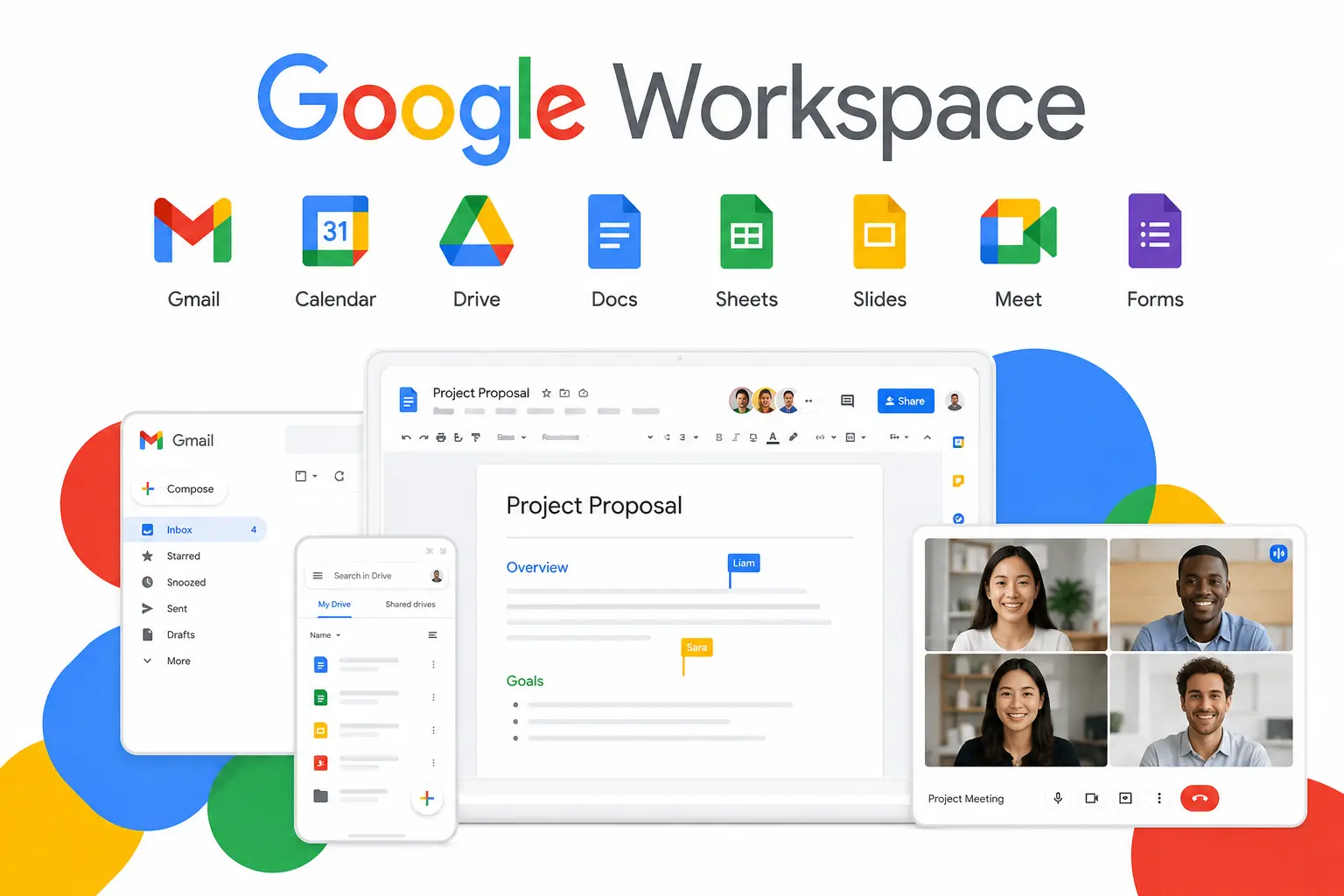
Google Workspace is a comprehensive productivity suite that includes Gmail, Google Docs, Google Sheets, Google Drive, Google Meet, and more. It is known for its real-time collaboration capabilities, allowing multiple users to work on documents simultaneously. Its user-friendly interface and seamless cloud integration make it a popular choice for businesses of all sizes.
Microsoft 365
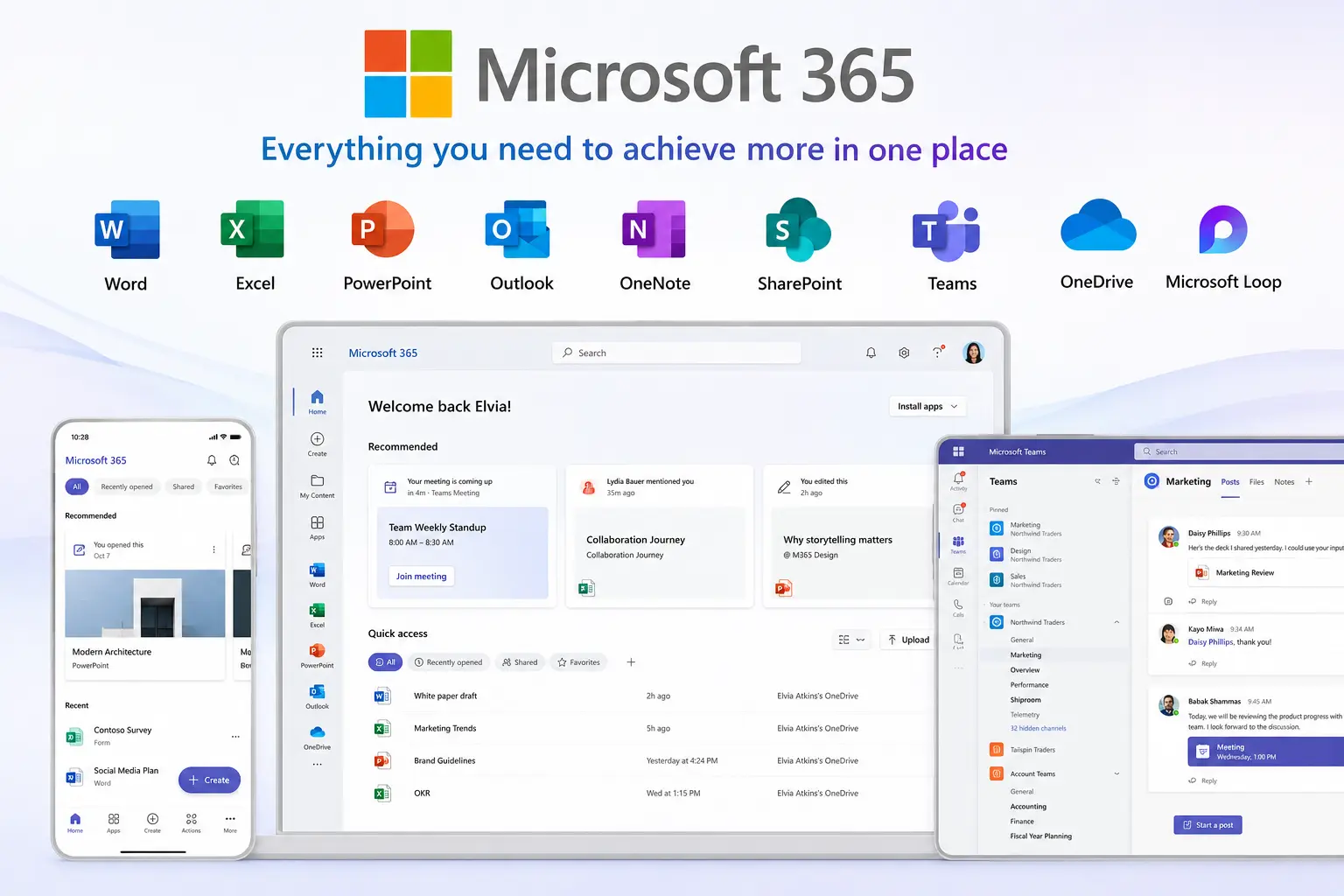
Microsoft 365 combines familiar applications such as Word, Excel, PowerPoint, Outlook, and OneDrive with powerful cloud-based collaboration features. Businesses benefit from enterprise-grade security, advanced productivity tools, and deep integration with Microsoft Teams, making it an excellent solution for organizations that rely on the Microsoft ecosystem.
Slack
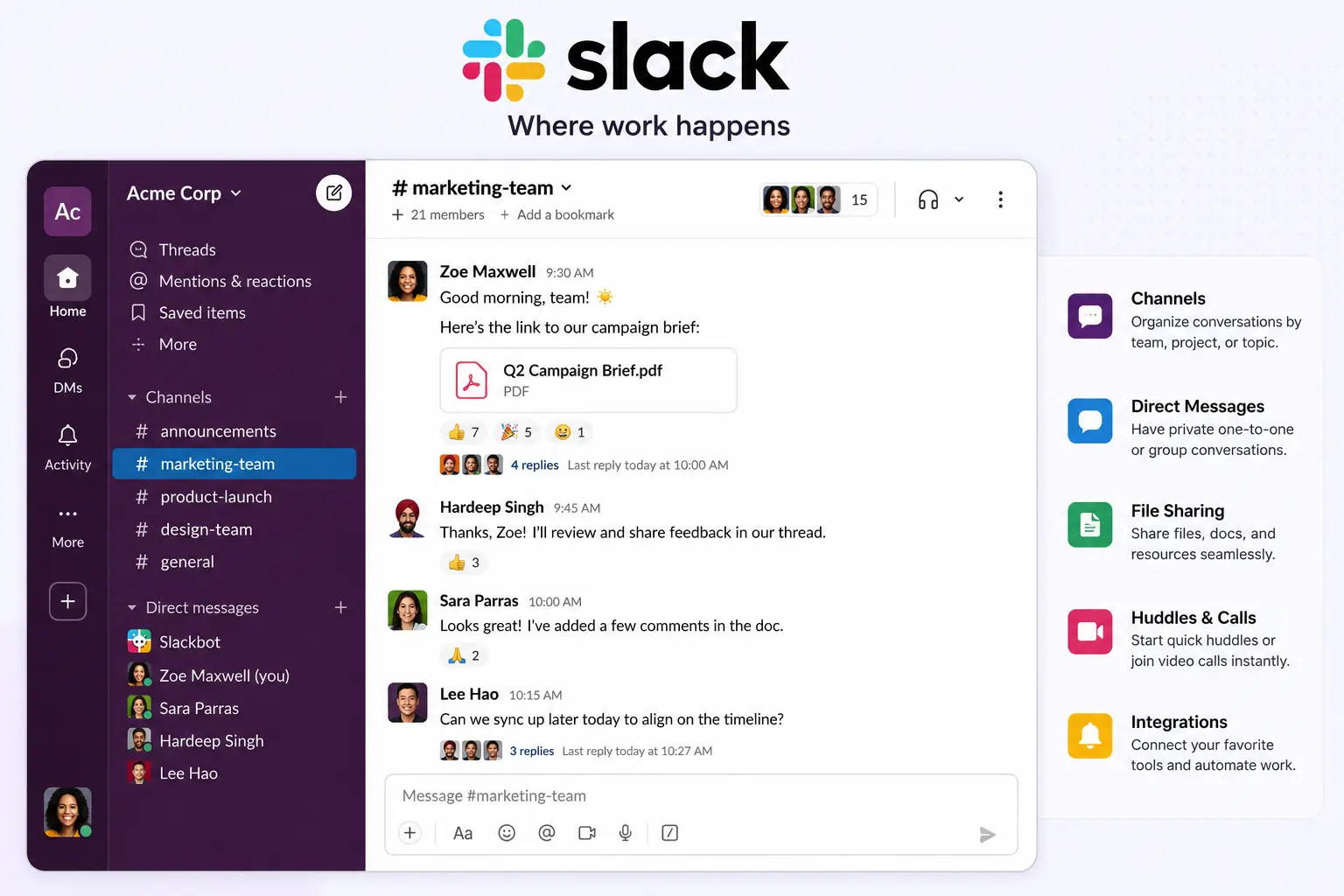
Slack is a leading team communication platform designed to simplify workplace conversations. It organizes discussions into channels, supports direct messaging, and integrates with hundreds of third-party applications. Slack helps teams reduce email clutter and improve communication across departments.
Microsoft Teams

Microsoft Teams is a collaboration hub that combines chat, video meetings, file sharing, and project collaboration in a single platform. Integrated closely with Microsoft 365, it enables employees to communicate and work together efficiently while accessing files and applications from one centralized workspace.
Asana
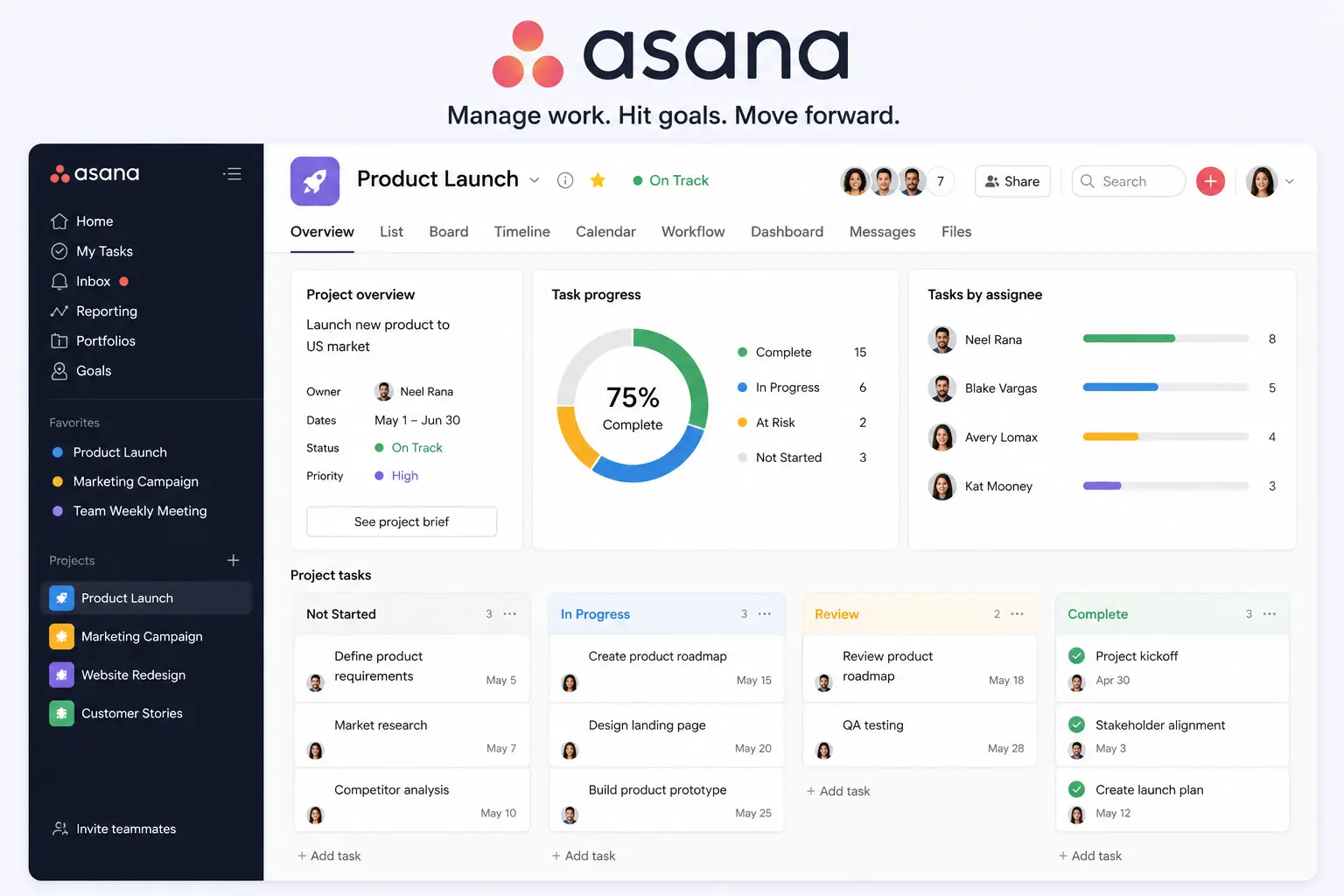
Asana is a project management tool that helps teams plan, organize, and track work. Users can create tasks, assign responsibilities, set deadlines, and monitor project progress through intuitive dashboards. Its collaboration features make it ideal for managing complex projects and improving team accountability.
Trello
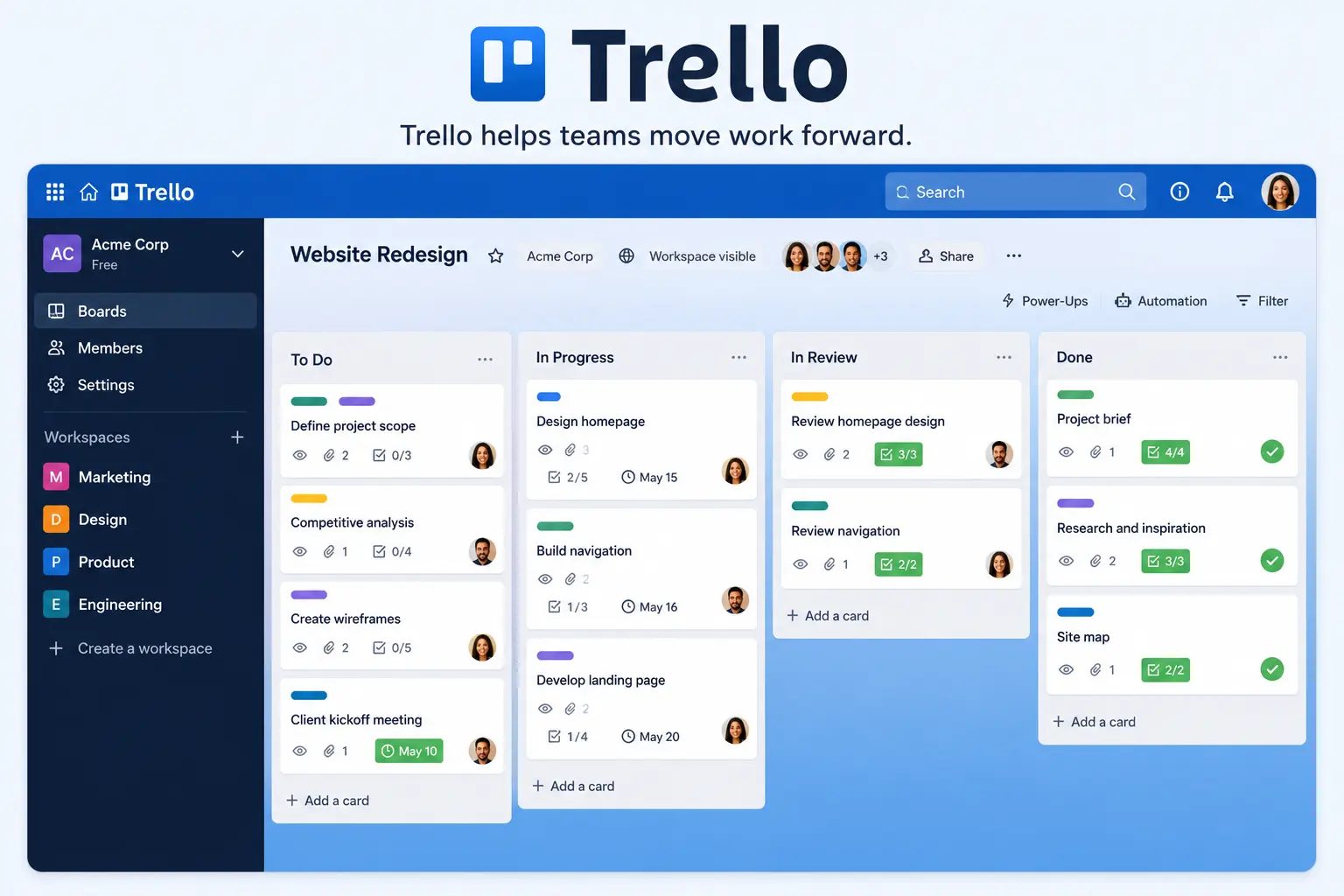
Trello uses a simple visual board system to help teams organize tasks and workflows. With customizable boards, lists, and cards, users can easily track project progress and collaborate on assignments. Trello is particularly useful for small businesses and teams looking for an easy-to-use project management solution.
ClickUp
ClickUp is an all-in-one productivity platform that combines task management, document collaboration, goal tracking, and workflow automation. Its flexibility allows businesses to customize workflows based on their needs, making it a powerful solution for teams seeking a centralized workspace.
Notion
Notion combines note-taking, knowledge management, project planning, and team collaboration into a single platform. Businesses use Notion to create internal wikis, manage projects, store documentation, and organize information, helping teams work more efficiently and stay aligned.
Zoom
Zoom remains one of the most widely used video conferencing platforms for businesses. It supports virtual meetings, webinars, screen sharing, and team collaboration. Its reliability and ease of use make it an essential tool for remote communication and hybrid work environments.
Miro
Miro is an online collaborative whiteboard platform designed for brainstorming, planning, and visual collaboration. Teams can create diagrams, workflows, mind maps, and presentations in real time, making it especially valuable for creative teams, product development, and strategic planning sessions.
Each of these cloud based productivity and collaboration tools offers unique strengths. The best choice depends on your organization’s size, workflow requirements, budget, and collaboration needs. Many businesses combine multiple tools to create a comprehensive digital workplace that supports productivity, communication, and long-term growth.
Comparison Table of Leading Cloud Collaboration Platforms
Include:
- Best For
- Key Features
- Free Plan Availability
- Pricing Model
- Ideal Team Size
| Miro | Visual collaboration and brainstorming | Online whiteboards, mind maps, diagrams, workshops | Yes | Freemium with premium subscriptions | Creative and distributed teams |
How to Choose the Right Platform
When evaluating cloud collaboration platforms, consider your team’s communication needs, project complexity, integration requirements, and budget. Businesses looking for a complete productivity suite may prefer Google Workspace or Microsoft 365, while teams focused on project management may benefit more from Asana, ClickUp, or Trello. For communication and virtual meetings, Slack, Microsoft Teams, and Zoom remain leading choices.
The most effective digital workplaces often combine multiple cloud based productivity and collaboration tools to create a seamless and efficient workflow.
How Cloud Based Productivity and Collaboration Tools Improve Remote Work
Remote and hybrid work have become a standard part of modern business operations. To keep teams connected and productive, organizations rely on cloud based productivity and collaboration tools that enable employees to work together efficiently from any location. These solutions eliminate many of the challenges associated with remote work while improving communication, collaboration, and overall performance.
Supporting Distributed Teams
Businesses often have employees working from different cities, countries, or time zones. Cloud-based collaboration tools provide a centralized workspace where team members can access files, share updates, and collaborate on projects regardless of their location. This ensures everyone remains connected and aligned with business objectives.
Eliminating Version Control Issues
Managing multiple versions of the same document can create confusion and slow down workflows. Cloud-based platforms solve this problem by allowing teams to work on a single shared file. Changes are saved automatically and updated in real time, ensuring everyone has access to the latest version without the need for manual file exchanges.
Real-Time Communication
Effective communication is essential for remote teams. Cloud collaboration tools offer instant messaging, video conferencing, group chats, and file-sharing capabilities that enable employees to communicate quickly and efficiently. Real-time communication reduces misunderstandings, improves teamwork, and helps teams stay productive throughout the workday.
Faster Decision-Making
When information is easily accessible and communication happens instantly, teams can make decisions more quickly. Cloud-based tools allow employees to share feedback, discuss ideas, and review project updates in real time. This speeds up problem-solving, reduces delays, and helps organizations respond more effectively to changing business needs.
By providing seamless collaboration, instant access to information, and efficient communication channels, cloud based productivity and collaboration tools play a critical role in helping remote teams stay connected, productive, and successful.
Security Considerations for Cloud Collaboration Platforms
While cloud based productivity and collaboration tools offer significant benefits in terms of accessibility and teamwork, security remains a top priority for businesses. Organizations often store sensitive documents, customer information, and business data on cloud platforms, making it essential to choose solutions with strong security measures. Understanding the key security features can help businesses protect their data and reduce potential risks.
Data Encryption
Data encryption is one of the most important security features in cloud collaboration platforms. It converts information into a secure format that can only be accessed by authorized users. Most reputable cloud providers encrypt data both during transmission and while it is stored on their servers, helping protect sensitive information from unauthorized access and cyber threats.
Multi-Factor Authentication
Multi-factor authentication (MFA) adds an extra layer of security beyond a standard password. Users must verify their identity using a second method, such as a mobile app, text message, or authentication code. This significantly reduces the risk of unauthorized account access, even if login credentials are compromised.
Role-Based Access Controls
Not every employee needs access to all company information. Role-based access controls allow administrators to assign permissions based on job responsibilities. Employees can only access the files, applications, and data relevant to their roles, reducing the risk of accidental data exposure and strengthening overall security.
Compliance Standards
Many industries must comply with regulations designed to protect sensitive data. Leading cloud collaboration platforms support compliance standards such as GDPR, HIPAA, ISO 27001, and SOC 2. Choosing a platform that meets relevant compliance requirements helps businesses maintain regulatory compliance and build trust with customers and stakeholders.
Backup and Disaster Recovery
Unexpected events such as cyberattacks, hardware failures, or natural disasters can result in data loss and business disruption. Cloud platforms typically provide automatic backups and disaster recovery solutions that help organizations restore critical data quickly. These features ensure business continuity and minimize downtime during emergencies.
By prioritizing security features such as encryption, multi-factor authentication, access controls, compliance support, and reliable backup systems, businesses can confidently use cloud based productivity and collaboration tools while keeping their data secure and protected.
Common Challenges and How to Overcome Them
Although cloud based productivity and collaboration tools offer numerous benefits, businesses may face certain challenges during implementation and daily use. Understanding these obstacles and adopting the right strategies can help organizations maximize the value of their cloud collaboration platforms.
Internet Dependency
Cloud-based tools rely on a stable internet connection to function effectively. Slow or unreliable internet can disrupt communication, limit access to files, and reduce productivity.
How to Overcome It:
Businesses should invest in reliable internet services and provide backup connectivity options whenever possible. Many cloud platforms also offer offline access features, allowing employees to continue working and synchronize changes once the connection is restored.
User Adoption Issues
Employees may be hesitant to switch from familiar systems to new cloud-based platforms. Resistance to change can slow implementation and reduce the effectiveness of the tools.
How to Overcome It:
Provide proper training, clear documentation, and ongoing support to help employees understand the benefits of the new system. Encouraging gradual adoption and demonstrating how the tools simplify daily tasks can improve user acceptance.
Tool Overload
Organizations often use multiple applications for communication, file sharing, project management, and collaboration. Managing too many tools can create confusion, reduce efficiency, and increase costs.
How to Overcome It:
Evaluate existing software and consolidate tools whenever possible. Choose platforms that offer multiple features in a single solution or integrate well with other business applications to create a more streamlined workflow.
Data Privacy Concerns
Storing sensitive business information in the cloud may raise concerns about data security, unauthorized access, and regulatory compliance.
How to Overcome It:
Select trusted cloud providers that offer strong security measures such as data encryption, multi-factor authentication, access controls, and compliance certifications. Regular security audits and employee awareness training can further strengthen data protection.
Integration Challenges
Businesses often rely on various software systems to manage different operations. If cloud collaboration tools do not integrate properly with existing applications, workflows may become inefficient and data may become fragmented.
How to Overcome It:
Before choosing a platform, assess its integration capabilities and compatibility with your current technology stack. Prioritize solutions that support APIs and native integrations with commonly used business applications to ensure smooth data sharing and workflow automation.
By addressing these challenges proactively, organizations can successfully implement cloud based productivity and collaboration tools and create a more efficient, secure, and collaborative digital workplace.
Best Practices for Implementing Cloud Based Productivity and Collaboration Tools
Successfully implementing cloud based productivity and collaboration tools requires more than simply selecting a platform. Businesses need a clear strategy to ensure employees adopt the tools effectively and that the technology supports organizational goals. Following best practices can help maximize productivity, improve collaboration, and deliver a strong return on investment.
Define Business Objectives
Before adopting any cloud collaboration platform, organizations should clearly identify their goals and requirements. Whether the objective is improving communication, supporting remote work, streamlining project management, or increasing productivity, having well-defined goals helps businesses choose solutions that align with their needs and deliver measurable results.
Choose the Right Tool Stack
Not all cloud-based tools offer the same features or capabilities. Businesses should evaluate available options based on factors such as functionality, ease of use, scalability, security, integration capabilities, and budget. Selecting the right combination of tools ensures employees have access to the resources they need without creating unnecessary complexity.
Train Employees Effectively
Even the most advanced collaboration platform can fail if employees do not know how to use it properly. Providing comprehensive training sessions, user guides, and ongoing support helps team members understand key features and adopt new workflows with confidence. Well-trained employees are more likely to use the tools effectively and contribute to higher productivity.
Establish Collaboration Guidelines
Clear guidelines help ensure consistent and efficient use of collaboration tools across the organization. Businesses should define best practices for communication, file sharing, document management, project tracking, and meeting schedules. Establishing standards reduces confusion, improves accountability, and creates a more organized work environment.
Monitor Usage and Performance
Regularly monitoring platform usage and performance helps businesses identify areas for improvement. Analytics and reporting tools can provide insights into employee engagement, collaboration patterns, and workflow efficiency. By reviewing these metrics, organizations can optimize processes, address challenges, and ensure they are getting the maximum value from their cloud-based solutions.
By defining clear objectives, selecting the right tools, training employees, establishing guidelines, and continuously monitoring performance, businesses can successfully implement cloud based productivity and collaboration tools and create a more productive, connected, and efficient workplace.
Future Trends in Cloud-Based Collaboration
As technology continues to evolve, cloud based productivity and collaboration tools are becoming smarter, more efficient, and better equipped to meet the needs of modern businesses. Emerging technologies such as artificial intelligence, automation, and advanced security measures are shaping the future of workplace collaboration. Organizations that stay ahead of these trends will be better positioned to improve productivity, streamline operations, and maintain a competitive advantage.
AI-Powered Productivity Assistants
Artificial intelligence is transforming the way employees work by automating routine tasks and providing intelligent support. AI-powered assistants can schedule meetings, summarize discussions, draft emails, organize documents, and answer common questions. These capabilities help employees save time, reduce manual effort, and focus on higher-value activities.
Intelligent Workflow Automation
Workflow automation is becoming more advanced with the integration of artificial intelligence and machine learning. Modern cloud collaboration platforms can automatically assign tasks, send notifications, manage approvals, and streamline repetitive processes. This improves efficiency, reduces human error, and enables teams to complete work faster and more accurately.
Advanced Analytics and Insights
Businesses are increasingly relying on data to make informed decisions. Future cloud collaboration tools will provide deeper analytics and real-time insights into team performance, project progress, communication patterns, and productivity trends. These insights will help organizations identify bottlenecks, optimize workflows, and improve overall business performance.
Unified Digital Workspaces
As businesses adopt multiple applications and platforms, there is a growing demand for unified digital workspaces. Future cloud solutions will bring communication, file sharing, project management, video conferencing, and business applications together in a single environment. This centralized approach will simplify workflows, improve user experience, and enhance collaboration across teams.
Increased Focus on Cybersecurity
With the growing volume of business data stored in the cloud, cybersecurity will remain a top priority. Cloud providers are expected to invest heavily in advanced security technologies, including stronger encryption, zero-trust security models, threat detection systems, and enhanced identity verification methods. These measures will help organizations protect sensitive information and maintain compliance with evolving regulations.
As these innovations continue to develop, cloud based productivity and collaboration tools will become even more powerful, helping businesses create smarter, more secure, and highly connected workplaces that support long-term growth and success.
How to Choose the Right Cloud Based Productivity and Collaboration Tools
Selecting the right cloud based productivity and collaboration tools is essential for improving teamwork, streamlining workflows, and supporting business growth. With numerous options available, businesses should carefully evaluate their needs and priorities before making a decision. The right solution should align with organizational goals, integrate with existing systems, and provide long-term value.
Assess Team Requirements
The first step is to understand your team’s specific needs. Consider how employees communicate, collaborate, manage projects, and share information. Some teams may require advanced project management features, while others may prioritize real-time communication or document collaboration. Identifying these requirements helps narrow down the most suitable options.
Evaluate Integration Capabilities
Most businesses use multiple software applications for tasks such as customer relationship management, accounting, marketing, and customer support. Choosing tools that integrate seamlessly with your existing technology stack can improve efficiency and reduce manual work. Strong integration capabilities also help create a more connected and productive digital workplace.
Compare Security Features
Security should be a key consideration when selecting a cloud collaboration platform. Look for features such as data encryption, multi-factor authentication, role-based access controls, compliance certifications, and regular security updates. A secure platform helps protect sensitive business information and reduces the risk of cyber threats.
Consider Budget and Scalability
Businesses should evaluate both current and future needs when comparing solutions. While affordability is important, it is equally important to choose a platform that can grow with your organization. Scalable tools allow businesses to add users, increase storage capacity, and access additional features as requirements evolve without significant disruptions.
Test Before Full Deployment
Before committing to a platform, take advantage of free trials or demo versions whenever possible. Testing the software allows businesses to evaluate usability, performance, integrations, and overall suitability. Gathering feedback from employees during the trial period can help identify potential challenges and ensure the chosen solution meets team expectations.
By carefully assessing requirements, reviewing integrations, prioritizing security, considering scalability, and testing solutions before implementation, organizations can confidently choose the cloud based productivity and collaboration tools that best support their productivity, collaboration, and long-term business goals.
Conclusion
As businesses continue to embrace digital transformation, cloud based productivity and collaboration tools have become essential for improving communication, enhancing teamwork, and increasing operational efficiency. These platforms enable employees to collaborate in real time, access information from anywhere, manage projects effectively, and support remote or hybrid work environments.
Beyond improving productivity, cloud collaboration solutions offer greater flexibility, scalability, security, and cost savings, making them valuable assets for organizations of all sizes. As workplace technology continues to evolve, the role of cloud-based collaboration will only become more important in helping businesses stay competitive and adaptable.
By carefully evaluating your organization’s needs and selecting the right cloud based productivity and collaboration tools, you can create a more connected, efficient, and future-ready workplace. Investing in the right solutions today can drive long-term growth, improve employee performance, and position your business for continued success in an increasingly digital world.
Frequently Asked Questions (FAQs)
What are cloud based productivity and collaboration tools?
Cloud based productivity and collaboration tools are online software solutions that help teams communicate, share files, manage projects, and collaborate in real time. These tools are accessible through the internet, allowing employees to work from anywhere using various devices.
What are the benefits of cloud based productivity and collaboration tools?
These tools improve team productivity, enhance communication, support remote work, reduce operational costs, provide secure file sharing, and enable businesses to scale more efficiently as they grow.
Which are the most popular cloud collaboration tools in 2026?
Some of the most widely used cloud collaboration platforms include Google Workspace, Microsoft 365, Slack, Microsoft Teams, Asana, Trello, ClickUp, Notion, Zoom, and Miro.
Are cloud based productivity and collaboration tools secure?
Yes, most leading platforms offer advanced security features such as data encryption, multi-factor authentication, role-based access controls, regular security updates, and compliance with industry standards to help protect business data.
How do cloud collaboration tools support remote and hybrid work?
Cloud collaboration tools allow employees to access files, communicate with colleagues, attend virtual meetings, and collaborate on projects from any location. This helps remote and hybrid teams stay connected and productive.