
Every year there is a set of “top AI tools” lists and many of them are written in the same way: a name, a short description, a price and then repeat. That is not what this guide is about.
We use these tools every day for writing for research, for meetings, for coding and for project work. This article is based on what really makes it into a real work process. If you are looking for AI tools that actually save real time instead of just looking good in a demo you are in the right place.
We will talk about the tools, how to put them together into work processes, which ones are good for which tasks and where the free options are just as good as the paid ones.
AI productivity tools are software programs that use machine learning models and large language models to help you write, research, plan, organize or automate tasks faster than doing them by hand. Imagine them as an assistant that never gets tired: one for writing emails, one for summarizing meetings, one for reorganizing notes.
The category has grown fast enough that Wikipedia now tracks it as part of the broader artificial intelligence applications space, alongside things like autonomous agents and generative content tools.
25 Best AI Productivity Tools
1. ChatGPT
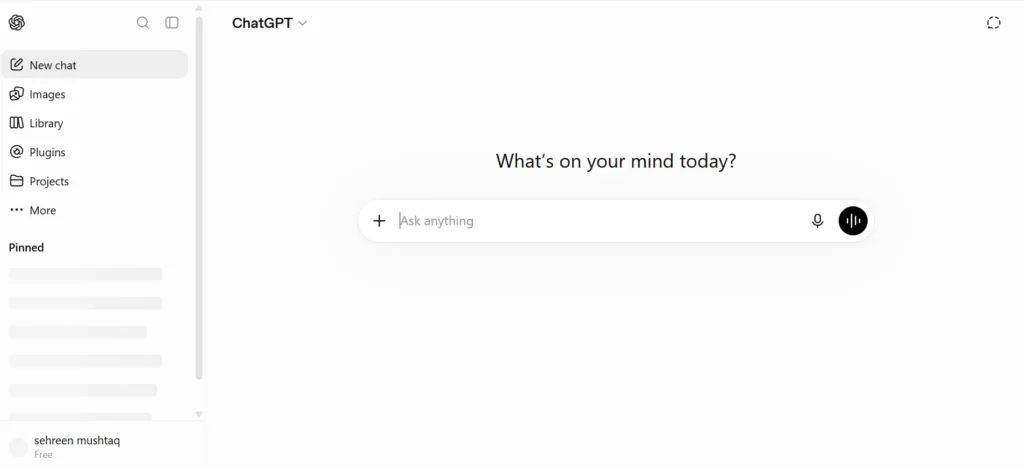
ChatGPT from OpenAI is the popular artificial intelligence assistant that people use every day. This is because it does a lot of things well such as writing, doing research, coding and helping with ideas. You do not have to do much to get it to work.
The paid version, called Plus, is even better because it gives you answers faster, lets you make pictures and you can teach it to do things over again for you.
Chatgpt from OpenAI is not perfect. It has a time keeping track of everything when you are working on something very long like a big document. Some other artificial intelligence assistants are better at this.
ChatGPT from OpenAI is best for people who want one tool that can help them with lots of tasks every day. You can use it for free. You can pay for the Plus version, which starts at twenty dollars, per month.
2. Claude
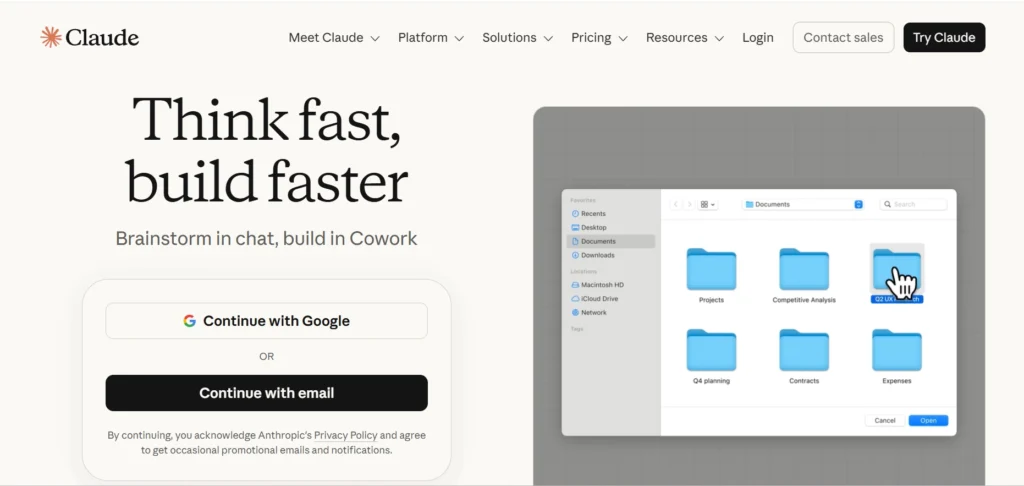
Claude is a tool created by a company called Anthropic. It is known for writing texts that are carefully thought out. This makes it good for looking at documents, writing code and doing editing. The reason it is good for these tasks is because it can handle a lot of information at once.
That is why it is a choice for people who work with long reports or big pieces of code.
Claude is not as good as some tools when it comes to making images. It is not as exciting for that kind of work. The best people to use Claude are writers, analysts and developers. These people need writing that’s careful and organized. The cost for using Claude is a plan. For features the Pro plan starts at twenty dollars per month.
3. Google Gemini

Google Gemini stands out because of how deeply it integrates with Google Workspace. It works seamlessly across Gmail, Google Docs, Sheets, Slides, Drive, and Meet, allowing users to draft emails, summarize lengthy documents, generate spreadsheets, create presentations, and answer questions without leaving the Google apps they already use. This native integration makes everyday tasks feel faster and more intuitive instead of requiring you to switch between multiple AI tools.
Gemini also supports multimodal capabilities, meaning it can understand text, images, PDFs, and other file types, making it useful for research, document analysis, and brainstorming. If your organization already relies on Google Workspace, Gemini is one of the easiest AI tools to adopt because it fits naturally into existing workflows with minimal setup.
Best for: Google Workspace users
Pricing: Free tier available; Google AI Pro starts around $19.99/month
4. Microsoft Copilot

Microsoft Copilot is much a part of the Microsoft 365 system, which makes it very helpful for companies that already use Word, Excel, Outlook, PowerPoint and Teams. It can take email messages and make summaries, create reports, look at data in spreadsheets, make presentations based on instructions and even help with tasks that happen over and over again in Office programs. Of being a separate chat tool Copilot is inside the programs that workers use every day.
The main advantage is helping people work faster in companies, especially for businesses that deal with a lot of papers, meetings and numbers. The main problem is that it costs a lot because the Microsoft 365 Copilot extra feature is more expensive than other AI tools, especially for big groups of people.
Best for: Organizations already using Microsoft 365
Pricing: Approximately $30/user/month
5. Perplexity AI
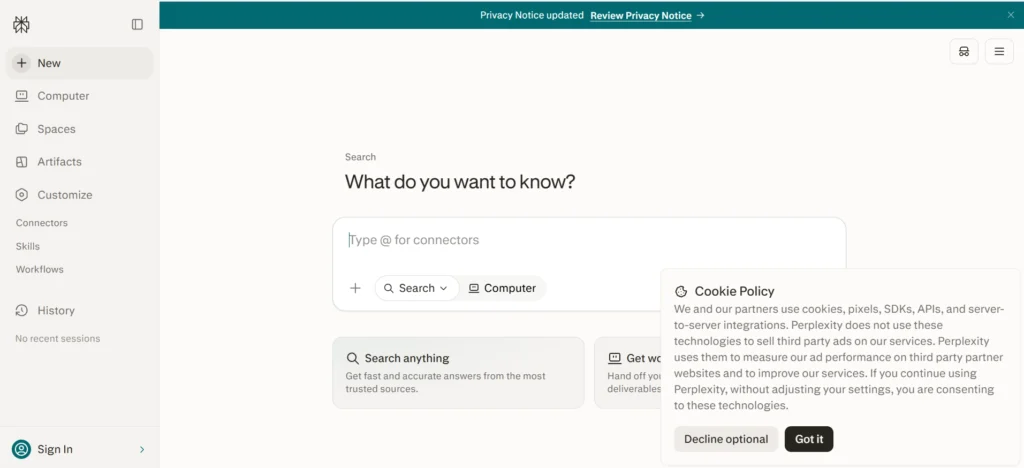
Perplexity AI brings together the quickness of an AI chatbot and the trustworthiness of a search engine. It gives answers that have references and links to sources. Of just making up answers it shows the websites and documents it used. This makes it very easy to check if the information is correct. This is especially helpful when doing research looking at competitors, checking facts and learning about subjects.
The platform also allows users to ask questions, upload files and do deep research, with the help of AI. This means people can look into topics without having to open many browser tabs all the time. For people who spend a lot of time doing research, Perplexity can save a lot of time when searching online.
Best for: Research, competitive analysis, and fact-checking
Pricing: Free tier available; Pro starts at $20/month
6. Notion AI
The Notion AI is part of the Notion workspace so it is easy to use with the Notion app that many teams already use for things like documentation and project planning. The Notion AI can do a lot of things like summarize the notes from meetings, generate content, rewrite the text, find the important action items, come up with new ideas and answer questions using the information that is already in the Notion workspace.
Because the Notion AI knows what is in your documents it is really good at keeping track of knowledge and making it easier to find things in collections of notes. The Notion AI does not replace the Notion app, it just makes it better by reducing the amount of writing and organizing that you have to do every day. The Notion AI is a help with the Notion app and it makes the Notion workspace even more useful, for teams that use it.
Best for: Teams using Notion for documentation and project management
Pricing: AI add-on starts around $10/month per member
7. Grammarly
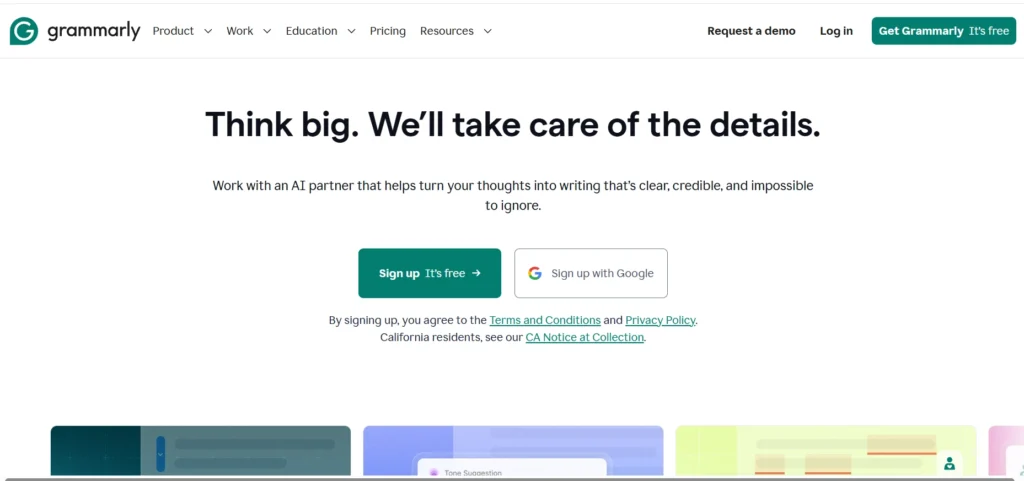
Grammarly is one of the most widely used AI writing assistants, helping users improve grammar, spelling, clarity, tone, and overall readability across nearly every application they use. It integrates with Gmail, Google Docs, Microsoft Word, Slack, web browsers, and many other platforms, providing real-time suggestions wherever you write.
The premium version goes beyond grammar correction by offering sentence rewrites, tone adjustments, plagiarism detection, and AI-assisted content generation. Whether you’re writing emails, reports, blog posts, or client proposals, Grammarly helps make your writing more polished and professional while saving editing time.
Best for: Writers, marketers, students, and professionals who write daily
Pricing: Free tier available; Premium starts around $12/month
8. ClickUp Brain
The ClickUp Brain is a helper that’s part of ClickUps project management tool. It assists teams in making a list of tasks creating project updates, writing documents, answering questions about project information and doing routine work. Because the ClickUp Brain has access to tasks, documents, comments and project timelines inside ClickUp it gives answers that’re relevant to what is going on.
For teams that are already using ClickUp to manage their projects the ClickUp Brain saves time that would be spent looking for information and getting updates ready. This means that managers and team members can focus on getting things done or doing administrative work.
Best for: Project managers and teams using ClickUp
Pricing: AI add-on starts around $7/member/month
9. Motion
Motion combines AI with calendar management to automatically organize your day based on priorities, deadlines, meetings, and available time. Instead of simply reminding you about tasks, it actively reschedules your calendar whenever priorities change, ensuring important work gets completed without constant manual planning.
This dynamic scheduling approach makes Motion especially valuable for freelancers, consultants, entrepreneurs, and busy professionals who juggle multiple deadlines. It essentially acts as an AI-powered personal scheduler that continuously optimizes your workload.
Best for: Professionals managing busy calendars and multiple deadlines
Pricing: Starts around $34/month
10. Fireflies.ai
Fireflies.ai automatically joins online meetings, records conversations, transcribes discussions, and generates searchable summaries with action items and key takeaways. It integrates with popular meeting platforms like Zoom, Google Meet, Microsoft Teams, and Slack, making meeting documentation almost completely hands-free.
Beyond transcription, Fireflies allows users to search past meetings, identify important decisions, and share highlights with teammates, reducing the need for manual note-taking and ensuring important information is never lost.
Best for: Teams with frequent meetings and collaborative projects
Pricing: Free tier available; paid plans start around $10/user/month
11. Otter.ai
Otter.ai is really good at writing down what people say in time. This makes it very useful for things, like meetings, interviews, lectures, webinars and presentations. When people are talking, Otter.ai can write down what they are saying at the time. It can also make a list of everything that was said so people can search for things later. And it can make a summary of what happened in the meeting so people can look at it later.
The thing that makes Otter.ai really helpful is that it can work with calendars and let people work together. This is especially good for teams that’re not in the same place because they need to be able to remember what happened in meetings without having someone write everything down by hand. Otter.ai does all of this for them so they can just focus on their work.
Best for: Live meeting transcription and collaboration
Pricing: Free tier available; Pro starts around $16.99/user/month
12. Zapier AI
Zapier is a great tool for automating work. It has intelligence that makes it even better. People can use intelligence with lots of other apps to do things like write emails, look at what customers are saying, sort support tickets, get information from documents and make things happen in other apps without needing to know how to write code.
The way Zapier works is easy to understand so marketers, sales teams and small businesses can use it to automate things without having to hire someone who knows how to code. This means they can get rid of tasks that they have to do over and again. Zapier is a tool for people who want to use artificial intelligence and automation to make their work easier.
Best for: No-code workflow automation across business applications
Pricing: Free tier available; paid plans start around $19.99/month
13. Make
Make (formerly Integromat) is a visual automation platform designed for users who need more flexibility than traditional automation tools provide. Its drag-and-drop interface supports advanced workflows with conditional logic, branching paths, data transformations, scheduling, and error handling, making it ideal for building sophisticated business automations.
Although it requires a bit more time to learn than simpler automation platforms, the additional control makes it popular among technical users and businesses with complex operational workflows.
Best for: Advanced automation with multi-step workflows
Pricing: Free tier available; paid plans start around $9/month
14. N8n
n8n is a platform that lets people make their automation workflows. They can do this on their computers or on the cloud. N8n works with a lot of services and it also has special AI nodes. These AI nodes help people make workflows and custom automations for their businesses. They can do all this without having to stick with one company.
The thing that people like about n8n is that it is very flexible. It also gives people a lot of control over their information.. It can be extended to do even more things. This makes n8n very appealing to developers and technical teams. It is also good for organizations that have to deal with information like n8n because it gives them the control they need over their automations and data.
Best for: Developers and organizations requiring customizable automation
Pricing: Free if self-hosted; cloud plans start around $20/month
15. NotebookLM
NotebookLM is a tool from Google that uses intelligence to help you with your research. It is different because it looks at the documents you have from searching the whole internet. You can add your papers, notes and presentations to it and then ask it questions about just those things. This helps a lot because it does not make things up much and it is easier to look at a lot of information.
NotebookLM can also do things for you. It can make versions of your documents, help you study, make lists of important dates, answer frequently asked questions and even talk to you like a podcast. This makes it really useful for people who do research students and people who work with information all day. NotebookLM is really good, for people who need to learn things and understand a lot of information.
Best for: Research using your own documents
Pricing: Free
16. Gamma
Gamma is a tool that assists people in making presentations, documents and webpages with the help of intelligence in a very short time. People do not have to spend a lot of time making slides. They can just give Gamma a topic or a plan. It will make a professional looking presentation with a good layout, pictures and organization.
Gamma is really helpful when people need to make presentations inside the company or when they are brainstorming ideas or making plans for a project or when they need to make a draft for a client and they need it fast. In these situations having something done quickly is more important than making sure every little detail is perfect.
Best for: Fast AI-generated presentations and documents
Pricing: Free tier available; paid plans start around $8/month
17. Canva Magic Studio
Canva Magic Studio is a cool tool that helps people make great designs using artificial intelligence. It is part of a popular graphic design platform that lots of people use. With Canva Magic Studio people can make pictures, create graphics for media, get rid of backgrounds, make images bigger and even write new marketing text. They can also make designs using just a few simple instructions.
Many companies already use Canva to do their marketing work every day. So Canva Magic Studio makes their work easier without needing them to learn a new program. This means teams can keep doing what they are doing and just get some help from Canva Magic Studio.
Best for: Marketing teams, social media managers, and designers
Pricing: Free tier available; Canva Pro starts around $12.99/month
18. Beautiful.ai
Beautiful.ai is a tool that helps people make presentations without having to do a lot of design work. When you add things to your presentation Beautiful.ai automatically makes sure everything looks good and is easy to read. It changes the way things are laid out and how much space is between them so your presentation looks nice and neat.
The templates that Beautiful.ai has are really helpful for people like consultants, executives and sales teams who have to make presentations for clients. Beautiful.ai is great, for anyone who needs to make presentations that look good because the way they look is important. Beautiful.ai makes sure your presentations look professional and nice which is what you want when you are showing them to clients.
Best for: Professional business presentations
Pricing: Starts around $12/month
19. Cursor
Cursor is an AI-first code editor that functions like an intelligent programming partner. Developers can describe changes in plain English, ask questions about their codebase, generate new functions, refactor existing code, debug errors, and navigate large projects far more efficiently than with traditional code editors.
Because Cursor understands the broader project context instead of individual files, it has quickly become one of the most popular AI development tools among software engineers.
Best for: Software developers and engineering teams
Pricing: Free tier available; Pro starts around $20/month
20. Superhuman
Superhuman is a premium email client designed for professionals who spend much of their day managing email. Its AI features summarize conversations, draft replies, prioritize important messages, and streamline inbox management through keyboard shortcuts and automation.
Although it’s one of the more expensive email tools on the market, many executives, founders, and sales professionals consider the time savings worth the investment.
Best for: Professionals managing high email volumes
Pricing: Starts around $30/month
21. Raycast AI
Raycast replaces Spotlight on macOS with a powerful launcher that combines productivity shortcuts with AI assistance. Users can search files, launch applications, execute commands, generate text, summarize content, and automate repetitive workflows without leaving the keyboard.
Its speed and extensive customization options have made it especially popular among developers, designers, and other Mac power users.
Best for: macOS users seeking keyboard-first productivity
Pricing: Free tier available; AI add-on starts around $8/month
22. Mem AI
Mem AI is an intelligent note-taking platform that automatically organizes information instead of relying on manually created folders and tags. As users capture notes, ideas, meeting summaries, and research, the AI identifies relationships between them and surfaces relevant information when needed.
This makes Mem especially useful for professionals managing large amounts of personal knowledge who want AI to handle organization automatically.
Best for: Personal knowledge management and note-taking
Pricing: Starts around $10/month
23. Descript
Descript transforms audio and video editing by allowing creators to edit media simply by editing the transcript. Removing a sentence from the text automatically removes it from the recording, making podcast and video editing significantly faster than traditional timeline-based editors.
The platform also includes AI voice cloning, automatic filler-word removal, eye-contact correction, and studio-quality audio enhancement for professional content creation.
Best for: Podcast, video, and content creators
Pricing: Free tier available; paid plans start around $12/month
24. ElevenLabs
ElevenLabs is one of the leading AI voice generation platforms, capable of producing highly realistic speech in multiple languages and voices. It supports voiceovers, audiobook narration, podcast production, dubbing, and custom voice cloning while maintaining remarkably natural pronunciation and emotional expression.
Its high-quality output has made it a popular choice among marketers, educators, YouTubers, and media production teams.
Best for: Voiceovers, audiobooks, and AI narration
Pricing: Free tier available; paid plans start around $5/month
25. Rewind AI
Rewind AI continuously records your screen activity, meetings, browser history, and conversations locally on your Mac, allowing you to search everything you’ve seen or heard using natural language. Instead of trying to remember where information came from, users can simply ask questions such as, “What did my manager say about the budget last week?”
While this provides exceptional recall and productivity benefits, organizations should carefully review Rewind’s privacy controls and data handling policies before deploying it on work devices, particularly where sensitive information is involved.
Best for: Personal knowledge recall and searchable work history
Pricing: Free tier available; paid plans start around $19/month
How AI Productivity Tools Work
Most of these tools sit on top of a large language model such as GPT, Claude, or Gemini. You give the tool an instruction (a prompt), it processes that against the model, and it returns text, a summary, code, or an action. This ability to automate repetitive tasks and deliver faster results is one of the key reasons AI is transforming employee productivity across industries, helping teams spend less time on manual work and more time on high-value activities.
Some tools go further and use what’s called retrieval-augmented generation (RAG), where the AI pulls in your documents or the live web before answering. That’s why a tool like Perplexity can cite sources, while a basic chatbot without RAG is limited to what it learned during training. By combining advanced AI models with techniques like RAG, organizations can improve employee productivity through more accurate answers, faster research, and better-informed decision-making.
Benefits of Using AI for Productivity

The honest benefits are narrower than most marketing suggests, but they’re real. AI tools are good at first drafts, summarizing long content, catching writing errors, transcribing meetings, and handling repetitive steps in a workflow.
They’re not good at replacing judgment. A meeting summary still needs a human to decide what actually matters from it, and AI-generated code still needs a developer to review it before it ships.
How We Tested and Ranked These AI Productivity Tools
We ran each tool through the same routine tasks over several weeks: drafting a real email, summarizing a real meeting, researching a real topic, and building a small automation. That let us compare apples to apples instead of judging tools off their landing pages.
Testing Criteria
- Ease of use: how long it takes a new user to get a useful result
- Accuracy: how often the output needs correction
- Automation: how much manual work the tool removes
- Integrations: whether it connects to tools you already use, like Google Workspace or Microsoft 365
- Value for money: what you get at each pricing tier
- Learning curve: how much setup or training it takes
- Privacy: how the tool handles your data
- Customer support: response time and documentation quality
Quick Comparison Table of the Best AI Productivity Tools
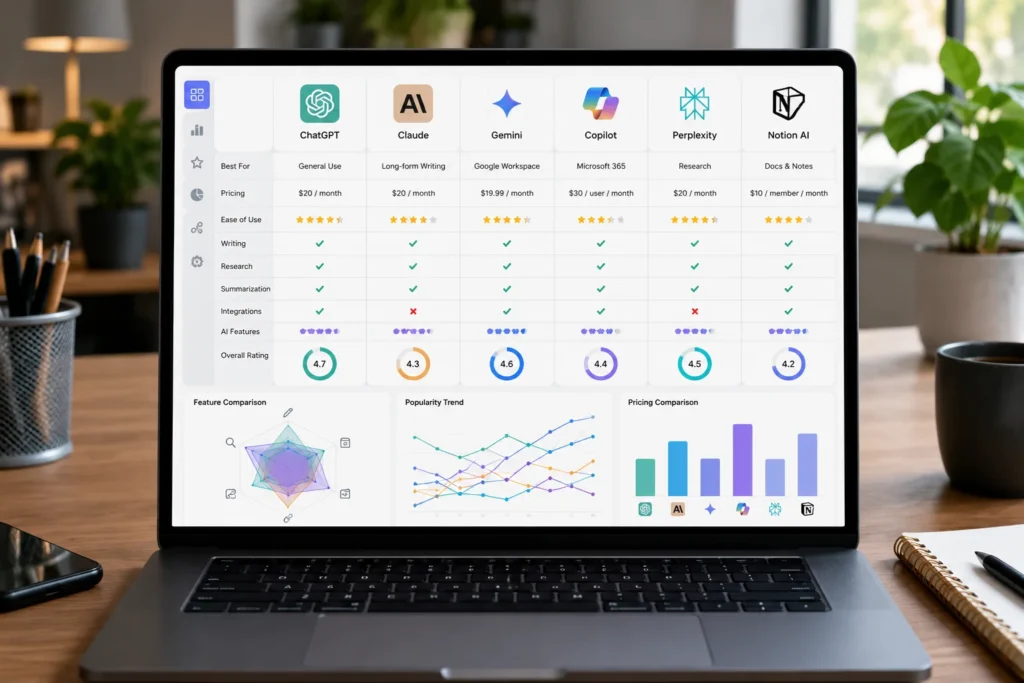
| Tool | Best For | Free Plan | Starting Price | Platforms |
| ChatGPT | General AI assistant | Yes | $20/mo | Web, iOS, Android, desktop |
| Claude | Writing and analysis | Yes | $20/mo | Web, iOS, Android, desktop |
| Google Gemini | Google Workspace users | Yes | $19.99/mo | Web, mobile, Workspace |
| Microsoft Copilot | Microsoft 365 users | Limited | $30/user/mo | Windows, Microsoft 365 |
| Perplexity | Research with sources | Yes | $20/mo | Web, iOS, Android |
| Notion AI | Notes and docs in one place | No (add-on) | $10/mo add-on | Web, desktop, mobile |
| Grammarly | Writing correction | Yes | $12/mo | Browser, desktop, mobile |
| ClickUp Brain | Project management | No (add-on) | $7/mo add-on | Web, desktop, mobile |
| Motion | Calendar and task automation | No | $34/mo | Web, desktop, mobile |
| Fireflies.ai | Meeting notes | Yes | $10/user/mo | Web, browser extension |
| Otter.ai | Live transcription | Yes | $16.99/user/mo | Web, iOS, Android |
| Zapier AI | No-code automation | Yes | $19.99/mo | Web |
| Make | Visual automation | Yes | $9/mo | Web |
| n8n | Self-hosted automation | Yes (self-hosted) | $20/mo (cloud) | Web, self-hosted |
| NotebookLM | Source-grounded research | Yes | Free | Web |
| Gamma | AI slide decks | Yes | $8/mo | Web |
| Canva Magic Studio | Design and content | Yes | $12.99/mo | Web, mobile |
| Beautiful.ai | Presentation design | Limited | $12/mo | Web |
| Cursor | AI coding | Yes | $20/mo | Windows, Mac, Linux |
| Superhuman | Email speed | No | $30/mo | Web, iOS, Android |
| Raycast AI | Mac productivity launcher | Yes | $8/mo AI add-on | macOS |
| Mem AI | Personal knowledge base | No | $10/mo | Web, mobile |
| Descript | Video and audio editing | Yes | $12/mo | Web, desktop |
| ElevenLabs | AI voice generation | Yes | $5/mo | Web, API |
| Rewind AI | Personal search and recall | Yes | $19/mo | macOS |
Pricing changes often, so treat these as a snapshot rather than a guarantee. Always check the vendor’s pricing page before you commit.
Best AI Productivity Tools by Use Case
1. For Students
NotebookLM and ChatGPT cover most study needs: NotebookLM for grounded research on assigned readings, ChatGPT for explaining concepts and drafting outlines. Grammarly catches writing errors before submission.
2. For Professionals
Microsoft Copilot or Google Gemini fit naturally if you already work inside their respective ecosystems. Add Fireflies or Otter for meeting notes and Motion if your calendar is genuinely chaotic.
3. For Small Businesses
Zapier AI connects your existing tools without hiring a developer, and Canva Magic Studio covers marketing content on a tight budget. ClickUp Brain adds project tracking without a separate subscription for a full-blown PM suite.
4. For Marketing Teams
Canva Magic Studio, Gamma, and Perplexity form a solid stack: research, design, and quick presentations. Grammarly keeps copy consistent across writers.
5. For Developers
Cursor is the clearest standout here, with Claude as a strong secondary option for code review and documentation. n8n suits teams that want to automate deployment or data pipelines without vendor lock-in.
6. For Writers
Claude and Grammarly pair well: Claude for drafting and restructuring, Grammarly for line-level polish. Perplexity helps with fact-checking claims before publishing.
7. For Researchers
Perplexity and NotebookLM cover the two main research modes: open web research and closed-document research. Both cite sources, which matters for anything you’ll need to defend later.
8. For Project Managers
ClickUp Brain or Motion, depending on whether your bigger pain point is task visibility or calendar chaos. Fireflies keep meeting decisions documented instead of relying on memory.
9. For Sales Teams
Superhuman speeds up email-heavy sales cycles, and Fireflies or Otter capture call notes automatically so reps aren’t scrambling to write things down mid-conversation.
10. For Remote Teams
Fireflies or Otter for asynchronous meeting catch-up, Notion AI for shared documentation, and Zapier AI to keep tools in sync across time zones.
Best Free AI Productivity Tools
If budget is the main constraint, NotebookLM (fully free), the free tiers of ChatGPT and Claude, Grammarly’s free plan, and Zapier’s free automation tier cover a surprising amount of ground. You won’t get every advanced feature, but you’ll get enough to run a real workflow before deciding what’s worth paying for.
Paid vs Free AI Productivity Tools
Free tiers are usually fine for occasional use: a few AI queries a day, basic grammar checks, light automation. The paid tiers earn their price mainly through volume limits, faster processing, and access to more capable models or integrations.
A practical rule: start free, track where you hit the tool’s limits (message caps, missing integrations, slower responses), and only upgrade the specific tool that’s actually bottlenecking your work. Paying for five tools “just in case” is how subscription costs quietly spiral.
AI Productivity Workflows That Save Hours Every Week
Individual tools help, but stacking them together is where the real time savings show up.
1. Content Creation Workflow
Research the topic in Perplexity, draft the outline and first pass in Claude or ChatGPT, polish the language in Grammarly, then turn key points into a Gamma deck if you need a visual version. This sequence typically cuts a half-day writing task down to under two hours.
2. Research Workflow
Upload your source documents to NotebookLM and ask it questions grounded in those specific files, then use Perplexity separately for anything that needs current, external information. Keeping the two separate avoids mixing your private sources with open web results.
3. Meeting Workflow
Let Fireflies or Otter transcribe and summarize the call automatically, then push the action items into ClickUp or Notion so they don’t just sit in a meeting notes doc no one reopens. This one change alone removes most manual note-taking.
4. Email Workflow
Superhuman or Gemini/Copilot draft replies from a few bullet points, and Grammarly does a final tone check before sending. For high-volume inboxes, set up Zapier rules to auto-categorize and route messages before you even open them.
5. Project Management Workflow
ClickUp Brain or Motion handles task prioritization and scheduling, while Zapier AI keeps status updates flowing to Slack automatically instead of requiring a manual weekly recap.
6. Coding Workflow
Cursor handles inline code generation and refactoring, Claude reviews larger architectural questions or writes documentation, and n8n automates the deployment pipeline once code is merged.
How to Choose the Right AI Productivity Tool
Questions to Ask Before Buying
- What specific task am I trying to speed up?
- Does this tool integrate with what I already use, like Google Workspace or Microsoft 365?
- What happens to my data once I upload it?
- Can I test this free before committing to a paid plan?
- Will my team actually use this, or will it sit unused after week one?
Essential Features to Look For
Integration with your existing apps matters more than raw AI capability; a slightly less powerful tool that fits your workflow beats a more powerful one that requires switching everything else. Also check for a clear data privacy policy, a genuine free trial (not just a demo video), and export options so you’re not locked in if you switch tools later.
AI Productivity Tips and Best Practices
Be specific in your prompts. “Summarize this meeting” gets a generic result; “summarize this meeting into three action items with owners and deadlines” gets something you can actually use.
Verify anything factual before you rely on it, especially numbers, names, or quotes. Treat AI output as a first draft, not a finished product, and build a short review step into your workflow rather than skipping it under deadline pressure.
Common Mistakes When Using AI Productivity Tools
A common one is subscribing to too many overlapping tools instead of picking two or three and learning them well. Another is trusting AI-generated facts without checking them, which is a known limitation called hallucination, where the model produces a confident but incorrect answer.
Teams also tend to skip training entirely, assuming a tool is “self-explanatory,” then abandon it a month later when it doesn’t deliver instant results. A short onboarding session usually fixes this.
AI Productivity Tools vs Traditional Productivity Software
Traditional software like a to-do list app or a static template requires you to do all the thinking and just organizes the output. AI tools can generate the first draft of that thinking, whether it’s a task breakdown, a summary, or a piece of code.
That doesn’t make traditional tools obsolete. A simple calendar app is still often faster than an AI one for basic scheduling, and not every task benefits from an AI layer.
AI Agents vs AI Assistants
An AI assistant, like ChatGPT or Claude in a chat window, responds when you ask it something. An AI agent goes further: it can take multi-step actions on its own, like researching a topic, drafting a report, and emailing it to you without a prompt at each step.
Tools like Zapier AI and n8n are moving toward agent-like behavior, chaining several AI decisions together in one automated flow. This distinction matters because agents introduce more risk (they act without a human checking each step), so it’s worth starting with tighter permissions and expanding them as you build trust in the workflow.
Future Trends in AI Productivity

Expect deeper integration rather than more standalone chat windows; AI is increasingly built into the apps people already use, as seen with Copilot in Microsoft 365 and Gemini in Google Workspace. Expect more agent-based automation, where AI handles a full task end-to-end instead of a single response.
Research from groups like the Stanford AI Index tracks this shift toward more capable, more autonomous systems each year, which is worth watching if you’re planning a longer-term tool strategy.
Frequently Asked Questions
What is the best AI productivity tool?
There isn’t one universal answer. ChatGPT and Claude are the strongest general-purpose picks, but the best tool depends on your specific task, whether that’s writing, meetings, coding, or research.
Which AI tool saves the most time?
Meeting transcription tools like Fireflies and Otter tend to show the most immediate time savings, since they replace manual note-taking entirely rather than just speeding up a task you’d already do.
Are AI productivity tools worth paying for?
For daily, high-volume use, yes; the paid tiers remove limits that quickly become annoying. For occasional use, free tiers are usually enough.
What is the best free AI productivity tool?
NotebookLM is fully free and covers document-based research well. The free tiers of ChatGPT, Claude, and Grammarly also cover a lot of everyday use.
Which AI tool is best for work?
It depends on your existing software. Microsoft 365 users get the most value from Copilot; Google Workspace users get more from Gemini.
Can AI improve workplace productivity?
Yes, particularly for repetitive tasks like summarizing, drafting, and transcribing, based on both our own testing and discussions on forums like Reddit’s r/productivity where users report similar results.
What AI tools do professionals use?
Common combinations include ChatGPT or Claude for writing, Fireflies or Otter for meetings, and Zapier for automation, based on patterns across the tools reviewed here.
What AI tools are best for students?
NotebookLM for grounded research and ChatGPT for explaining concepts are the two most commonly recommended in student communities.
Conclusion
The best AI productivity tools are not the ones with the impressive show. They are the ones that go along with your work process and take away a task you were doing by hand every week. Begin with one or two tools that match your time waster whether that is meetings, research or repeated administrative work and grow from there.
Prices and features for AI tools change regularly so check this list every month instead of thinking it is set in stone. The right group of tools today might look different in six months. That is okay as long as it is still focused on what actually saves you time.

Mehreen Mushtaq is a skilled content writer dedicated to creating high-quality, engaging, and SEO-focused blogs. She specializes in strategic keyword usage, search intent, and informative content that connects with readers while helping websites strengthen their visibility and rankings in search results.