
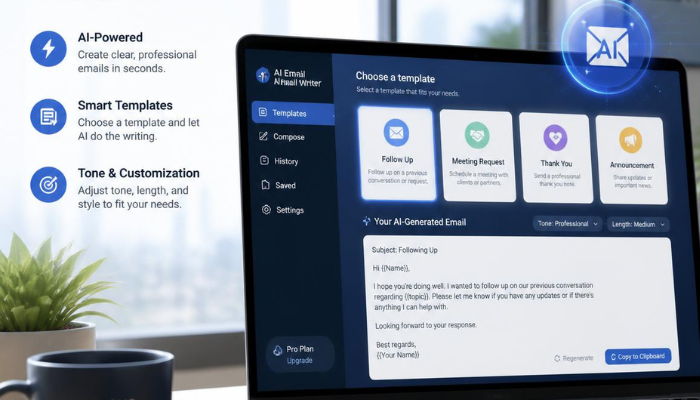
Writing emails sounds simple until you actually have to do it. A short message can take several minutes to write, while important emails such as job applications, sales outreach, client updates, follow-ups, meeting requests, and professional responses can take much longer.
The challenge is not always knowing what you want to say. Often, the difficult part is finding the right words, tone, structure, and level of detail.
This is where an AI email writer can help.
An AI email writer uses artificial intelligence and large language models (LLMs) to turn a short instruction into a structured email. Instead of starting with a blank screen, you can describe your goal, recipient, tone, and important details and receive a draft that you can review and edit.
For people who regularly handle email, this can make writing faster and reduce the mental effort involved in starting every message from scratch.
What Is an AI Email Writer?
An AI email writer is a tool that uses artificial intelligence to generate email drafts based on instructions provided by the user.
For example, instead of spending 10 minutes writing a follow-up email, you could enter a prompt such as:
“Write a short and professional follow-up email to a potential client who hasn’t responded to my proposal.”
The AI can then create a draft with an appropriate greeting, message structure, and closing.
Modern AI email writing tools can also help with rewriting existing messages. You may ask the AI to make an email more professional, friendly, concise, persuasive, or conversational.
The important point is that AI should generally be treated as a writing assistant rather than a replacement for human judgment. You should review the generated message before sending it, especially when the email contains important facts, commitments, personal information, or sensitive business details.
Why Use an AI Email Writer?

Email is one of the most common forms of professional communication, but writing effective messages repeatedly can become time-consuming.
An AI email writer can help with several common challenges.
1. Overcoming Writer’s Block
Sometimes you know exactly what you want to communicate but cannot figure out how to start.
AI can provide a starting point that you can edit rather than forcing you to create the entire message yourself.
2. Saving Time

Instead of writing every sentence manually, you can provide the context and let AI create the initial draft.
This is particularly useful for repetitive emails such as follow-ups, meeting requests, introductions, and customer responses.
3. Improving Tone
The same message can sound completely different depending on how it is written.
You can ask an AI tool to make an email:
- More professional
- More friendly
- More concise
- More formal
- More persuasive
- More conversational
4. Improving Clarity
Long or complicated emails can sometimes confuse the recipient.
AI can help restructure sentences and organize information so that the main point becomes easier to understand.
5. Supporting Different Email Types
An AI email writer can be useful for everything from everyday communication to professional outreach.
Common examples include:
- Business emails
- Cold outreach
- Follow-up emails
- Job applications
- Networking messages
- Meeting requests
- Customer support responses
- Thank-you emails
- Internal announcements
- Sales emails
What Should You Look for in an AI Email Writer?
Not every AI writing tool is designed specifically for email. When choosing one, consider the features that actually fit your workflow.
Ease of Use
A good tool should make writing easier rather than introduce another complicated workflow.
Ideally, you should be able to describe what you need in a few sentences and receive a usable draft.
Tone and Style Controls
The ability to specify tone is particularly important for email.
A message to a customer may need to be professional and helpful, while an email to a colleague could be more casual.
Editing and Refinement
Generating the first draft is only part of the process. A useful AI email writer should also help you refine existing text.
Different Languages
If you communicate with international customers or teams, multilingual support can be valuable.
Integration With Your Workflow
Some tools work directly in a browser, while others can integrate with email platforms such as Gmail. Reducing the need to copy and paste between applications can make the process considerably faster.
Mailmeteor AI Email Writer: A Practical Option
If you want to experiment with AI-assisted email writing, AI Email Writer by Mailmeteor is one option worth considering.
The tool is designed specifically for generating email content from a short description of your context and intent. According to Mailmeteor, users can specify factors such as tone, length, and language when creating an email. The tool can generate drafts for business and personal use cases, including outreach, follow-ups, meeting requests, customer communication, networking, and job applications.
One useful aspect is that you do not need to begin with a perfectly written prompt. You can describe what you want the email to accomplish and then refine the resulting draft.
For example:
Prompt:
“Write a polite 100-word follow-up email to a client who received my proposal last week. Ask whether they have had a chance to review it and offer to answer any questions.”
The generated result gives you a starting point that you can personalize before sending.
Key Features of an AI Email Writer
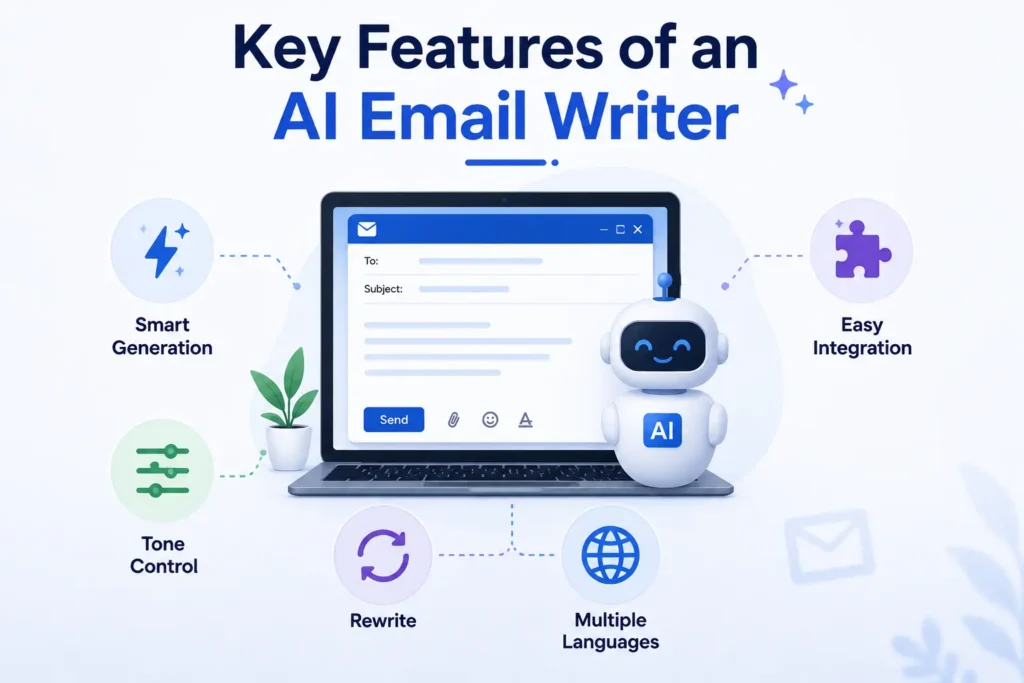
Generate Emails From Simple Instructions
The biggest advantage is the ability to go from an idea to a structured email without writing every sentence manually.
You provide the context and purpose, and the AI creates the draft.
Control Tone and Length
A professional email may require a different tone from a friendly follow-up.
Mailmeteor’s AI Email Writer allows users to include tone, length, and language requirements directly in their prompts.
For example:
- “Make this more professional.”
- “Keep it under 80 words.”
- “Make it friendly but direct.”
- “Rewrite this in French.”
- “Make the message more concise.”
Rewrite and Improve Existing Text
AI can also be useful when you already have a draft.
Instead of completely rewriting the message, you can use AI to improve grammar, clarity, tone, or conciseness.
Mailmeteor’s email-writing features also support refining highlighted sections of an email, including grammar and tone adjustments.
Gmail Integration
For people who spend most of their day in Gmail, an integrated workflow can be more convenient than repeatedly opening a separate website.
Mailmeteor’s AI Email Assistant includes email drafting, context-aware replies, and writing refinement inside Gmail through its browser extension.
How to Use an AI Email Writer
Getting better results from AI is usually less about writing complicated prompts and more about providing enough useful context.
Step 1: Define the Purpose
Start by explaining why you are writing.
For example:
“Write a follow-up email after a sales meeting.”
Step 2: Explain Who Will Receive It
Give the AI some context about the recipient.
For example:
“The recipient is a potential customer who manages a small marketing team.”
Step 3: Include the Important Details
Mention what the email should communicate.
For example:
“We discussed our SEO service and agreed that I would send additional pricing information.”
Step 4: Specify the Tone
Tell the AI how you want the email to sound.
Examples include:
- Professional
- Friendly
- Concise
- Persuasive
- Casual
- Formal
Step 5: Specify the Length
If you want a short email, say so.
For example:
“Keep the email below 100 words.”
Step 6: Review Before Sending
Never assume that an AI-generated email is automatically correct.
Check:
- Names
- Dates
- Prices
- Links
- Facts
- Attachments
- Promises or commitments
- Tone
Then add your personal touch before sending.
Pros and Cons of AI Email Writers
Like any productivity tool, AI email writers have advantages and limitations.
Pros
- Saves time when creating routine emails
- Helps overcome writer’s block
- Can improve grammar and readability
- Makes it easier to adjust tone
- Useful for many different email scenarios
- Can provide a starting point for difficult messages
- Some tools integrate directly with email platforms
Cons
- AI-generated messages can sound generic
- Generated information may occasionally be inaccurate
- Human editing is still necessary
- Sensitive information should be handled carefully
- Overusing AI can make communication feel less personal
The best approach is therefore to use AI for speed and structure while keeping human judgment in control.
AI Email Writer vs. General AI Chatbots
You can technically ask a general-purpose AI chatbot to write an email. So why use a dedicated email-writing tool?
The difference is workflow.
A general AI chatbot can handle almost any writing task, but you may need to explain the desired email structure and context yourself.
A dedicated AI email writer is designed around email-specific use cases. Mailmeteor describes its AI Email Writer as purpose-built for email, with support for common elements such as greetings, sign-offs, tone, and business scenarios.
If you only occasionally write emails with AI, a general chatbot may be sufficient. If email is a major part of your daily workflow, a specialized tool can be more convenient.
Alternatives to AI Email Writers
An AI email writer is not the only solution.
You can also:
- Use a general AI writing assistant
- Create reusable email templates
- Build your own collection of common responses
- Use Gmail’s built-in writing assistance
- Manually write important or highly personal emails
Templates can be especially useful for repetitive communication, while AI is more flexible when every email requires slightly different wording.
For example, you could maintain templates for invoices, meeting requests, onboarding messages, and follow-ups while using AI to personalize each message.
Best Practices for Writing Better AI Emails
The quality of the output depends heavily on the information you provide.
Give the AI Context
Instead of:
“Write an email to my customer.”
Try:
“Write a friendly 80-word email to a customer explaining that their order will arrive two days later than originally expected.”
Keep Important Facts Under Your Control
AI should not be trusted to invent business details.
Always verify dates, prices, names, policies, and commitments.
Personalize the Final Draft
Adding a recipient’s name, specific project detail, previous conversation, or relevant context can make the email feel considerably more authentic.
Keep Emails Concise
AI can sometimes produce longer messages than necessary.
If the recipient only needs three pieces of information, do not send three paragraphs explaining them.
Don’t Use AI for Every Message
Some emails are better written personally, especially sensitive conversations, apologies, important negotiations, and messages where your personal voice matters.
Frequently Asked Questions
What is an AI email writer?
An AI email writer is a tool that uses artificial intelligence to generate or improve email drafts based on instructions about the purpose, context, tone, and length.
Can AI write professional emails?
Yes. AI can create professional email drafts, but you should review and personalize them before sending.
Is an AI email writer useful for business?
Yes. Businesses can use AI email writers for follow-ups, sales communication, customer support, meeting requests, networking, and internal communication.
Can AI rewrite an existing email?
Yes. AI can help improve grammar, clarity, tone, and conciseness in an existing draft.
Should I send an AI-generated email without checking it?
No. Always review the final message for accuracy, context, tone, names, dates, and other important details.
Are AI email writers free?
Some AI email writing tools offer free access. For example, Mailmeteor currently describes its standalone AI Email Writer as free, with no sign-up, credit card, or usage quota required, subject to its fair-use approach.
Can AI email writers replace human writers?
Not completely. AI is best used as an assistant that helps with drafting and editing. Human judgment remains important for sensitive, complex, or highly personal communication.
Conclusion
An AI email writer can turn one of the most repetitive parts of modern work into a faster and more manageable process. Instead of staring at a blank email window, you can provide a few details and use AI to create a structured starting point.
The technology is particularly useful for routine communication, follow-ups, outreach, customer messages, networking, and situations where finding the right tone takes more time than expected.
However, the goal should not be to automate every email. The best results come from combining AI’s speed with human judgment. Use AI to generate, organize, rewrite, or polish your message, then review it carefully and add the details that make the communication genuinely yours.