
Most teams don’t have a work problem. They have a tool problem. Tasks live in one app, chat in another, files in a third, and nobody knows how many hours a project really took.
The fix is not more software. It is the right mix. Once you understand the four types of productivity tools, you can pick a small set that covers your needs without burning money or attention.
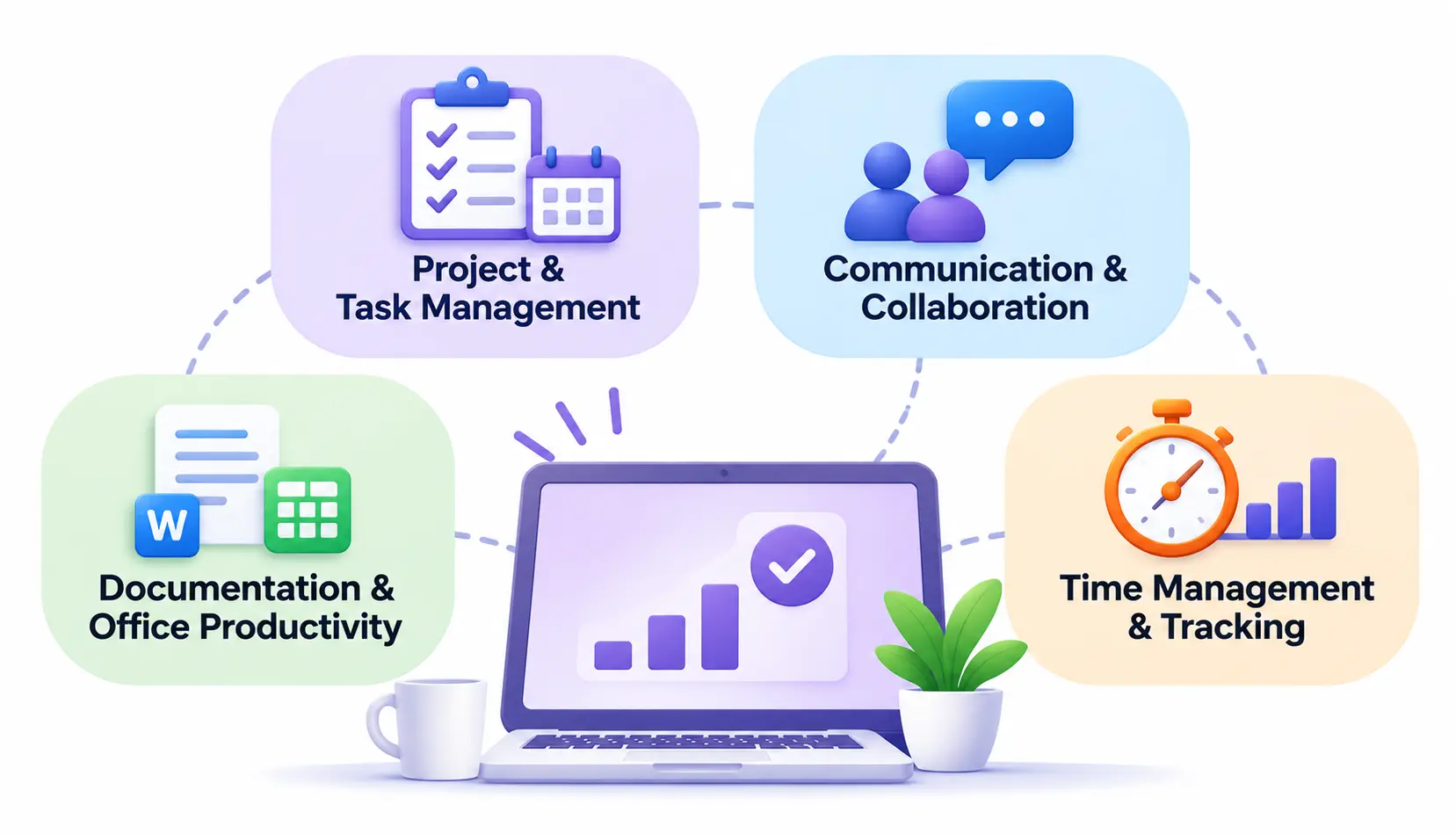
The four categories are project and task management, communication and collaboration, documentation and office productivity, and time management and tracking. This guide explains each one, shows when it helps, and walks you through combining them. The right combination depends on how you work and how big your team is.
What Are Productivity Tools?
Productivity tools are software applications that help people plan, organize, communicate, create, and track work so they can finish it faster and with fewer mistakes. Productivity software is a broad label. It covers everything from a basic to-do list to a full office suite.
How productivity software works
Think of it as taking jobs you used to do by hand or in your head and putting them in a shared, searchable place. A task that lived in a sticky note becomes a card with an owner and a due date. A decision buried in an email thread becomes a message in a channel everyone can find.
The main gain is clarity. People can see what needs doing, who is doing it, and where things stand.
How they help individuals and teams
For an individual, these tools reduce mental clutter. You stop trying to remember everything and start trusting a system.
For a team, they cut down on status meetings and “who has the latest file?” questions. Everyone works from the same source of truth.
Productivity tools vs. project management software
This trips up many readers. Project management software is one type of productivity tool, not a synonym for the whole group. It focuses on planning and tracking work. Project management software sits beside chat apps, document editors, and time trackers under the wider productivity umbrella.
What Are the Four Types of Productivity Tools?
The four types of productivity tools are: (1) project and task management tools, (2) communication and collaboration tools, (3) documentation and office productivity tools, and (4) time management and tracking tools.
These categories overlap. Notion, for example, handles documents, tasks, and wikis. Microsoft Teams mixes chat, meetings, and file sharing. Use the categories as a thinking framework, not as rigid boxes.
1. Project and Task Management Tools
These tools help you organize projects, assign responsibilities, manage deadlines, and track progress. If you have ever asked “who is doing this, and by when?”, this is the category that answers it.
Key features of project management tools
- Task assignment and prioritization
- Project boards and task lists
- Deadlines and reminders
- Progress tracking
- Workflow management
- Team accountability
Examples of project management tools
- Asana: flexible task and project tracking for many team types.
- Trello: simple card-based boards that are easy to learn.
- ClickUp: an all-in-one workspace with many customization options.
- Monday.com: visual boards and dashboards for tracking work.
- Jira: built mainly for software and agile teams.
Who should use project management tools?
- Project managers
- Marketing teams
- Small businesses
- Remote teams
- Freelancers managing multiple projects
2. Communication and Collaboration Tools
These tools help employees talk, share information, run meetings, and work together on the same project. They replace long email chains with faster, more organized conversations. Many businesses use cloud-based productivity and collaboration tools to connect communication, file sharing, and project work across different locations.
Key features of communication and collaboration tools
- Instant messaging
- Video conferencing
- File sharing
- Team channels
- Screen sharing
- Real-time collaboration
Examples of communication and collaboration tools
- Slack: channel-based team messaging with many integrations.
- Microsoft Teams: chat, calls, and meetings tied to Microsoft 365.
- Zoom: video meetings and webinars.
- Google Meet: video calls built into Google Workspace.
- Lark: messaging, docs, and meetings in a single platform.
Who should use communication and collaboration tools?
- Remote teams
- Distributed organizations
- Customer support teams
- Businesses with multiple departments
3. Documentation and Office Productivity Tools
These office productivity tools help you create, edit, store, organize, and share information. They hold your documents, spreadsheets, presentations, notes, and internal knowledge. The category is built on the classic office suite idea, now moved to the cloud.
Key features of documentation tools
- Document creation
- Spreadsheet management
- Presentation creation
- Cloud storage
- Real-time document editing
- Knowledge management
Examples of documentation and office productivity tools
- Google Workspace: cloud docs, sheets, and slides with live co-editing.
- Microsoft 365: Word, Excel, PowerPoint, and cloud storage.
- Notion: notes, wikis, and databases in one flexible workspace.
- Evernote: note capture and organization.
- Confluence: team wikis and documentation, common in technical teams.
Who should use documentation tools?
- Content writers
- Business professionals
- Students
- Administrative teams
- Organizations managing large amounts of information
4. Time Management and Tracking Tools
These time management and tracking tools help you see where your hours go. They record working time, support scheduling, and make workloads visible. For anyone who bills by the hour, they are close to essential. Related time-tracking software can also feed payroll and invoicing.
Key features of time management and tracking tools
- Time tracking
- Timesheets
- Work-hour monitoring
- Productivity reports
- Scheduling
- Project time allocation
Examples of time management and tracking tools
- Toggl Track: simple one-click timers and reports.
- Clockify: time tracking with a free tier.
- Harvest: time tracking linked to invoicing.
- Timely: automatic time capture with planning views.
- Time Champ: employee time and activity tracking.
Who should use time management and tracking tools?
- Freelancers
- Agencies
- Remote employees
- Project managers
- Businesses managing billable hours
A quick note on ethics here. Tracking works best when your team knows why you do it and what is recorded. Use it to understand workloads and bill clients accurately, not to micromanage.
Where Do Workflow Automation and AI Productivity Tools Fit?
Automation and AI are not a fifth or sixth category in this framework. They are layers that make the four main types work harder. Here is how each one helps.
Workflow automation tools
Workflow automation tools connect your apps and run repetitive tasks for you, using simple “if this happens, do that” rules. They are useful because they cut manual data entry and make sure routine steps don’t get skipped.
- Automating repetitive tasks
- Connecting different applications
- Reducing manual data entry
- Automating notifications and reports
Popular examples include Zapier and Make. You can read more about the idea on the workflow automation.
AI-powered productivity tools
AI productivity tools use machine learning models to draft text, summarize information, and answer questions, so you spend less time on first drafts and routine analysis. They work from prompts you write, and you still need to check the output.
- AI writing and content assistance
- Meeting summaries
- Document analysis
- Task prioritization
- Research assistance
Examples include ChatGPT, Microsoft Copilot, and Google Gemini. Treat AI as a fast assistant, not a final authority. Always review facts, numbers, and anything sent to a client.
How AI and automation work with the four main categories
- Project management: An automation creates a task when a client form is submitted. AI can summarize a long task thread.
- Communication: A bot posts a daily summary to a team channel. AI drafts meeting notes from a call.
- Documentation: AI helps outline a first draft or condense a long report. An automation files finished documents in the right folder.
- Time tracking: An automation reminds people to submit timesheets. AI-assisted reports can flag projects running over budget.
Comparison of the Four Types of Productivity Tools
This table shows how the four types of productivity tools differ at a glance.
| Category | Primary purpose | Popular examples | Main users |
| Project management | Organize and track work | Asana, Trello | Teams and managers |
| Communication | Improve teamwork | Slack, Teams | Remote and office teams |
| Documentation | Create and manage information | Google Workspace, Microsoft 365 | Professionals and businesses |
| Time management | Monitor and manage time | Clockify, Toggl | Freelancers and teams |
Benefits of Using Productivity Tools
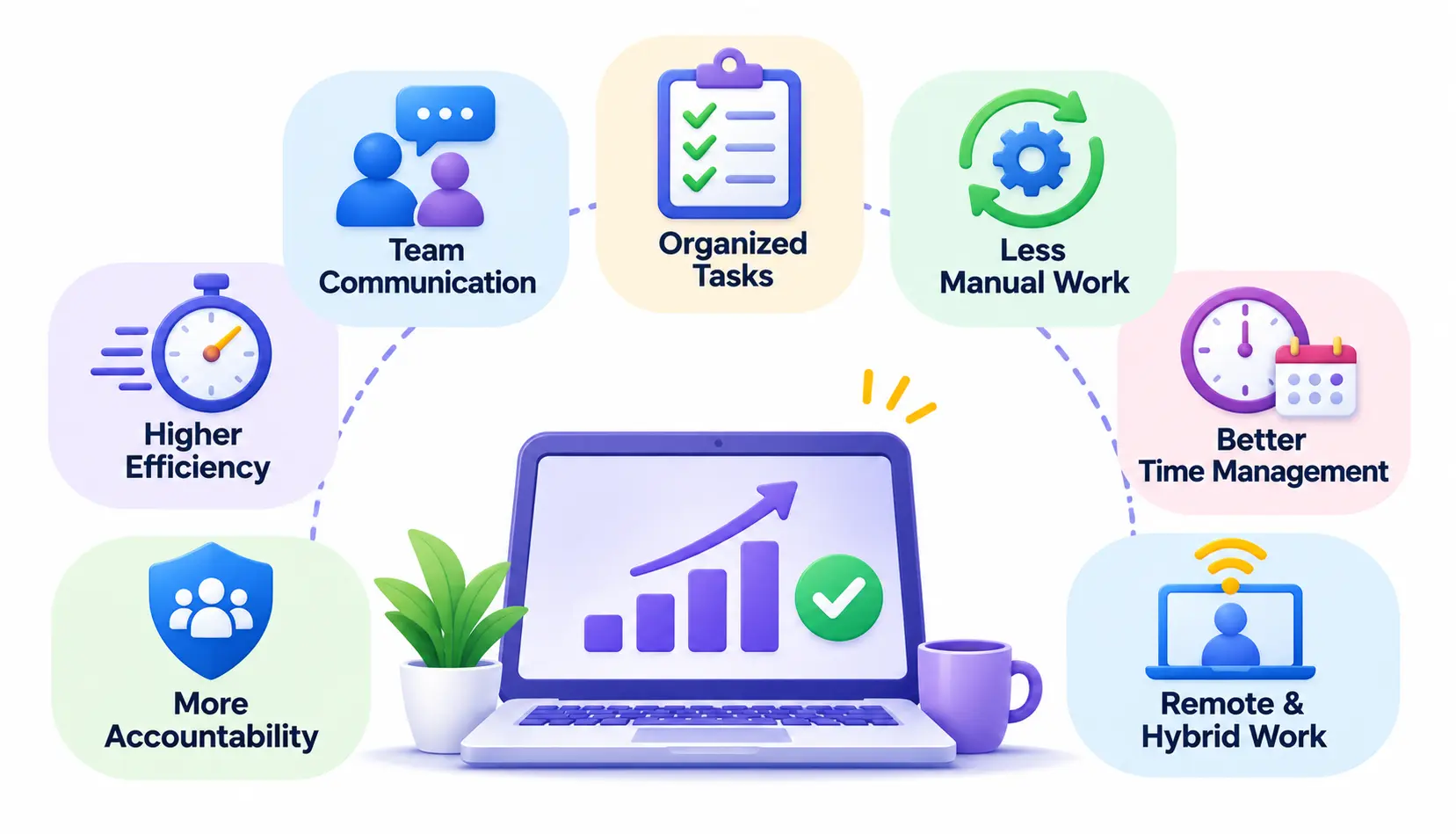
The real value is not any single feature. It is how these tools change the daily rhythm of work. Here are the main benefits.
Improved workplace efficiency
When tasks, files, and conversations are organized, people spend less time searching and more time doing. Small savings of a few minutes a day add up across a team.
Better team communication
Shared channels and meeting tools keep everyone on the same page. Decisions are easier to find later, which helps new hires get up to speed.
Organized tasks and responsibilities
Every task has an owner and a due date. That removes the common confusion of “I thought you were handling it.”
Reduced manual work
Automation and templates take over repeat jobs like status updates and file naming. That frees people for work that needs judgment.
Better time management
Seeing how long tasks really take makes planning more honest. Many teams discover they underestimate certain types of work.
Improved accountability
Progress is visible to the whole team. This builds trust when handled openly and fairly.
Support for remote and hybrid work
Cloud tools let people collaborate from anywhere. A good setup means a remote teammate has the same information as someone in the office.
How to Choose the Right Productivity Tools for Your Business
There is no single best tool. There is only the best fit for your situation. Work through these steps in order.
Identify your business requirements
Start with the problem, not the product. Write down the three biggest frustrations in your week. Missed deadlines point to project management. Scattered files point to documentation.
Consider team size and workflow
A solo freelancer needs far less than a 50-person agency. Also think about how your team actually works. A visual board suits some teams, while others prefer simple lists.
Check features and integrations
Make sure the tools can connect to the apps you already use. A tool that doesn’t fit into your existing setup creates more manual work, not less.
Compare free and paid plans
Many tools offer free tiers that work well for small teams. Check limits on users, storage, and history before you commit. Plans and prices change, so confirm details on the vendor’s own site.
Evaluate security and data privacy
Look at how a vendor handles access controls, data storage, and compliance. This matters most when you handle client or employee data. Ask your IT or legal contact if you are unsure.
Test tools before implementing them
Run a small pilot with two or three people for a couple of weeks. Real use shows problems that a feature list never will.
If you want honest opinions from people who use these tools daily, communities such as productivity and project management are good places to read real-world experiences. Treat them as opinions, not proof, and compare several threads.
How to Combine Different Productivity Tools for Better Results
The goal is a small, connected “stack” where each tool has one clear job.
Build a simple productivity stack
Pick one tool per category to start. Resist the urge to add more until you hit a real gap.
Connect your existing applications
Use built-in integrations or an automation tool so information flows between apps. For example, a new task can automatically post in a team channel.
Avoid duplicate features
If your chat app and your project tool both manage tasks, decide which one is the source of truth. Duplicates cause confusion about where work really lives.
Train employees to use the tools
A tool only helps if people use it the same way. Hold a short walkthrough and write a one-page guide covering naming rules and where things go.
Review tool performance regularly
Check every quarter. Ask what is working, what is ignored, and what you are paying for but not using.
Example: a small marketing agency workflow
Here is how a five-person agency might use one tool from each category.
- Project management (Trello): A new client request becomes a card with an owner and a deadline.
- Communication (Slack): The team discusses the project in a dedicated channel, and the card link is pinned at the top.
- Documentation (Google Workspace): The brief, draft, and final files live in a shared client folder.
- Time tracking (Toggl Track): Each person logs hours against the project, and the manager uses the report to invoice.
Each tool has a clear role, and nothing overlaps. That is the pattern to aim for.
Common Productivity Tool Mistakes to Avoid
- Using too many applications. Every new app adds a login, a habit to build, and another place to check.
- Choosing tools without identifying actual requirements. Popularity is not a reason to buy.
- Ignoring integration capabilities. Disconnected tools create double entry.
- Overlooking security and privacy. Review permissions and data handling early.
- Paying for unnecessary features. Start with the plan you need now and upgrade when you outgrow it.
- Failing to train employees. Even a simple tool gets misused without guidance.
- Not measuring whether tools improve workflows. Compare things like missed deadlines or time spent on admin before and after.
Frequently Asked Questions About Productivity Tools
1. What are the four types of productivity tools?
The four types of productivity tools are project and task management, communication and collaboration, documentation and office productivity, and time management and tracking. Together they cover planning, talking, creating, and measuring work.
2. What are some examples of productivity tools?
Common examples include Asana and Trello for projects, Slack and Zoom for communication, Google Workspace and Microsoft 365 for documents, and Clockify and Toggl Track for time tracking.
3. What are the main benefits of productivity software?
The main benefits are better efficiency, clearer communication, organized tasks, less manual work, improved time management, stronger accountability, and easier remote or hybrid work.
4. What is the difference between productivity tools and project management tools?
Productivity tools are the broad group of software that supports work. Project management tools are one category inside it, focused on planning tasks and tracking progress. Chat, documents, and time trackers are also productivity tools.
5. Which productivity tools are best for small businesses?
Start with simple, low-cost options: a task board such as Trello or Asana, a chat tool such as Slack, an office suite such as Google Workspace or Microsoft 365, and a time tracker such as Clockify. The best choice depends on your workflow, so test before you commit.
6. What are workflow automation tools?
Workflow automation tools connect apps and run routine tasks automatically based on rules you set. Zapier and Make are two well-known examples.
7. How do AI productivity tools work?
AI productivity tools use trained language models to generate text, summarize content, and answer questions from your prompts. They speed up drafting and research, but you should verify their output before relying on it.
8. How many productivity tools does a business need?
Most small teams do well with four to five: one for each main category, plus optionally an automation tool. Add more only when you find a clear gap.
Conclusion
The four types of productivity tools give you a simple way to think about a crowded market. Project management organizes the work, communication connects the people, documentation holds the knowledge, and time tracking shows where effort goes.
Start small. Pick one tool per category, connect them, train your team, and review the results after a few months. Add automation and AI where they remove real friction, not because they are trendy.

Mehreen Mushtaq is a skilled content writer dedicated to creating high-quality, engaging, and SEO-focused blogs. She specializes in strategic keyword usage, search intent, and informative content that connects with readers while helping websites strengthen their visibility and rankings in search results.