
Online learning and employee training have become important parts of modern education and business operations. Schools, universities, and organizations increasingly use Learning Management Systems (LMS) to deliver lessons, organize courses, and provide employees or students with access to learning resources.
However, keeping an LMS library useful requires more than uploading documents and presentations. Learners often benefit from video lessons, software demonstrations, visual explanations, and recorded training sessions that make information easier to understand.
Creating these resources regularly can take considerable time. Educators and training teams need to prepare scripts, record explanations, edit footage, add captions, and update videos whenever course material changes.
AI video tools are helping simplify this process. They can assist with creating presenter-led lessons, converting written material into videos, editing screen recordings, generating captions, and preparing training content for different audiences.
Some platforms also support SCORM exports, which allow video-based learning materials to be delivered through compatible LMS platforms with learner progress tracking. Others focus primarily on creating and editing the video itself, which can then be uploaded to an existing learning platform.
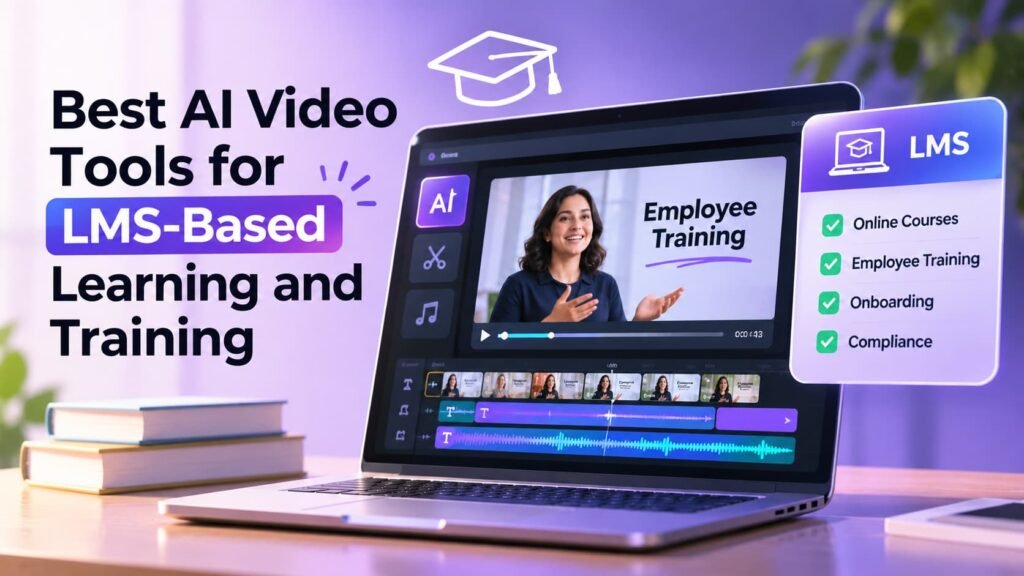
Here are six AI video tools worth considering for LMS-based learning and training in 2026.
How We Selected These AI Video Tools
We considered how each platform supports educational and workplace video production. The selection focuses on AI-assisted video creation, editing capabilities, ease of updating training content, accessibility features, and compatibility with LMS platforms.
It is important to distinguish between video creation tools and complete e-learning authoring platforms. A video editor can help produce an instructional video, but it does not necessarily provide quizzes, course management, SCORM packaging, or learner progress tracking. These requirements should be checked separately when selecting software for an LMS.
1. Invideo Editor: Best for AI-Assisted Training Video Editing
Invideo editor combines a professional timeline-based editing environment with AI agents that can handle repetitive video editing tasks. It is useful for educators, instructional designers, and corporate training teams that already have recorded lessons, demonstrations, interviews, or other training footage and want to turn them into polished learning videos. Users can upload their recordings, describe the edit they want, and let AI agents review footage, select suitable takes, remove pauses and mistakes, and assemble an initial cut directly on an editable timeline. Its AI video editing capabilities also include footage search, B-roll generation, automatic reframing, and caption-related editing features. Teams can then review the results, adjust individual clips, refine the pacing, and prepare different versions of their training content. Since the entire project remains editable, it is particularly useful when lessons need regular updates or when the same material must be adapted for different audiences. The finished videos can be exported and uploaded to an LMS, although invideo editor itself should be treated as a video editing platform rather than a complete LMS or SCORM course-authoring system.
Best for: Training teams and educators who want to edit existing recordings, create instructional videos, and reduce repetitive editing work.
2. Synthesia: Best for Presenter-Led Training Videos
Synthesia is an AI video creation platform that helps organizations produce presenter-led training videos without recording a person on camera for every lesson. Users can prepare a script, select an AI avatar, choose a voice, and create videos explaining company policies, product information, onboarding procedures, and educational topics. It also supports multiple languages, making it useful for organizations that need to distribute consistent training content across different regions. Another important feature for LMS-based learning is SCORM export, which allows compatible training videos to be integrated into learning platforms. Synthesia also offers interactive elements such as quizzes and branching scenarios, depending on the product and plan. Its approach is particularly useful when businesses want a consistent presenter-style format for lessons that need frequent updates without arranging repeated recording sessions.
Best for: Organizations producing presenter-led onboarding, compliance, and employee training videos at scale.
3. Colossyan: Best for Creating Structured AI Training Courses
Colossyan is designed specifically for workplace learning, employee development, and training content. It allows teams to turn existing documents, presentations, scripts, and other source materials into AI-presented videos and structured courses. Its AI agent, Cora, can prepare scene-by-scene video drafts that users can review and edit before publishing. The platform also supports AI avatars, multilingual content, interactive videos, quizzes, and branching scenarios. For organizations using an LMS, Colossyan provides SCORM export so training content can be delivered through compatible learning platforms. This makes it useful for onboarding, compliance training, internal upskilling, and customer education. Rather than focusing only on individual video creation, Colossyan brings video production and course development closer together.
Best for: Learning and development teams that need structured training videos, interactive lessons, and LMS-compatible course content.
4. HeyGen: Best for Multilingual Training Videos
HeyGen helps organizations create AI-presenter videos and adapt training content for audiences in different languages. Users can create videos using AI avatars, scripts, and existing materials, making it useful for employee onboarding, product education, internal communication, and instructional content. One of its notable capabilities is video translation, which can adapt spoken content into different languages while maintaining synchronized lip movements. This can help businesses distribute the same training information across international teams without recording separate versions for every language. HeyGen also supports SCORM exports, allowing compatible videos to be added to an LMS with completion tracking. Its combination of AI presenters, localization, and LMS delivery makes it a useful option for organizations managing training across multiple locations.
Best for: Global organizations that need localized training videos, AI presenters, and LMS-compatible delivery.
5. Camtasia: Best for Software Tutorials and Screen-Based Training
Camtasia is a video recording and editing platform particularly suited to instructional content, software demonstrations, and step-by-step tutorials. It allows educators and trainers to record their screens, webcams, and audio, then combine these recordings through a multitrack editing timeline. Its AI-assisted capabilities include text-based editing, transcription, audio cleanup, and tools that help improve the presentation of instructional videos. Trainers can add annotations, callouts, captions, and visual highlights to direct learners’ attention toward important information. Camtasia also supports SCORM exports, allowing compatible training videos to be uploaded to an LMS and used for learning activities that require completion tracking. This makes it especially useful for software training, technical education, employee onboarding, and product demonstrations.
Best for: Educators, technical trainers, and businesses creating software walkthroughs and instructional videos.
6. Vyond: Best for Animated Training and Explainer Videos
Vyond is an AI-powered video creation platform that helps businesses turn information into animated, presenter-led, and mixed-media training content. It offers templates, characters, scenes, and visual assets that make it easier to explain workplace procedures, company policies, and complex concepts without relying entirely on live-action recordings. Its AI video creation features can help generate scripts and video drafts from prompts or reference material, while Vyond Studio provides editing controls for customizing scenes and visual elements. Organizations can also use its captioning and translation capabilities to adapt content for different audiences. Vyond supports SCORM 1.2 and SCORM 2004 exports on its Enterprise and Agency plans, allowing compatible training videos to be delivered through an LMS. Its animation-focused approach is particularly useful when a lesson requires visual storytelling or when showing a real workplace situation is difficult.
Best for: Businesses and educators creating animated onboarding, safety, compliance, and instructional videos.
Comparison of the Best AI Video Tools for LMS-Based Learning
| Tool | Main strength | LMS suitability |
| Invideo Editor | AI-assisted editing of existing footage | Export videos for LMS upload |
| Synthesia | AI presenter-led lessons | SCORM export |
| Colossyan | AI-generated training courses | SCORM export |
| HeyGen | Multilingual presenter videos | SCORM export |
| Camtasia | Screen recording and tutorials | SCORM export |
| Vyond | Animated training content | SCORM export on eligible plans |
How to Choose the Right AI Video Tool for Your LMS
The right platform depends on the type of learning content you want to produce and how your organization delivers training.
If you already have recorded lessons, interviews, or software demonstrations, an editing-focused platform such as invideo editor or Camtasia can help refine the footage and prepare it for distribution. If you want to create presenter-led lessons from scripts or documents, Synthesia and HeyGen offer a different approach through AI avatars and narration.
For organizations that need structured courses, quizzes, branching scenarios, and LMS tracking, Colossyan is worth considering. Vyond is another option when animated explanations and visual storytelling are more suitable for the subject.
Before selecting a platform, check whether your LMS requires SCORM compatibility, learner completion tracking, captions, multilingual support, or interactive assessments. These requirements can determine whether you need a video editor, an AI video generator, or a complete e-learning authoring platform.
Final Thoughts
AI video tools are making it easier for educators and businesses to create training content without relying entirely on traditional recording and editing processes. From presenter-led lessons and animated explainers to software tutorials and professionally edited recordings, different platforms support different learning requirements.
Invideo editor is particularly useful when teams already have footage and want AI assistance with reviewing, organizing, and refining it on an editable timeline. Platforms such as Synthesia, Colossyan, and HeyGen focus more on AI-presented and localized learning content, while Camtasia and Vyond offer specialized approaches to instructional video production.
The most suitable option depends on your content, audience, and LMS requirements. Choosing a platform that supports both efficient video production and your organization’s learning delivery needs can make training content easier to create, maintain, and distribute.
Frequently Asked Questions
1. What are AI video tools for LMS-based learning?
AI video tools help educators and businesses create instructional videos using features such as AI avatars, script generation, automatic captions, screen recording, footage editing, and video translation. The finished videos can be uploaded to compatible learning management systems.
2. Can AI-generated videos be uploaded to an LMS?
Yes. Most LMS platforms support standard video formats such as MP4. Some AI video platforms also provide SCORM exports, which can support learner completion tracking and reporting.
3. What is the difference between an AI video editor and an LMS video generator?
An AI video editor focuses on refining footage, arranging clips, adding captions, and improving the final video. An LMS-oriented video generator may also create presenter-led lessons, interactive learning content, and SCORM packages for course delivery and tracking.
4. Which AI video tool is best for employee training?
The choice depends on the training format. Synthesia and HeyGen are useful for presenter-led training, Colossyan supports structured learning content, Camtasia works well for software demonstrations, and invideo editor is useful for editing existing training footage with AI assistance.
5. Can AI tools turn PowerPoint presentations into training videos?
Yes. Platforms such as Synthesia and Colossyan support presentation-based video creation. Users can provide existing slides and develop narrated or presenter-led lessons from the material.
6. Why is SCORM important for LMS-based training?
SCORM is a technical standard that allows learning content to communicate with compatible LMS platforms. Depending on the package and LMS configuration, it can support reporting on learner progress, completion, and assessment results.
7. Can I update training videos without recording them again?
Yes. Many AI video platforms allow users to edit scripts, replace scenes, update captions, or modify existing footage. This makes it easier to maintain training content when company policies, products, or processes change.