
Businesses today handle multiple tasks simultaneously, from managing projects and coordinating teams to processing data and automating daily operations. When these activities rely heavily on manual work, employees spend more time managing processes than completing important tasks. This is where IBM productivity tools can make a difference.
IBM offers a range of software solutions designed to help organizations improve collaboration, automate repetitive tasks, manage workflows, analyze business data, and accelerate software development. Its portfolio includes AI-powered assistants, business automation platforms, data management solutions, and engineering workflow tools.
Whether you manage a small technical team or oversee operations across a large enterprise, understanding these solutions can help you identify opportunities to improve workplace efficiency.
In this guide, we explore the major IBM productivity tools, their features, practical applications, benefits, and how businesses can choose the right solutions for their needs.
If you want to explore more software options beyond IBM, check out our guide to the [best productivity tools] that help individuals and teams manage tasks, improve collaboration, and organize their daily workflows.
What Are IBM Productivity Tools?
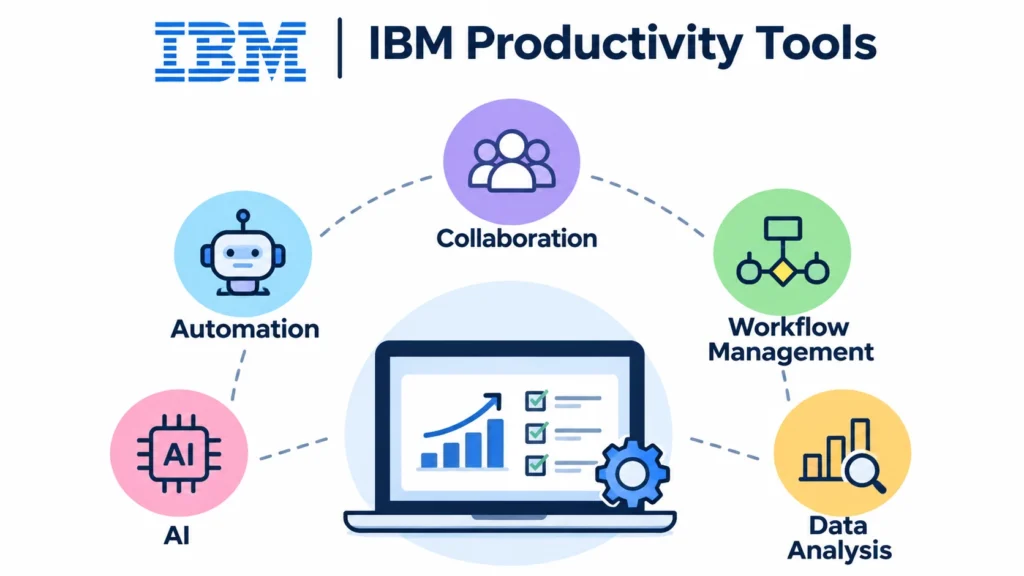
IBM productivity tools are software solutions that help businesses and professionals complete work more efficiently through automation, artificial intelligence, collaboration, workflow management, and data analysis.
Instead of handling every business activity manually, organizations can use these tools to automate repetitive processes, organize information, coordinate employees, and make informed decisions.
For example, an HR department might use AI-powered automation to handle routine employee requests, while a software development team could use engineering workflow management to organize tasks, monitor project progress, and manage code changes.
IBM’s productivity ecosystem covers several business functions, including:
- AI-powered automation: Automating repetitive business activities using intelligent agents.
- Workflow management: Organizing tasks, approvals, and business processes.
- Software development: Helping developers manage projects, code, and testing activities.
- Data analytics: Turning business information into useful insights.
- Enterprise collaboration: Connecting employees, applications, and business systems.
You can explore IBM’s broader software portfolio through its official IBM Software page.
Key IBM Productivity Tools and Their Features
IBM provides different solutions for organizations with different productivity requirements. Some focus on automating everyday business operations, while others help developers, data professionals, and IT teams manage complex work.
Here are some important IBM solutions worth understanding.
1. IBM watsonx Orchestrate
IBM watsonx Orchestrate is an AI-powered platform designed to automate business tasks and coordinate AI agents, tools, and workflows.
An AI agent is software that can understand instructions, use connected tools, and perform specific tasks with limited human intervention.
For example, imagine an HR department receiving dozens of employee requests every day. Employees might need information about company policies, onboarding procedures, leave applications, or internal processes.
Instead of manually responding to every request, businesses can use AI agents to handle routine activities and coordinate tasks across connected systems.
Key Features:
- AI-powered assistants and agents for business operations.
- Workflow automation across different applications.
- Integration with enterprise tools and systems.
- Centralized management and governance of AI agents.
- Monitoring and evaluation of agent performance.
Practical Applications:
A sales team can use AI agents to research customer accounts, prepare meeting information, and support follow-up activities. Similarly, HR teams can automate employee support requests and coordinate onboarding processes.
IBM watsonx Orchestrate is particularly useful for organizations looking to reduce repetitive work and connect disconnected business processes.
Official resource: IBM watsonx Orchestrate.
2. IBM Engineering Workflow Management
Software development involves multiple activities, including planning, coding, testing, reviewing, and releasing applications.
When developers use disconnected systems to manage these activities, tracking progress and coordinating work becomes difficult.
IBM Engineering Workflow Management (EWM) addresses this challenge by connecting development tasks, project plans, source control, and team collaboration within an integrated environment.
It helps development teams understand what needs to be completed, who is responsible for each task, and how individual changes affect the overall project.
Key Features:
- Agile project planning and sprint management.
- Work item creation and tracking.
- Source code and change management.
- Build management and monitoring.
- Project dashboards and reporting.
- Collaboration across development teams.
Practical Applications:
Consider a software company developing a new inventory management application. Developers, testers, and project managers need to coordinate their work.
The project manager can organize development activities, assign work items, and monitor project progress. Developers can track changes, while testers can identify defects and communicate issues.
This improves visibility and reduces confusion across the development process.
IBM Engineering Workflow Management supports Agile, SAFe, and customized development processes.
3. IBM watsonx.ai
IBM watsonx.ai is an AI development studio that helps organizations build, customize, and manage AI-powered applications.
It provides tools for working with foundation models, generative AI, and machine learning. Businesses and developers can use these capabilities to create applications that understand information, generate content, and support complex business activities.
For example, a company handling thousands of customer support requests could develop an AI application that summarizes conversations, identifies common problems, and helps support representatives find relevant information.
Key Features:
- Foundation model development and deployment.
- Generative AI application development.
- Machine learning capabilities.
- AI development tools and frameworks.
- Model evaluation and lifecycle management.
Practical Applications:
Businesses can use watsonx.ai to develop document summarization applications, intelligent search systems, customer support assistants, and internal knowledge management solutions.
It is particularly useful for organizations that want to develop AI applications rather than simply use ready-made productivity software.
4. IBM Business Automation Workflow
IBM Business Automation Workflow helps organizations design, manage, and automate business processes.
Many companies still depend on manual approvals, spreadsheets, emails, and separate applications to complete routine operations. These processes can create delays and make it difficult to track responsibilities.
Business Automation Workflow helps connect people, systems, and information through structured workflows.
For example, consider an employee expense reimbursement process. Employees submit expense requests, managers review them, and finance teams approve payments.
A workflow automation system can organize these steps, route requests to the appropriate people, and provide better visibility into the approval process.
Key Features:
- Business process automation.
- Workflow design and management.
- Task assignment and tracking.
- Integration with business applications.
- Process monitoring and reporting.
- Low-code development capabilities.
Practical Applications:
Organizations can use this solution for employee onboarding, invoice approvals, insurance claims, financial processes, and customer service operations.
It is especially valuable for businesses that want to standardize repetitive processes and reduce manual coordination.
5. IBM watsonx.data
Data plays an important role in business productivity. However, information often exists across different databases, cloud platforms, and enterprise applications.
When employees cannot easily access reliable information, they spend additional time collecting, organizing, and validating data.
IBM watsonx.data helps organizations manage and integrate data across different environments to support analytics and AI applications.
It provides a data foundation that helps businesses work with information from multiple sources.
Key Features:
- Data integration and management.
- Support for different data formats.
- Data preparation for analytics and AI.
- Enterprise data management.
- Integration with AI and analytics workflows.
Practical Applications:
A retail company might collect information from its inventory system, customer database, and sales platform.
By bringing relevant information together, the company can analyze product demand, identify sales patterns, and make better inventory decisions.
watsonx.data is more of a data productivity solution than a traditional daily task manager. Its value comes from helping organizations access and prepare information more efficiently.
6. IBM watsonx Code Assistant
Software developers spend considerable time writing code, understanding existing applications, troubleshooting errors, and maintaining software systems.
IBM watsonx Code Assistant uses generative AI to support developers throughout parts of the software development lifecycle.
It can help generate code, explain existing code, and support modernization activities, depending on the specific product offering.
For example, a developer working with an unfamiliar codebase might use an AI coding assistant to understand how a particular function works before making changes.
Key Features:
- AI-assisted code generation.
- Code explanation and understanding.
- Application modernization support.
- Code optimization assistance.
- Developer productivity improvements.
Practical Applications:
Development teams can use AI coding assistance to reduce repetitive coding activities, understand legacy applications, and accelerate selected development tasks.
However, developers should always review generated code, test changes, and check security requirements before deploying them.
Official resource: IBM watsonx.
How IBM Productivity Tools Help Businesses Work Smarter
IBM productivity solutions are designed to address different operational challenges. Their value becomes clearer when businesses understand how these tools fit into everyday activities.
Here are some important ways they can improve workplace productivity.
1. Automating Repetitive Tasks
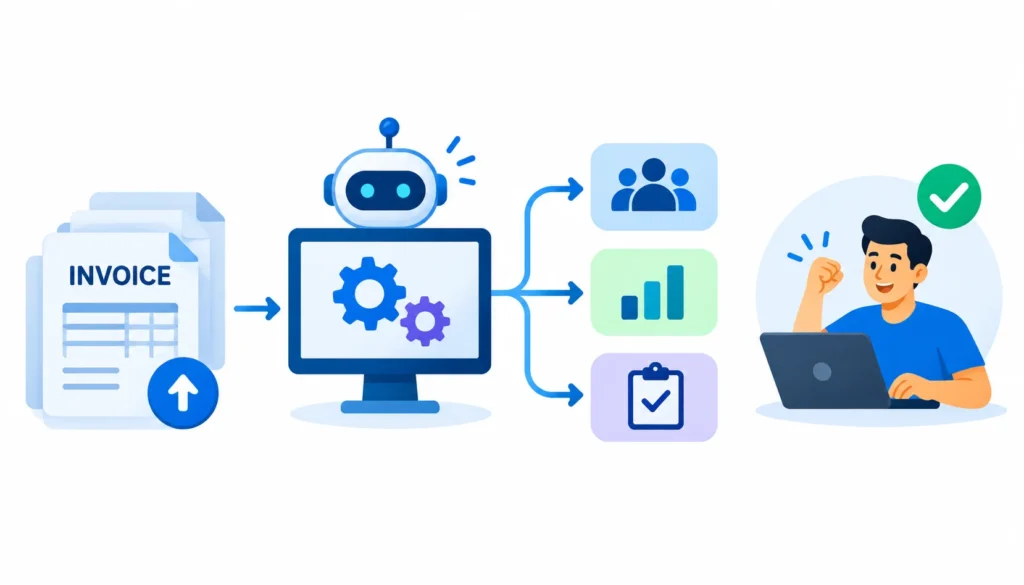
Employees often spend significant time performing repetitive activities such as processing requests, updating records, preparing reports, and routing approvals.
Automation tools can handle many of these activities based on predefined rules, connected applications, or AI-powered workflows.
For example, an organization can automate invoice processing so that incoming invoices are categorized and sent to the appropriate department for review.
Businesses looking to implement similar processes can explore our guide to [digital business process automation], which explains automation methods, practical examples, benefits, and implementation strategies.
This allows employees to focus more on activities that require judgment and problem-solving.
2. Improving Team Collaboration
When employees work across different departments, communication gaps can slow down projects.
Engineering Workflow Management helps development teams connect tasks, project plans, and development activities.
Similarly, workflow automation solutions help departments coordinate responsibilities and track the progress of business processes.
The result is better visibility into ongoing work and fewer communication gaps.
3. Supporting Faster Decision-Making
Business decisions depend on accurate and accessible information.
IBM’s data and AI solutions help organizations organize information, analyze business data, and generate insights.
For example, a business can analyze sales and inventory information to understand which products are performing well and where stock shortages may occur.
This makes it easier for managers to identify problems and take appropriate action.
4. Reducing Manual Work Through AI
AI-powered solutions can support employees with tasks such as information retrieval, content generation, code assistance, and business process automation.
IBM watsonx Orchestrate, for example, can coordinate agents and workflows across connected enterprise systems.
Instead of switching between multiple applications to complete a process, employees can delegate supported tasks to AI-powered systems.
However, businesses should define clear permissions and review procedures before allowing AI agents to perform important operations.
IBM Productivity Tools vs. Traditional Productivity Software
Traditional productivity software generally focuses on individual activities such as writing documents, managing spreadsheets, scheduling meetings, and communicating with colleagues.
For a broader comparison of software designed to improve workplace efficiency, explore our guide to [workplace productivity tools] and discover solutions for team communication, project management, and collaboration.
IBM’s enterprise productivity solutions often focus on a broader challenge: improving how entire business processes operate.
Here is a simple comparison:
| Comparison | Traditional Productivity Software | IBM Productivity Solutions |
| Primary focus | Individual and team tasks | Enterprise operations and workflows |
| Automation | Basic task automation | Business process and AI automation |
| Data management | Documents and spreadsheets | Enterprise data environments |
| AI capabilities | Depends on the application | AI agents, machine learning, and generative AI |
| Development support | General collaboration | Specialized engineering and coding tools |
| Integration | Application-level integration | Enterprise system and workflow integration |
| Target users | Individuals and small teams | Businesses and enterprise teams |
This does not mean IBM solutions replace traditional productivity applications.
In many cases, organizations use IBM software alongside their existing business applications to improve automation, integration, and operational efficiency.
How to Choose the Right IBM Productivity Tools
Not every organization needs every IBM solution. The right choice depends on your business requirements, existing technology infrastructure, budget, and operational challenges.
Before selecting a tool, consider the following factors.
Identify Your Biggest Productivity Challenges
Start by identifying where employees spend the most time.
Are your teams struggling with repetitive administrative tasks? Do developers have difficulty managing software projects? Is your organization spending too much time collecting and preparing business data?
Understanding the actual problem helps you select a solution that addresses a specific requirement.
Evaluate Integration Requirements
Most organizations already use multiple business applications.
Before adopting an IBM solution, check whether it integrates with your existing systems, databases, cloud environments, and development tools.
Good integration reduces the need for employees to switch between disconnected applications.
Consider Security and Governance
Enterprise productivity tools often handle confidential business information.
Evaluate access controls, data protection, compliance requirements, and monitoring capabilities before implementing automation or AI systems.
This is particularly important when AI agents interact with financial, employee, or customer information.
Compare Costs and Business Value
Implementation costs include more than software subscriptions.
Consider integration, employee training, infrastructure, maintenance, and ongoing administration.
A useful approach is to start with one business process, measure the results, and expand implementation when the solution demonstrates clear value.
Test Before Full Implementation
Avoid introducing multiple productivity solutions simultaneously.
Start with a pilot project involving a specific department or workflow. Measure how long the process takes before and after implementation.
This gives you practical evidence of whether the solution is improving productivity.
Are IBM Productivity Tools Suitable for Small Businesses?
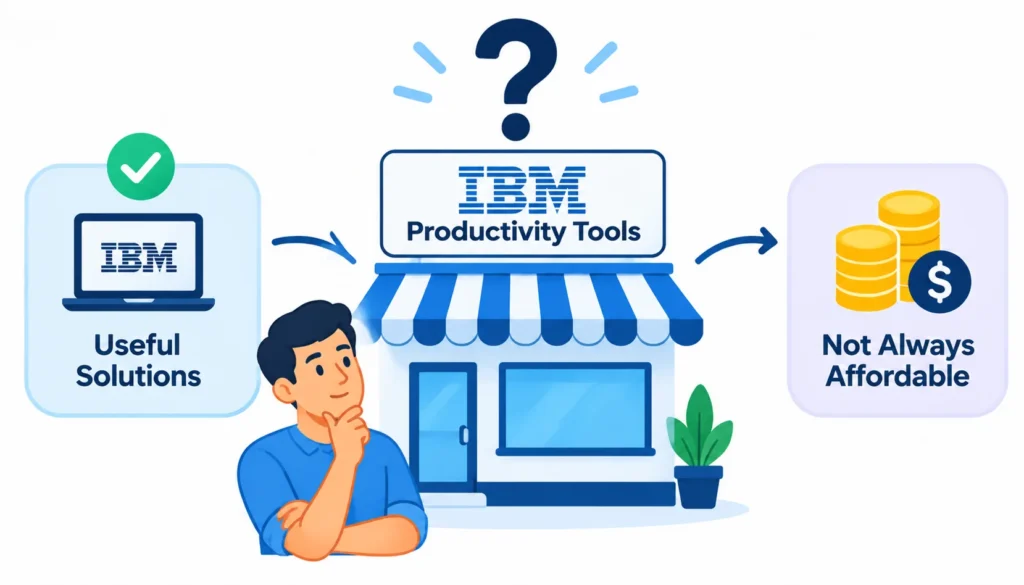
IBM productivity solutions can be useful for small businesses, but not every product is necessary or affordable for a smaller organization.
For example, a small software development company may benefit from structured engineering workflow management if it handles multiple development projects.
Similarly, a growing business with repetitive administrative processes may explore workflow automation.
However, a freelancer or small team that only needs basic task management, document editing, and meeting scheduling might find simpler productivity applications more practical.
The important thing is to select software based on actual business requirements rather than adopting enterprise tools simply because they offer advanced features.
IBM Productivity Tools: Benefits and Limitations
Before investing in enterprise productivity software, businesses should understand both its advantages and potential challenges.
Benefits
Improved operational efficiency: Automation reduces the time employees spend on repetitive business activities.
Better workflow visibility: Teams can monitor tasks, responsibilities, and project progress more effectively.
AI-powered assistance: AI capabilities support selected activities such as code generation, information retrieval, and workflow execution.
Enterprise integration: Organizations can connect applications, data sources, and business processes.
Scalability: Businesses can expand automation and AI capabilities as their operational requirements grow.
Limitations
Implementation complexity: Enterprise solutions may require technical expertise and careful planning.
Integration requirements: Connecting existing applications can involve additional development and configuration.
Learning curve: Employees may need training before they can use advanced features effectively.
Cost considerations: Licensing, infrastructure, integration, and maintenance can increase the overall investment.
Human oversight: AI-generated outputs and automated decisions may require review, especially in sensitive business processes.
Understanding these limitations helps businesses establish realistic expectations before implementation.
Frequently Asked Questions About IBM Productivity Tools
1. What are the main IBM productivity tools?
Some important IBM productivity solutions include watsonx Orchestrate, Engineering Workflow Management, watsonx.ai, Business Automation Workflow, watsonx.data, and watsonx Code Assistant.
These products support different activities, including AI automation, workflow management, data management, and software development.
2. Does IBM offer AI-powered productivity tools?
Yes. IBM offers AI-powered solutions such as watsonx Orchestrate, watsonx.ai, and watsonx Code Assistant.
These solutions support activities such as business process automation, AI application development, and software development assistance.
3. Can IBM productivity tools automate business processes?
Yes. IBM provides business automation and workflow management solutions that help organizations automate repetitive tasks, coordinate approvals, manage processes, and connect enterprise applications.
The level of automation depends on the selected product and its configuration.
4. Are IBM productivity tools suitable for developers?
Yes. Developers can use solutions such as IBM Engineering Workflow Management and watsonx Code Assistant.
These tools support project planning, work item tracking, code assistance, and software development activities.
5. Do IBM productivity tools support AI integration?
Yes. Several IBM solutions support AI capabilities and integration with enterprise systems.
For example, watsonx Orchestrate coordinates AI agents and workflows, while watsonx.ai provides capabilities for developing AI-powered applications.
6. Are IBM productivity tools free?
IBM’s pricing varies by product and deployment option. Some products offer trials or limited access options, while enterprise solutions may require paid subscriptions or customized pricing.
Check the official product pages for current pricing and availability before making a purchasing decision.
Conclusion
IBM productivity tools provide businesses with different ways to improve operational efficiency, automate repetitive activities, manage workflows, and make better use of data.
Solutions such as Watson Orchestrate help coordinate AI agents and business processes, while Engineering Workflow Management supports software development teams. Other products, including watsonx.ai, watsonx.data, and Business Automation Workflow, address AI development, data management, and enterprise automation.
However, choosing the right solution requires understanding your organization’s actual requirements. Start by identifying time-consuming processes, evaluating integration needs, and testing suitable solutions before expanding their use.
Ultimately, the purpose of IBM productivity tools is not simply to introduce more software into the workplace. It is to help businesses create more connected, efficient, and intelligent ways of working.

Mehreen Mushtaq is a skilled content writer dedicated to creating high-quality, engaging, and SEO-focused blogs. She specializes in strategic keyword usage, search intent, and informative content that connects with readers while helping websites strengthen their visibility and rankings in search results.