

If you have ever finished a workday and felt like you couldn’t figure out where the time went you already understand the issue.
It’s not that you didn’t do anything, it’s that you did a lot of things and didn’t get to the few important tasks. That’s the space that good time management is meant to fill.
Here is the simple version: keep track of how your time’s really spent, figure out what is most important, schedule those tasks at times that make sense for you, keep that time safe, from distractions and look back at how the week went.
The right tools can make this process much easier. From task managers and time trackers to focus and planning apps, the best productivity tools can help you organize your workload, protect your focus, and stay consistent without adding unnecessary complexity.
The rest of this article goes through each part. Shows you how they work together as one system instead of fifteen different tips fighting for your focus.
What Does It Mean to Manage Your Time Effectively?
Time management gets used as a catch-all term, so it’s worth being specific about what it actually covers.
1. Time management vs. productivity
Productivity is about output about how much you get done. Time management is about the choices that lead to that output: what you decide to work on when you do it and how long you spend on it.
You can be very productive while working on things. Good time management is what makes sure that doesn’t happen.
2. Why you can’t actually create more time
We all get 24 hours. No app or technique changes hours. What changes is how many hours go to things that move you forward versus things that just fill the day. This sounds obvious. It is the reason ‘just work harder’ advice fails. The ceiling is not effort; it is hours.
3. The difference between being busy and being productive
Busy means your calendar is full. Busy means you are doing a lot. Productive means that the parts of your calendar that are full are the parts that matter.
Productive means you get results. One focused hour on the task can be more valuable, than an entire day that is scattered. If you have ever finished a day and struggled to say what you actually accomplished then you have felt this gap firsthand.
4. What effective time management should help you achieve
When done well it should give you control over your workload. You will have last-minute scrambles. Progress on long-term goals will be steadier. There will be space left over for the parts of life that have nothing to do with work.
How to Manage Your Time Effectively: 15 Strategies
1. Set clear goals before planning your day
Planning without a goal just moves around things that need to be done. Know what you are trying to achieve before you decide what to do today.
Use SMART goals. A goal that is specific, measurable, achievable, relevant and time-bound is much easier to plan than “get better at my job.” “Finish the client proposal draft by Thursday” shows what tasks you need to do today.
Keep long-term goals separate from tasks. Your quarterly goal and your Tuesday to-do list are not the thing but every task on Tuesday’s list should connect to something bigger. If it does not ask why it is on the list, in the place.
For teams, the right workplace productivity tools can also help connect larger goals with daily tasks, shared projects, deadlines, and team responsibilities, making it easier for everyone to see what needs to get done and why.
2. Prioritize tasks by importance, not just urgency
Urgent and important aren’t the same thing, and treating them as identical is one of the most common planning mistakes. A ringing phone feels urgent. A strategic project with a deadline three weeks out feels less urgent, but it’s often more important.
Use the Eisenhower Matrix. This method, often attributed to President Dwight Eisenhower and popularized by Stephen Covey, sorts tasks into four boxes: important and urgent (do now), important but not urgent (schedule), urgent but not important (delegate if you can), and neither (drop it). You can read more on the Eisenhower Method if you want the full background.
3. Choose your top one to three priorities each day
Long to-do lists feel good to write at first. They give a sense of control.. By 4pm they feel heavy. They make you feel behind.
Instead pick a few things that truly need to get done today. Let the rest go. Treat the rest as optional. The goal is progress, not perfection. Focus on what matters. That’s where real momentum begins.
4. Break large projects into smaller tasks
“Write the report” is a project, not a task. It’s vague enough that it’s easy to avoid. “Draft the report outline” is something you can actually sit down and do in twenty minutes.
5. Estimate how long each task will take
Most people underestimate task duration, a pattern sometimes called the planning fallacy.
If a task usually takes you an hour, plan for minutes.
Adding a buffer to task estimates is more honest, than pretending everything runs perfectly on schedule.
6. Use time blocking to protect important work
Time blocking is when you put parts of your day on your calendar for certain jobs. Of just having a list of things to do and hoping you get to everything you set aside time for each task.
If “write the proposal” has a time slot from 9am to 11am and your name is on it it is much harder for a request to take that time.
7. Try the Pomodoro Technique when focus is difficult
Developed by Francesco Cirillo in the late 1980s, the Pomodoro Technique breaks work into 25-minute focused sessions followed by a short break. It’s especially useful when a task feels too big to face head-on, twenty-five minutes is a much easier commitment than “finish this.”
8. Batch similar tasks together
I have seen that switching between types of work writing, then a call then email, then writing again costs you real time.
Each time you switch takes a minute to get back into focus. Grouping tasks, doing all your emails together and all your calls together, cuts that lost time.
9. Eliminate unnecessary tasks
Not everything on your list needs to be done well, or at all. Before optimizing how you’ll do a task, ask whether it needs to happen in the first place.
10. Learn to delegate and say no
If you can hand a task to someone better suited to it, or someone with more time, that’s not a failure, it’s good allocation. Saying no to a new request is often the only way to protect time you’ve already committed elsewhere.
11. Control digital distractions
This deserves more than “turn off notifications,” because notifications are only part of the problem.
- Turn off nonessential alerts, but also close tabs and apps you’re not actively using, an open tab is its own kind of pull.
- Batch email and messaging into two or three set windows instead of checking continuously.
- Use a website blocker during focus blocks if certain sites are a recurring problem for you. Communities like r/productivity have long-running threads on which blockers people actually stick with, which is often more useful than a marketing page.
12. Stop multitasking and reduce task switching
What feels like multitasking is usually rapid switching between tasks and each switch comes with a cost. Studies on task switching typically show that it makes people slower and more likely to make mistakes compared to focusing on one task at a time.
Even though it might feel like you’re being productive, at the moment your performance suffers because of those repeated shifts.
13. Schedule breaks and buffer time
A calendar with no gaps is a calendar that falls apart the moment one meeting runs long. Leave buffer time between blocks, and actually take breaks, they help you sustain focus rather than burn through it.
14. Review your day before you finish
Five minutes at the end of the day to check what got done, what didn’t, and why, makes tomorrow’s planning much faster and more honest.
15. Conduct a weekly time-management review
Daily reviews catch daily problems. A weekly review catches patterns, the meeting that always runs over, the task that keeps getting pushed, the day of the week that’s consistently worse than the others.
Why Is Time Management Important?

1. It lets you focus on high-value work
When you’re not constantly reacting to whatever feels loudest, you can spend more time on the work that actually changes your results, not just the work that happens to land in your inbox first.
2. It reduces procrastination and last-minute pressure
A lot of procrastination isn’t laziness. It’s not knowing where to start, or the task being too big and undefined. Breaking work down and scheduling it removes the excuse to put it off.
3. It improves work and academic performance
Students and professionals who plan their time tend to hit deadlines with less last-minute cramming, because the work gets spread out instead of piling up before it’s due.
4. It creates more predictable personal time
If work has no boundaries, it expands to fill every hour you’d otherwise spend on anything else. Scheduling protects the time that isn’t work, not just the time that is.
5. It helps prevent overwhelm
None of this means you’ll never feel busy or stressed, that’s not realistic. But knowing what your priorities are and having a plan for them takes a lot of the anxiety out of a heavy workload, even when the workload itself doesn’t shrink.
Start With a Time Audit: Find Out Where Your Time Actually Goes
Most advice on this topic jumps straight to prioritizing and scheduling. Before you can prioritize anything, you need to know what you’re actually spending time on right now, and that’s usually different from what you’d guess.
1. Track your activities for a week
For five to seven days, write down what you’re doing in roughly 15-minute chunks. A notes app, a spreadsheet, or plain paper all work. The point isn’t precision to the minute; it’s catching the patterns you’d otherwise miss.
2. Categorize your time
Once you have a week of data, sort it into rough buckets: focused work, meetings, email and messaging, personal tasks, and time that just disappeared, the scrolling, the “quick check” that turned into forty minutes.
3. Identify your biggest time leaks
Almost everyone finds at least one surprise here. Maybe meetings are eating a third of your week. Maybe email checking is happening every ten minutes instead of a few times a day. You can’t fix what you haven’t measured.
4. Find your highest-energy hours
While you’re tracking, note when you feel sharpest and when you feel foggy. Most people have a window, often mid-morning, where focus comes easier. That window is worth protecting for your hardest work.
5. Turn your findings into a realistic schedule
The audit isn’t just a diagnostic exercise. Use it to build a schedule based on how your time actually moves, not on an idealized version of your day that never survives contact with reality.
Which Time Management Technique Should You Use?
| Your problem | Best technique | Why it helps |
| Too many competing priorities | Eisenhower Matrix | Separates what’s important from what just feels urgent |
| Procrastination | Eat the Frog | Gets the hardest task done before energy runs out |
| Frequent interruptions | Time blocking | Reserves protected time on the calendar |
| Difficulty focusing | Pomodoro Technique | Breaks work into manageable, timed sessions |
| Too many open commitments | Getting Things Done (GTD) | Captures everything so nothing gets lost |
| Complex team projects | Kanban | Makes the status of work visible to everyone |
| Poor awareness of where time goes | Time tracking | Shows the actual pattern, not the assumed one |
| Vague, unstructured goals | SMART goals | Turns intentions into specific, checkable targets |
Time Blocking vs. Pomodoro vs. GTD vs. Eisenhower Matrix
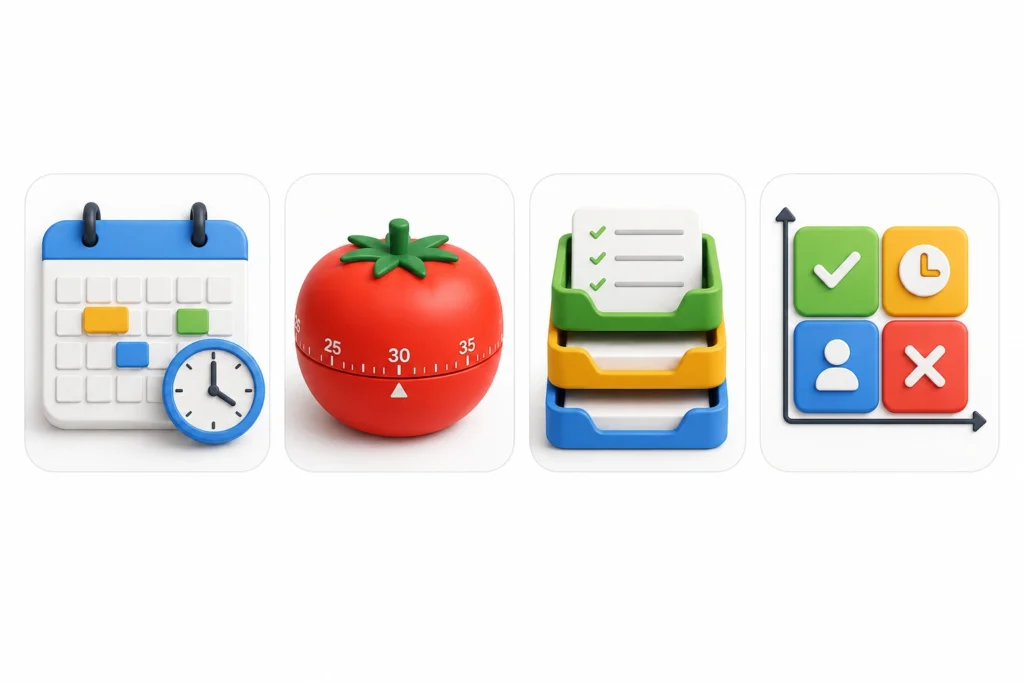
These four get mentioned together constantly, but they solve different problems and aren’t really competitors.
Time blocking is about your calendar, assigning fixed slots to specific work. Pomodoro is about sustaining focus within a single sitting, using short timed intervals. GTD, developed by David Allen, is a system for capturing and organizing everything you need to do so your head isn’t holding it all. The Eisenhower Matrix is a filter for deciding what’s worth your time in the first place.
Can you combine them?
Yes, and most people who stick with a system end up combining pieces. A common pattern: use the Eisenhower Matrix to decide what matters, GTD to capture and organize it, time blocking to put it on the calendar, and Pomodoro to actually execute during a block when focus is hard to hold.
How to Build a Time-Management System That Actually Works
Individual techniques help, but the real advantage comes from linking them into a repeatable loop.
- Audit your current schedule. Track a week before changing anything.
- Choose your weekly priorities. Three to five things that matter more than everything else competing for attention.
- Break priorities into actionable tasks. Turn “finish the proposal” into steps you can start today.
- Put priorities on your calendar. Not just a list, an actual block of time.
- Protect focused work blocks. Treat them the way you’d treat a meeting you can’t skip.
- Batch low-value activities. Email, admin, and routine tasks get grouped, not scattered.
- Leave room for unexpected work. Something will come up. Plan for it instead of being surprised by it.
- Review and adjust. What worked this week? What didn’t? Change the system, not just the effort you’re putting into it.
Example of an Effective Daily Schedule
This is a template, not a rule. Adjust the times to match your own energy patterns from your time audit.
| Time | Activity | Strategy |
| 8:00–8:15 | Review priorities | Planning |
| 8:15–10:00 | Deep work on top priority | Time blocking |
| 10:00–10:15 | Break | Recovery |
| 10:15–11:00 | Meetings and email | Batching |
| 11:00–12:00 | Second priority | Focus block |
| 12:00–1:00 | Lunch | Break |
| 1:00–2:30 | Project work | Time blocking |
| 2:30–3:00 | Admin tasks | Batching |
| 3:00–4:00 | Flexible or buffer time | Contingency |
| 4:00–4:15 | Daily review | Reflection |
Notice the buffer block in the afternoon. Something almost always runs long or shows up unplanned, and that block absorbs it instead of pushing into the next day’s schedule.
How to Manage Your Time at Work
1. Prioritize outcomes over activity
Being busy at work doesn’t automatically mean you’re delivering results. Ask what outcome each task is meant to produce, and let that guide how much time it gets.
2. Control meetings
Decline meetings without a clear agenda when you can, keep the ones you accept as short as the goal allows, and push for the option to skip meetings that don’t need you there.
3. Batch email and communication
Constant email checking is one of the most common time leaks people find in an audit. Two or three set windows a day is usually enough for anything that isn’t a true emergency.
4. Protect deep-work periods
If your job allows it, block your highest-energy hours for the work that needs real concentration, and push meetings and admin into the lower-energy parts of the day.
5. Manage multiple projects
Use a visible system, a Kanban board or a simple task list per project — so nothing quietly falls through the cracks while your attention is on something else.
6. Delegate appropriately
If a task doesn’t need your specific skills or judgment, and someone else has capacity, hand it off. Holding onto everything yourself isn’t more responsible, it’s usually just slower.
How Students Can Manage Their Time Effectively
1. Build a weekly study schedule
Block out class time first, then add study sessions around it, rather than trying to fit studying into whatever’s left over.
2. Work backward from deadlines
Take the due date and count backward: when does the draft need to be done, the research finished, the outline started? This turns one big deadline into several smaller, earlier ones.
3. Use focused study blocks
Pomodoro-style sessions work well here, twenty-five minutes of real focus beats two distracted hours with a phone nearby.
4. Avoid last-minute studying
Cramming feels efficient because it’s the only thing you remember doing, but spaced-out study sessions generally lead to better retention than one long session the night before.
5. Balance study, work, and personal life
If you have a job alongside classes, treat both as fixed blocks on the same calendar, not two separate schedules competing in your head.
How to Manage Your Time When You Feel Overwhelmed
1. Stop and capture everything
Write down every task pulling at your attention, even the small ones. A lot of overwhelm comes from trying to hold a mental list instead of a written one.
2. Identify what truly matters
Once it’s all on paper, sort it. Most lists have a handful of items that actually matter this week and a much longer tail that doesn’t.
3. Remove or postpone what isn’t essential
Some things can wait. Some things don’t need to happen at all. Cutting the list is often more effective than trying to work faster through all of it.
4. Choose one next action
When everything feels equally urgent, pick one task and start it. Momentum from finishing one thing usually makes the next one easier to face.
5. Ask for help when it makes sense
Delegating or asking for an extension isn’t a failure of time management — sometimes it’s the correct response to a workload that genuinely doesn’t fit in the time available.
6. Rebuild your schedule realistically
Once the immediate pressure eases, go back to your calendar and make sure it reflects what you can actually do, not what you wish you could do.
Common Time Management Mistakes to Avoid
- Planning every minute of the day. A schedule with zero flexibility breaks the first time something runs long.
- Writing unrealistic to-do lists. Fifteen items on a list almost guarantees most of them roll over to tomorrow.
- Treating every task as urgent. If everything is a priority, nothing is.
- Skipping breaks. Pushing through without rest tends to slow you down later in the day, not speed you up.
- Constantly switching tasks. Each switch costs more focus than it seems to in the moment.
- Collecting too many productivity apps. A tool should support your system. Juggling five of them often becomes its own time sink.
- Copying someone else’s exact routine. What works for one person’s job, energy levels, and life doesn’t automatically work for yours.
Tools That Can Help You Manage Your Time
The right time-management tools can make planning, prioritizing, and staying focused much easier. However, you don’t need dozens of apps to become more productive. Start with the tools that solve the specific problems you identified during your time audit.
1. Calendar Tools
Google Calendar and Outlook Calendar are two of the most common choices for time blocking and scheduling. They work especially well because many workplaces and schools already use them.
You can use your calendar to block out time for important tasks, meetings, exercise, personal commitments, and focused work. Instead of simply adding deadlines, assign specific time slots to the work that needs to get done. This gives your day more structure and makes it easier to protect your most productive hours.
2. Task-Management Apps
Task-management tools help you keep track of what needs to be done without relying entirely on memory. Todoist, Notion, Trello, and Asana are popular options, but they approach task organization differently.
Trello and Asana are useful if you prefer visual boards and want to see projects moving through different stages. Todoist works well for straightforward task lists and priorities, while Notion combines tasks with notes, databases, documents, and project information.
The goal isn’t to find the app with the most features. Choose one that makes it easier to see your priorities and decide what deserves your attention next.
3. Time-Tracking Tools
Time-tracking apps can show you how you’re actually spending your day, rather than how you think you’re spending it. Tools such as RescueTime can run in the background and provide reports on activities like work, browsing, meetings, and other computer usage.
This can be particularly useful during your initial time audit. But you can also continue using a tracker occasionally to spot changes in your habits. For example, you might discover that email, social media, or frequent context switching is taking up more time than expected.
4. Focus and Distraction-Blocking Tools
Sometimes the problem isn’t poor planning. It’s simply too many distractions. Focus and distraction-blocking tools can help create an environment where it’s easier to concentrate.
Apps such as Freedom allow you to block distracting websites and applications during specific periods. This can be useful when you’re working on a deadline, studying, writing, or doing other tasks that require uninterrupted attention.
These tools are especially helpful when willpower alone isn’t enough. Instead of constantly reminding yourself not to check social media, you can remove the temptation for a set period.
5. Choosing the Right Tool
Don’t choose a productivity tool simply because it’s popular or has a long list of features. Start with the problem you identified during your time audit.
If you regularly forget appointments, a calendar may be the most useful solution. If you struggle to keep track of tasks, try a task-management app. If distractions are eating into your focus time, a blocking tool may be more valuable. For teams that rely on virtual meetings and collaboration, Webex productivity tools can also help streamline communication and keep work organized.
Most importantly, the tool should support your time-management system, not become the system itself. Start with one or two tools, learn how to use them properly, and add others only when you have a clear reason to do so.
How to Know Whether Your Time Management Is Improving
Look for a few concrete signs over a few weeks:
- More of your important tasks are actually getting completed
- Fewer missed deadlines
- More hours going toward high-value work specifically
- Fewer unplanned interruptions derailing your day
- Less time lost to meetings that didn’t need you
- Less procrastination on tasks you used to avoid
- A lighter workload carrying over into the next day
- More protected personal time
Frequently Asked Questions About Time Management
How can I manage my time effectively?
Track where your time goes for a week, decide your top priorities, put them on your calendar at realistic times, protect that time from interruptions, and review weekly to adjust what isn’t working.
What are the five best ways to manage your time?
Audit your time, prioritize by importance rather than urgency, time-block your calendar, batch similar tasks, and review your week regularly.
What is the best time management technique?
There isn’t one best technique, it depends on the problem. The Eisenhower Matrix helps with prioritizing, Pomodoro helps with focus, GTD helps with capturing commitments, and time blocking helps with scheduling.
How can I stop procrastinating?
Break the task into a smaller, more specific first step, and use a short timed session like Pomodoro to lower the barrier to starting.
How can students manage their time?
Build a weekly schedule around class times, work backward from deadlines to set earlier personal deadlines, and use short focused study sessions instead of long cramming sessions.
Is multitasking good for time management?
Generally no. What feels like multitasking is usually fast switching between tasks, and each switch costs focus and time.
Conclusion
You don’t need to control every minute of your day. You need to make deliberate decisions about what deserves your time, and build a schedule that reflects those decisions instead of just reacting to whatever shows up.
If you’re starting from nothing, three steps get you most of the way there: track your time for a week, choose your top priorities, and schedule protected time to work on them.
From there, review what worked, adjust what didn’t, and keep refining the system rather than searching for the next technique to try.
Time management isn’t a personality trait some people have and others don’t. It’s a set of habits, and like any habit, it gets easier with repetition.

Mehreen Mushtaq is a skilled content writer dedicated to creating high-quality, engaging, and SEO-focused blogs. She specializes in strategic keyword usage, search intent, and informative content that connects with readers while helping websites strengthen their visibility and rankings in search results.