
In the world of business today companies really need software to get things done faster, make customers happy and keep things running smoothly. When people start looking for software to help their business they usually come across two terms that sound similar but are actually very different: web applications and enterprise applications.
A lot of people in charge think that all software for business is the same.. That is not true. Knowing the difference between web applications and enterprise applications can really affect how money you spend on technology, how well your business runs, how big you can get and how well your business does in the long run.
If you are starting a company or if you are in charge of technology or if you own a business or if you are trying to change how your company uses technology, knowing the difference between these two things can help you pick the right software for what your company needs.
This guide is going to take a look at web applications and enterprise applications including what they can do, what is good about them, examples of how they work and how to figure out which one is best for your company.
What Is a Web Application?
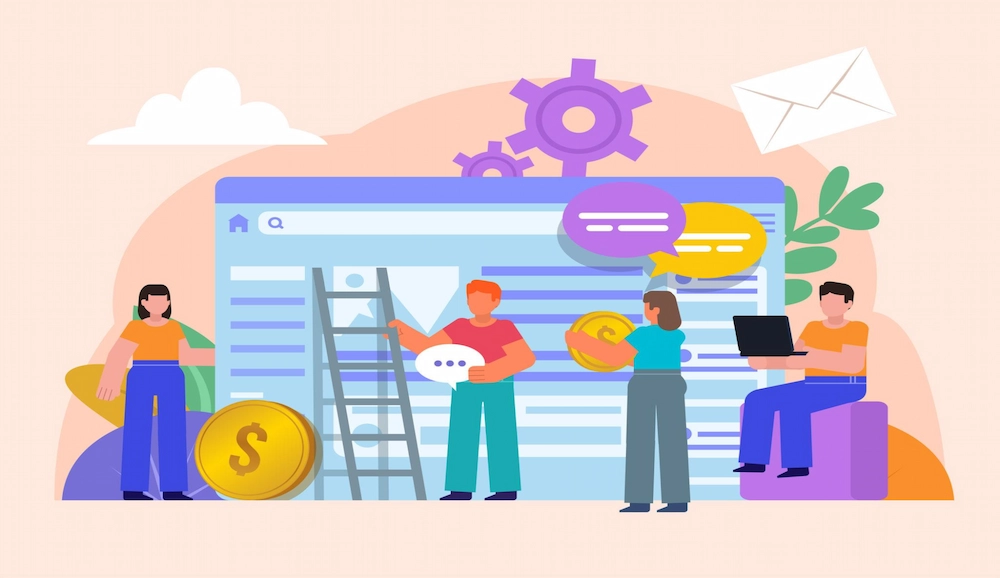
A web application is a kind of program that you can use on the internet. You can get to it with a web browser.
You do not have to put it on your computer to use it.
Web applications are different from the programs you put on your computer.
They work on computers somewhere else and you can use them from any device that is connected to the internet.
You can use web applications from any device that has an internet connection.
Common examples include:
1.Google Docs
Google Docs is a cool tool that helps people make documents and share them with others. You can use Google Docs to write reports, take notes and work on proposals. The best part is that you can do all of this with people at the same time. Google Docs lets multiple people work on the document together which makes it easier for teams to work together.
Google Docs saves your work automatically so you do not have to worry about losing anything. Since your documents are stored online you can get to them from any device that has an internet connection.
Google Docs is used by students, professionals and businesses to make documents and work together every day. Google Docs is very popular because it makes creating and sharing documents easy to do.
2.Gmail
Gmail is one of the world’s most popular web-based email services, offering a reliable and user-friendly way to communicate online. Users can send and receive emails, organize messages into folders, and search through conversations quickly. Its cloud-based design allows access from computers, tablets, and smartphones without requiring special software. Gmail also includes features such as spam filtering, email scheduling, labels, and integration with other Google services. Whether for personal communication, professional correspondence, or business operations, Gmail helps users stay connected and manage their inbox efficiently from virtually anywhere.
3.Trello
Trello is a web-based project management tool designed to help individuals and teams organize work visually. It uses boards, lists, and cards to track tasks, deadlines, and project progress in an easy-to-understand format. Team members can assign responsibilities, add comments, upload files, and receive updates as work moves forward. Trello is flexible enough for managing personal tasks, business projects, marketing campaigns, and collaborative workflows. Its simple drag-and-drop interface makes it accessible even for beginners. By providing clear visibility into ongoing work, Trello helps teams stay organized, productive, and aligned on project goals.
4.Canva
Canva is an online graphic design platform that allows users to create professional-looking visuals without advanced design skills. It offers a wide range of templates for presentations, social media posts, flyers, posters, resumes, and marketing materials. Users can customize designs using drag-and-drop tools, images, icons, fonts, and branding elements. Because Canva operates entirely through a web browser, designs can be created and edited from anywhere with internet access. It is widely used by students, content creators, marketers, and businesses to produce attractive visual content quickly while saving time and reducing design complexity.
5.Dropbox
Dropbox is a cloud storage and file-sharing service that helps users securely store, organize, and access files online. Instead of keeping documents only on a single device, users can save them to Dropbox and retrieve them from computers, smartphones, or tablets whenever needed. The platform automatically syncs files across devices, ensuring the latest versions are always available. Dropbox also makes collaboration easier by allowing users to share files and folders with colleagues, clients, or team members. Its combination of accessibility, security, and convenience has made it a popular solution for personal and professional file management.
6.Slack (Web Version)
Slack is a browser-based workplace communication platform designed to improve team collaboration and reduce reliance on email. It allows employees to communicate through organized channels, direct messages, and group discussions, keeping conversations focused and easy to find. Teams can share files, collaborate on projects, and integrate various business tools within a single workspace. The web version enables users to access Slack directly from a browser without installing desktop software. By centralizing communication and providing real-time updates, Slack helps organizations streamline workflows, improve transparency, and keep team members connected regardless of their location.
Key Characteristics of Web Applications
1.Browser-Based Access
Users access the application through browsers such as Chrome, Firefox, Safari, or Edge.
2.Cross-Platform Compatibility
Web applications work across desktops, laptops, tablets, and smartphones.
3.Centralized Updates
Developers deploy updates on the server side, meaning users always access the latest version.
4.Internet Connectivity
Most web applications require internet access to function properly.
5.User-Friendly Design
Many web applications prioritize simplicity and ease of use for broad audiences.
What Is an Enterprise Application?
An enterprise application is a software system that helps a company with its business.
It supports lots of things that the company does every day.
These applications are really helpful because they assist companies with managing their work, data and people.
They also help with making sure everyone follows the rules and works together across different departments.
Enterprise applications are made to handle a lot of users and important business information at the time.
Examples include:

- Enterprise Resource Planning Systems
These Enterprise Resource Planning systems bring together business activities like money, inventory, buying things, making things and running the business into one place. This helps because it puts all the information in one spot and automates a lot of tasks. So Enterprise Resource Planning systems make things more efficient, stop people from doing the work twice and give businesses the information they need to make good decisions right now.
- Customer Relationship Management Platforms
Customer Relationship Management platforms are tools that help businesses deal with their customers. They keep track of customer information, watch what is happening with sales, make marketing easier and improve how customers are treated. These Customer Relationship Management systems help businesses build relationships with their customers, make them happier and sell more things by being more engaged with them.
- Supply Chain Management Systems
Supply Chain Management systems are used by businesses to keep track of how goods, materials and information move from the people they buy from to the people they sell to. These systems make it better to control inventory, figure out how much of something will be needed, buy things, move things around and get things to customers. By being able to see everything that is happening in the supply chain businesses can save money. Work better
- Human Resource Management Systems
Human Resource Management systems make it easier for businesses to do things like find employees, help new employees get started, pay people to track who is at work, evaluate how well people are doing their jobs and give benefits. These platforms help businesses keep track of information about their employees, make employees happier, follow the rules and plan for the future. Human Resource Management systems are important for managing the people who work for a business.
- Financial Management Software
Financial Management software is used by businesses to manage things like accounting, making budgets, reporting about money, sending invoices, tracking expenses and watching cash flow. It automates tasks that have to do with money, reduces mistakes and gives information about finances. Businesses use Financial Management software to follow the rules, control their money better and make decisions about what to do next, with their money and resources.
Popular enterprise application examples include:
- SAP
- Oracle ERP
- Microsoft Dynamics 365
- Salesforce Enterprise
- Workday
- Enterprise applications are often deeply integrated into business operations and play a critical role in organizational success.
Web Application vs Enterprise Application: Quick Comparison
| Feature | Web Application | Enterprise Application |
| Purpose | Specific user tasks | Organization-wide operations |
| Users | Individual users or small teams | Multiple departments and large workforces |
| Complexity | Relatively simple | Highly complex |
| Scalability | Moderate to high | Extremely high |
| Integration | Limited integrations | Extensive integrations |
| Security Requirements | Standard security | Advanced enterprise-grade security |
| Customization | Moderate | Highly customizable |
| Cost | Lower | Higher |
| Deployment Time | Faster | Longer |
| Business Impact | Departmental or customer-focused | Organization-wide |
Core Differences Between Web Applications and Enterprise Applications
1. Purpose and Scope
The primary difference lies in their purpose.
Web Applications
Web applications usually focus on performing specific tasks such as:
- Project management
- Communication
- Content creation
- Online shopping
- File sharing
They solve targeted problems for users.
Enterprise Applications
Enterprise applications support entire business ecosystems.
They help organizations manage:
- Finance
- Human resources
- Procurement
- Manufacturing
- Sales
- Compliance
- Customer relationships
Enterprise applications connect multiple departments under a unified system.
Example
A task management platform helps teams organize projects.
An ERP system manages inventory, payroll, accounting, procurement, and operations across an entire organization.
2. User Base
Web Applications
Typically serve:
- Consumers
- Small businesses
- Startups
- Individual users
The user base is often broad and diverse.
Enterprise Applications
Designed for:
- Large organizations
- Enterprises
- Government agencies
- Multinational corporations
Users may include thousands of employees across multiple departments.
3. Complexity
Web applications generally have simpler architectures.
Enterprise applications involve:
- Complex workflows
- Advanced databases
- Business rules
- Regulatory compliance
- Large-scale integrations
Because of this complexity, enterprise systems often require dedicated implementation and maintenance teams.
4. Integration Capabilities
Web Applications
May connect with:
- Email tools
- Payment gateways
- Analytics platforms
- Cloud storage solutions
Enterprise Applications
Require extensive integration with:
- Legacy systems
- ERP platforms
- CRM systems
- Supply chain software
- Accounting systems
- Data warehouses
Enterprise environments demand seamless information flow across the organization.
5. Security Requirements
Security is important for both categories but becomes significantly more critical in enterprise environments.
Web Application Security
Usually includes:
- Authentication
- Encryption
- Secure APIs
- User permissions
Enterprise Application Security
Often includes:
- Role-based access controls
- Multi-factor authentication
- Compliance management
- Audit trails
- Data governance
- Advanced threat monitoring
Large organizations handle sensitive customer, financial, and operational data that require stronger protection.
6. Scalability
Scalability refers to a system’s ability to grow alongside business needs.
Web Applications
Can scale effectively but are usually designed around specific functions.
Enterprise Applications
Must support:
- Thousands of users
- Massive databases
- Global operations
- High transaction volumes
Enterprise software is built with long-term growth in mind.
Advantages of Web Applications
Businesses often choose web applications because they provide flexibility and accessibility.
1.Easy Access
Users can log in from anywhere with an internet connection.
2.Lower Development Costs
Compared to enterprise systems, web applications are generally less expensive to build and maintain.
3.Faster Deployment
Web applications can be launched relatively quickly.
4.Simplified Maintenance
Updates occur centrally without requiring user intervention.
5.Better Accessibility
Remote teams can easily access applications from different devices and locations.
Advantages of Enterprise Applications
Enterprise applications offer benefits that support large-scale operations.
1.Improved Operational Efficiency
Organizations can automate and streamline business processes.
2.Centralized Data Management
All departments work with consistent, real-time information.
3.Enhanced Collaboration
Different teams can share data and workflows seamlessly.
4.Better Decision-Making
Enterprise applications provide advanced analytics and reporting capabilities.
5.Regulatory Compliance
Built-in controls help organizations meet industry regulations and standards.
When Should You Choose a Web Application?
A web application is often the best choice when:
1.You Need Fast Deployment
Startups and small businesses often need solutions quickly.
2.Your Budget Is Limited
Web applications generally require lower investment.
3.You Need Customer-Facing Functionality
Examples include:
- Online booking systems
- E-commerce platforms
- Customer portals
- Learning management systems
4.You Want Broad Accessibility
Teams can access the software from virtually any location.
When Should You Choose an Enterprise Application?
An enterprise application is typically the right choice when:
1.You Have Complex Business Processes
Multiple departments require coordination and workflow management.
2.You Need Organization-Wide Visibility
Leadership needs centralized reporting and data access.
3.Compliance Is Critical
Industries such as healthcare, finance, and manufacturing often require advanced compliance features.
4.Scalability Is a Priority
Rapidly growing organizations need systems that can expand alongside business operations.
Can an Enterprise Application Be a Web Application?
Yes. This is one of the most misunderstood aspects of the discussion.
Many modern enterprise applications are actually web-based.
For example:
- Salesforce
- Workday
- Microsoft Dynamics 365
- SAP S/4HANA Cloud
These programs work in web browsers. People still call them enterprise applications. This is because of what these enterprise applications do, how complicated these enterprise applications are, how big these enterprise applications are and how these enterprise applications affect the organization.
In words: Just because you can get to the software through a web browser does not mean it is a web application like you normally think of one.
The difference between these two types of software, the enterprise applications and the web applications is what the software is supposed to do for the business and how much the software can do, not how you get to the software.
Trends Shaping Web and Enterprise Applications in 2026
The difference between web applications and enterprise applications is changing.
There are some things that are affecting both web applications and enterprise applications.
1.Artificial Intelligence Integration
Organizations increasingly expect software to provide:
- Predictive analytics
- Intelligent automation
- AI-powered assistants
- Workflow recommendations
2.Cloud-First Development
Cloud deployment has become the standard approach for modern software solutions.
3.Low-Code and No-Code Platforms
Businesses can develop custom applications faster without extensive programming expertise.
4.Enhanced Cybersecurity
Security investments continue to grow as threats become more sophisticated.
5.Data-Driven Decision Making
Organizations want software that transforms raw data into actionable insights.
Conclusion
The discussion about web application versus enterprise application is not about figuring out which one is better. It is about finding out which one is right for your company.
Web applications are great at giving people access to things they need from any place. They are also affordable. Can be set up quickly which is perfect for specific business needs.
Enterprise applications are different. They are like the foundation of companies. They help different parts of the company work together, keep all the information in one place, make tasks automatic, help with following rules and make it possible for the company to grow over time.
Before you buy any software you should look at how your company works, what you want to achieve and what your users want. How complicated your operations are. The more you understand what you want the easier it is to pick the technology.
In today’s world, where everything is becoming digital, choosing the kind of application can make a big difference. It can be the difference between getting work done and really making your whole company better. Web application and enterprise application are two different things and you need to think about what your company needs. You need to think about what you want to achieve with a web application or enterprise application.
Frequently Asked Questions (FAQs)
What is the main difference between a web application and an enterprise application?
A web application focuses on specific user tasks and is accessed through a browser, while an enterprise application manages large-scale business operations across multiple departments.
Is Salesforce a web application or an enterprise application?
Salesforce is a tool that companies use over the internet. Salesforce helps with customer relationship management for the organization and it also helps with business processes. Salesforce is really good, for managing customer relationships and business processes in an organization that uses Salesforce.
Are enterprise applications more expensive than web applications?
Generally yes. Enterprise applications need work to develop, customize, integrate, secure and maintain.
That makes them more expensive.
Can small businesses use enterprise applications?
Yes. Many modern enterprise solutions offer scalable versions designed for small and medium-sized businesses.
Is every web application an enterprise application?
No. Most web applications serve specific functions and do not manage organization-wide business processes.
Can an enterprise application be cloud-based?
Absolutely. Many modern enterprise applications operate entirely in the cloud while providing enterprise-grade functionality.
Which is better: web application or enterprise application?
Neither is inherently better. The right choice depends on business goals, complexity, budget, and operational requirements.