
Managing time effectively has become increasingly important for students, professionals, freelancers, and business owners. With multiple responsibilities, constant notifications, meetings, and deadlines, staying productive throughout the day can be challenging. This is where the right time management tools and practices can make a significant difference.
Time management is not simply about completing more tasks in less time. It is about understanding your priorities, organising your schedule, reducing distractions, and making better use of your available hours. Whether you are managing personal projects, working with a team, or balancing studies with professional responsibilities, a structured approach can help you stay organised.
Fortunately, several digital tools and proven productivity techniques can make managing your time easier. From task management applications to time-tracking software and focused work methods, these solutions help you plan your day and maintain consistent progress.
In this article, we will explore 10 useful time management tools and practices, explain how they work, and show you how to choose the right combination for your daily routine.
What Are Time Management Tools and Practices?
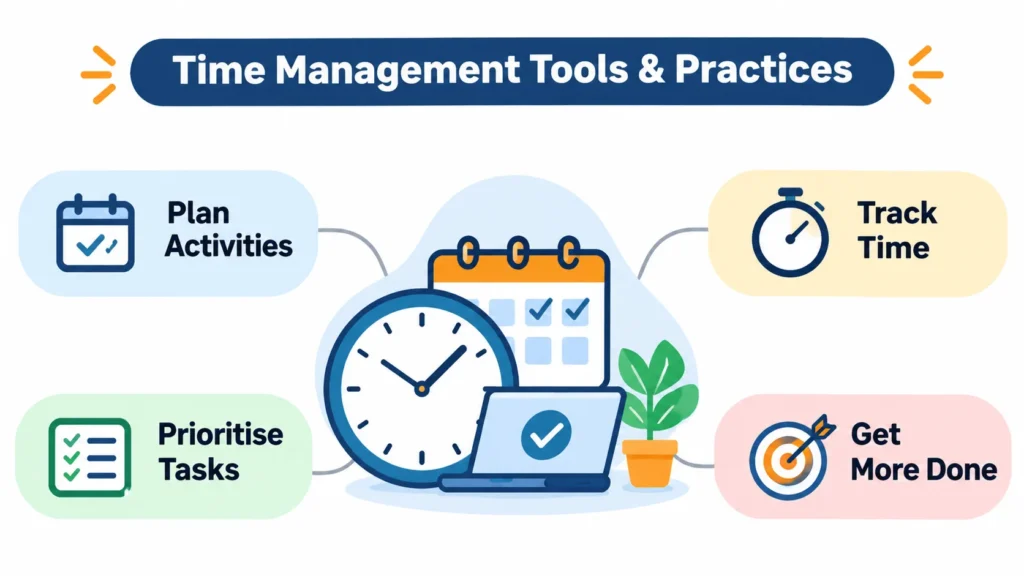
Time management tools and practices are applications, techniques, and organisational methods that help individuals plan activities, prioritise responsibilities, track working hours, and complete tasks efficiently.
Tools provide practical features such as calendars, reminders, task lists, project boards, and time-tracking reports. Practices provide structured approaches to using time more effectively, such as time blocking, the Pomodoro Technique, and task prioritisation.
For example, a freelance content writer might use Google Calendar to schedule writing sessions, Todoist to organise article deadlines, and Clockify to track the time spent on each project.
Combining the right tools with consistent habits makes it easier to manage workloads without feeling overwhelmed.
10 Best Time Management Tools & Practices to Improve Productivity
The following tools and practices cover different aspects of time management, including planning, organisation, prioritisation, focus, and performance tracking.
1. Google Calendar – Organise Your Daily Schedule
Google Calendar is one of the most accessible tools for organising daily activities, meetings, appointments, and deadlines. It allows users to create events, set reminders, and view their schedules across different days, weeks, and months.
One of its most useful applications is time blocking. Instead of maintaining a simple list of responsibilities, you assign specific time slots to individual activities.
For example, a digital marketing professional might organise their day like this:
| Time | Activity |
| 9:00 AM – 10:00 AM | Check emails and plan tasks |
| 10:00 AM – 12:00 PM | SEO research and content planning |
| 12:00 PM – 1:00 PM | Meetings and discussions |
| 1:00 PM – 2:00 PM | Lunch break |
| 2:00 PM – 4:00 PM | Content writing |
| 4:00 PM – 5:00 PM | Review and reporting |
This approach gives every important activity a dedicated place in your schedule.
Key features:
- Create and manage events and appointments.
- Set reminders for important deadlines.
- Share calendars with colleagues and team members.
- Schedule recurring meetings and activities.
- Integrate with other Google Workspace applications.
Best for: Students, freelancers, remote workers, and professionals who need a structured daily schedule.
2. Todoist – Manage Tasks and Priorities
Todoist is a task management application that helps users organise responsibilities, create project lists, and track progress.
Rather than remembering everything you need to complete, you can add tasks to Todoist and assign deadlines, priorities, and categories. This makes it easier to understand what needs attention first.
For example, an SEO specialist managing several websites might create separate projects for keyword research, content optimisation, backlink outreach, and technical audits.
Each project can contain individual tasks with deadlines and priority levels.
Todoist also supports recurring tasks, which are useful for responsibilities that need regular attention, such as publishing weekly blog posts or reviewing website performance.
Key features:
- Create personal and professional task lists.
- Organise projects using sections and labels.
- Assign priority levels to important tasks.
- Set recurring deadlines and reminders.
- Track completed tasks and project progress.
Best for: Freelancers, students, content writers, and professionals managing multiple responsibilities.
3. Trello – Visualise Projects and Workflows
Trello is a visual project management tool that helps individuals and teams organise work using boards, lists, and cards.
It follows the Kanban approach, where tasks move through different stages depending on their progress. This makes it easier to understand what needs to be done, what is currently in progress, and what has been completed.
For example, a content marketing team can create a board with three lists:
- To Do: Articles waiting to be written.
- In Progress: Articles currently being developed.
- Completed: Articles that have been reviewed and published.
Each card can include descriptions, checklists, attachments, deadlines, and team members.
This visual structure reduces confusion, particularly when several people are working on different parts of the same project.
Key features:
- Create project boards and task cards.
- Organise activities using workflow stages.
- Assign tasks to team members.
- Add deadlines, checklists, and attachments.
- Monitor project progress visually.
Best for: Marketing teams, content teams, freelancers, and businesses managing collaborative projects.
4. Clockify – Track Where Your Time Goes
Clockify is a time-tracking application that helps individuals and businesses understand how much time they spend on different activities.
Many people believe they spend enough time on important tasks, but they rarely measure their actual working hours. Time tracking provides a clearer picture of how the working day is distributed.
For example, a freelance writer might spend three hours writing an article, one hour researching keywords, and another two hours responding to emails and communicating with clients.
By recording these activities, the writer can identify which responsibilities consume the most time.
Clockify also provides reports that help users review their working hours and understand project-level time distribution.
Key features:
- Start and stop timers for individual activities.
- Track time across different projects.
- Generate timesheets and productivity reports.
- Monitor billable and non-billable hours.
- Review time spent on clients and assignments.
Best for: Freelancers, agencies, consultants, and teams that need accurate time tracking.
5. Notion – Keep Tasks, Notes, and Projects Together
Notion is an all-in-one workspace that combines note-taking, task management, databases, documentation, and project organisation.
It is particularly useful for people who manage different types of information throughout the day. Instead of switching between several applications, users can organise their work inside a central workspace.
For example, a content marketing professional can create a Notion workspace containing:
- A content calendar for upcoming articles.
- A keyword research database.
- A list of published blog posts.
- A project tracker for ongoing campaigns.
- A documentation section for content guidelines.
Notion also offers different database views, including tables, calendars, and boards. These views allow users to organise the same information in different ways.
However, its flexibility can sometimes make workspace organisation complicated. Starting with a simple task database and gradually adding features is generally more practical.
Key features:
- Create notes and documentation.
- Build customised task databases.
- Organise projects and content calendars.
- Manage information using different database views.
- Collaborate with team members.
Best for: Content creators, students, entrepreneurs, and teams managing information-heavy projects.
6. Practise the Pomodoro Technique for Better Focus
The Pomodoro Technique is a time management practice that divides work into focused intervals followed by short breaks.
Developed by Francesco Cirillo, this technique traditionally uses 25-minute work sessions followed by five-minute breaks.
The idea is simple: instead of forcing yourself to concentrate on a task for several hours, you work in shorter sessions with planned breaks.
Here is how to apply it:
- Choose one specific task you want to complete.
- Set a timer for 25 minutes.
- Work on that task without distractions.
- Take a five-minute break when the timer ends.
- Repeat the process.
- After four work sessions, take a longer break of around 15–30 minutes.
Example: If you are writing a 2,000-word blog post, you can divide the work into smaller sessions for research, outlining, drafting, and editing.
This makes a large assignment feel more manageable.
You can use a simple timer or applications such as TickTick and Forest to support focused work sessions.
The technique is also discussed in academic productivity resources, including the University of Monash’s guide to the Pomodoro Technique.
Best for: Students, writers, researchers, and professionals who struggle with distractions or procrastination.
7. Apply the Eisenhower Matrix to Prioritise Tasks
The Eisenhower Matrix is a prioritisation method that helps you decide which tasks deserve immediate attention and which can be scheduled, delegated, or removed.
It categorises activities using two factors: urgency and importance.
The matrix contains four categories:
| Category | Meaning | Action |
| Urgent and Important | Tasks requiring immediate attention | Do it now |
| Important but Not Urgent | Tasks supporting long-term goals | Schedule it |
| Urgent but Not Important | Tasks requiring attention but not necessarily yours | Delegate it |
| Neither Urgent nor Important | Activities providing little value | Eliminate or minimise |
Practical example:
Imagine you are managing an SEO campaign.
- Fixing a website indexing issue affecting important pages: Do it now.
- Preparing next month’s content strategy: Schedule it.
- Responding to a non-essential meeting request: Delegate it if possible.
- Checking social media repeatedly without a clear purpose: Minimise it.
The main advantage of this method is that it prevents you from spending your entire day responding to urgent requests while ignoring important long-term responsibilities.
You can create this matrix using a spreadsheet, Notion, or a simple notebook.
The University of Pittsburgh’s time management guide also recommends prioritising responsibilities and using structured planning techniques.
Best for: Managers, entrepreneurs, students, and professionals handling multiple deadlines.
8. Practise Time Blocking to Structure Your Day
Time blocking is a planning method in which you assign specific periods to different activities throughout your day.
Instead of working through an unstructured task list, you decide in advance when you will complete each responsibility.
For example, if you have five important tasks to complete, you can assign each one a dedicated time slot based on its priority and estimated duration.
This technique is particularly useful for people who frequently switch between activities.
Consider a content writer who spends the morning researching keywords, the afternoon writing articles, and the final hour reviewing published content. By assigning specific periods to these activities, the writer can reduce unnecessary task switching.
How to practise time blocking:
- Identify the most important tasks for the day.
- Estimate how long each task will take.
- Assign a time slot to every major activity.
- Include breaks and unexpected interruptions.
- Review your schedule at the end of the day.
One important point is to avoid filling every available minute. Leave some flexibility for unexpected meetings, revisions, and urgent responsibilities.
Best for: Remote workers, content creators, entrepreneurs, and professionals with predictable daily responsibilities.
9. Use Toggl Track to Understand Your Productivity
Toggl Track is a time-tracking tool designed to help individuals and teams measure the time spent on different projects and activities.
It allows users to record working sessions and review reports showing how their time is distributed.
For example, a digital marketing agency might track the time spent on keyword research, technical SEO audits, content creation, and client meetings.
After reviewing the reports, the agency can identify activities that consistently take longer than expected.
This information can also help freelancers estimate project timelines more accurately and understand how much effort different client assignments require.
Key features:
- Track working hours using timers.
- Organise time entries by project and client.
- Review time-tracking reports.
- Monitor billable working hours.
- Analyse how time is distributed across activities.
Best for: Freelancers, consultants, agencies, and businesses that need project-level time tracking.
Clockify vs. Toggl Track: Both applications help track working hours. Clockify is useful for straightforward time tracking and timesheets, while Toggl Track offers a time-tracking experience with detailed reporting and project organisation. The better choice depends on your workflow and reporting requirements.
10. Use the Weekly Review Practice to Improve Your Routine
A weekly review is a simple practice that helps you evaluate your progress, identify unfinished responsibilities, and prepare for the upcoming week.
Many people plan their daily activities but rarely review whether their schedules are actually working. As a result, the same problems continue from one week to another.
A weekly review gives you an opportunity to understand what went well and what needs improvement.
For example, imagine that you planned to publish four blog posts during the week but completed only two. During your review, you might discover that keyword research and revisions took longer than expected.
Instead of simply adding more working hours, you can adjust your next week’s schedule and allocate more realistic time to those activities.
How to perform a weekly review:
- Review all completed tasks.
- Identify unfinished activities and upcoming deadlines.
- Check how much time you spent on important projects.
- Identify distractions and unnecessary activities.
- Set priorities for the following week.
- Schedule important tasks in your calendar.
You can perform this review every Friday afternoon or Sunday evening.
A consistent review helps you improve your planning decisions over time.
Best for: Students, business owners, freelancers, managers, and anyone managing multiple weekly responsibilities.
Comparison of the 10 Time Management Tools & Practices
Choosing the right solution depends on the type of productivity challenge you want to solve.
The following table provides a quick comparison.
| Tool or Practice | Primary Purpose | Best For |
| Google Calendar | Scheduling and time blocking | Daily planning |
| Todoist | Task organisation | Managing deadlines |
| Trello | Visual project management | Team collaboration |
| Clockify | Time tracking | Monitoring working hours |
| Notion | Notes and project organisation | Managing information |
| Pomodoro Technique | Focused work sessions | Reducing procrastination |
| Eisenhower Matrix | Task prioritisation | Managing important responsibilities |
| Time Blocking | Structured scheduling | Organising daily activities |
| Toggl Track | Project time tracking | Understanding time distribution |
| Weekly Review | Performance evaluation | Improving weekly planning |
Important: You do not need all ten solutions to manage your time effectively. Start with the tools that address your biggest challenges and introduce additional practices only when necessary.
How to Choose the Right Time Management Tools for Your Needs
Not every time management application works for everyone. A tool that works well for a marketing agency might not be necessary for a college student or an individual freelancer.
Before selecting an application, understand what you want to improve. You can also explore our guide to the best productivity tools to compare different applications for task management, collaboration, project organisation, and everyday workflows.
Identify Your Biggest Productivity Challenge

Start by identifying where you lose the most time. If you want to develop a more structured routine, explore our guide on how to manage your time effectively to discover practical strategies for prioritising tasks, organising schedules, and improving daily productivity.
If you frequently forget deadlines, a task management application such as Todoist can help. If you struggle to organise meetings and daily responsibilities, Google Calendar may be more suitable.
Similarly, if you spend too much time on individual projects without understanding where your hours go, consider Clockify or Toggl Track.
Choosing a tool based on an actual problem is more effective than selecting an application simply because it is popular.
Consider Ease of Use
A complicated productivity application can sometimes create more work instead of reducing it.
Look for an interface that makes it easy to add tasks, update deadlines, and review progress. If you need extensive training just to organise your daily activities, a simpler alternative might be a better choice.
Check Integrations
If you already use applications such as Gmail, Google Drive, Microsoft Teams, or Slack, check whether your chosen productivity tool integrates with your existing workflow.
Integrations can reduce repetitive work and make it easier to access important information without switching between multiple platforms.
Compare Free and Paid Features
Many time management applications offer free plans with basic features. These can be sufficient for students, individuals, and small teams.
However, paid plans may include additional functionality such as advanced reporting, automation, team permissions, and increased storage.
Compare the available plans before purchasing a subscription. Also, check the current pricing on the official website because subscription costs and features can change.
Avoid Using Too Many Applications
One common productivity mistake is using too many tools simultaneously.
For example, maintaining separate task lists in Notion, Todoist, Trello, and Google Sheets can create confusion and duplicate work.
Start with one primary task management tool, one calendar, and a time tracker if necessary. A smaller and consistent system is usually easier to maintain.
Practical Tips to Improve Your Daily Time Management
Using productivity applications is only one part of effective time management. Your daily habits also determine how efficiently you complete your responsibilities.
Here are some practical ways to improve your routine.
1. Start your day with three priorities. Identify the three most important tasks you want to complete. Focus on these before spending time on less important activities.
2. Break large projects into smaller tasks. Instead of writing “Complete website content,” divide the responsibility into keyword research, outline creation, writing, editing, and publishing.
3. Avoid multitasking. Switching between emails, meetings, and important assignments can interrupt your concentration. Complete similar activities together whenever possible. If distractions frequently interrupt your workflow, read our guide on how to stay focused at work for practical ways to improve concentration and maintain productive work sessions.
4. Set realistic deadlines. Do not assume every task will take exactly the amount of time you expect. Allow additional time for revisions, interruptions, and unexpected problems.
5. Schedule regular breaks. Continuous work without breaks can make it harder to maintain concentration. Include short breaks throughout your working day.
6. Reduce unnecessary notifications. Disable notifications from applications that are not essential to your current work.
7. Review your progress regularly. At the end of each day, identify completed tasks and move unfinished responsibilities into an appropriate future time slot.
8. Maintain a healthy work-life balance. Productivity should not come at the expense of sleep, exercise, personal responsibilities, and relaxation.
The Open University also highlights prioritisation, time blocking, and task categorisation as useful approaches to managing time effectively.
Frequently Asked Questions (FAQs)
1. What are the best tools for time management?
Some popular time management tools include Google Calendar, Todoist, Trello, Clockify, Notion, and Toggl Track. These applications help users organise tasks, schedule activities, manage projects, and monitor working hours.
The best option depends on your requirements. For example, Google Calendar is useful for scheduling, while Clockify and Toggl Track are designed for tracking time.
2. What are the five best time management techniques?
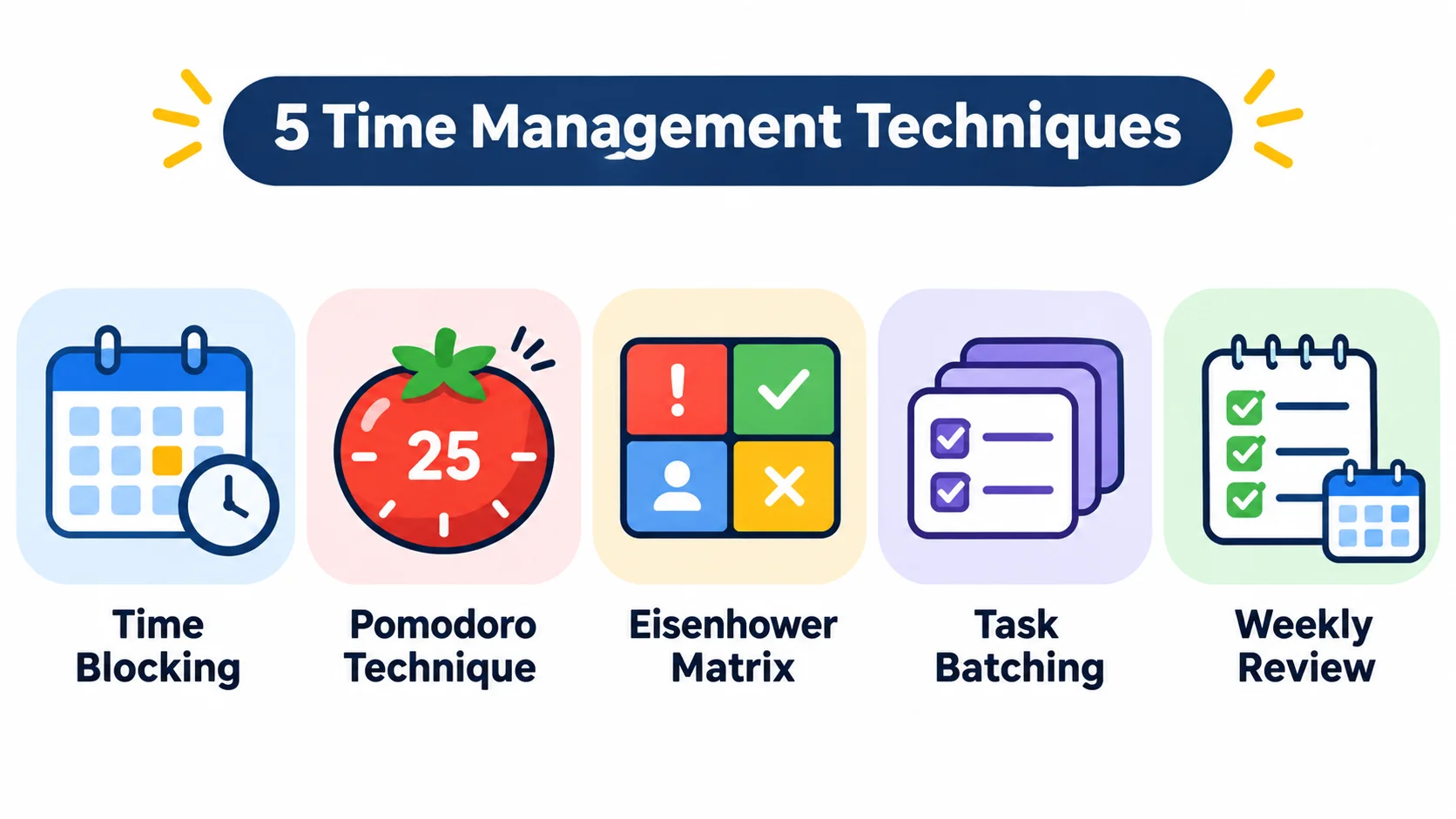
Five useful time management techniques include:
- Time Blocking: Assign specific periods to individual activities.
- Pomodoro Technique: Work in focused intervals followed by short breaks.
- Eisenhower Matrix: Prioritise tasks based on urgency and importance.
- Task Batching: Group similar activities and complete them together.
- Weekly Review: Evaluate your progress and prepare for the upcoming week.
These techniques help individuals organise responsibilities and make more intentional use of their time.
3. Are free time management tools effective?
Yes. Free time management tools can be effective for individuals and small teams that need basic scheduling, task organisation, and time tracking.
Applications such as Google Calendar and Microsoft To Do provide useful starting points without requiring a paid subscription. However, advanced reporting, collaboration, and automation features may require paid plans in some applications.
4. How can students manage their time effectively?
Students can manage their time by creating study schedules, setting realistic academic goals, and prioritising assignments according to their deadlines.
Using Google Calendar for study sessions, Todoist for assignment tracking, and the Pomodoro Technique for focused learning can help students maintain a consistent routine.
It is also important to schedule breaks and leave enough time for revision.
5. What is the difference between time management and task management?
Time management focuses on how you allocate your available hours across different activities. Task management focuses on organising, assigning, prioritising, and completing individual responsibilities.
For example, using Google Calendar to schedule a writing session is time management, while using Todoist to organise the article’s research, drafting, and editing stages is task management.
Both approaches work together to improve productivity.
6. How many time management tools should I use?
Most individuals can start with two or three complementary tools.
For example, you can use Google Calendar for scheduling, Todoist for task management, and Clockify for tracking working hours.
Using too many applications can create unnecessary complexity, so choose tools that support different parts of your workflow.
Conclusion
Effective time management is about making better decisions with the time you already have. The right combination of time management tools and practices can help you organise responsibilities, prioritise important activities, reduce distractions, and maintain consistent productivity.
Tools such as Google Calendar, Todoist, Trello, Clockify, and Notion simplify everyday planning and project organisation. Meanwhile, practices such as the Pomodoro Technique, Eisenhower Matrix, time blocking, and weekly reviews help develop better working habits.
You do not need to adopt every tool or technique immediately. Start by identifying your biggest productivity challenge, select one or two suitable solutions, and use them consistently.
Remember, the goal is not to fill every hour with work. It is to spend your time on activities that genuinely matter.

Mehreen Mushtaq is a skilled content writer dedicated to creating high-quality, engaging, and SEO-focused blogs. She specializes in strategic keyword usage, search intent, and informative content that connects with readers while helping websites strengthen their visibility and rankings in search results.